更新
warp go脚本的GitHub仓库被GitHub官方ban掉了,warp go脚本迁移到了gitlab仓库。
最近在访问new bing的时候,得到这样的报错信息Sorry, looks like your network settings are preventing access to this feature
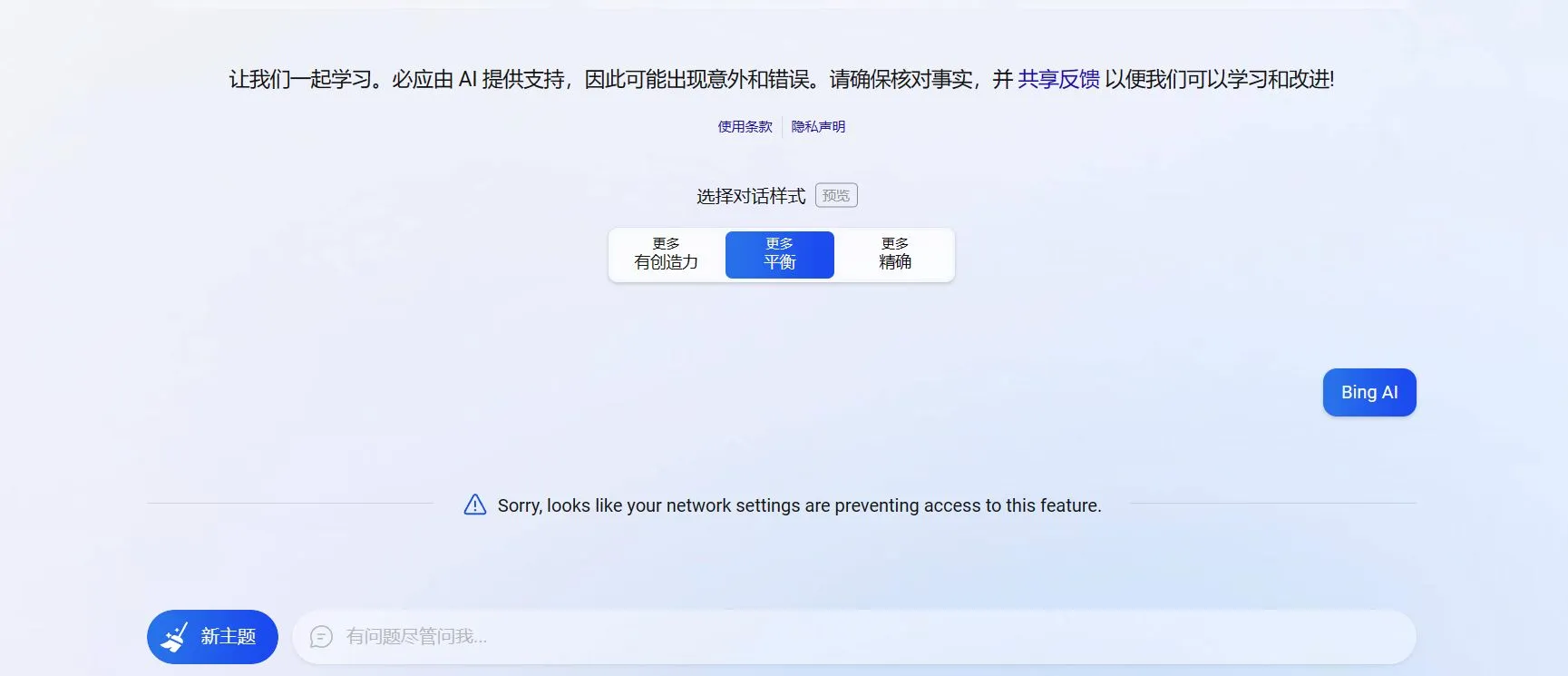
4天前,我遇到这个问题后,在reddit上的bing社区找到了这样一条帖子。via
当时我发现侧边栏的new bing能正常访问,而访问new bing chat网页全屏版却报错:存在网络问题。
于是我给这个小伙伴回复,可以使用侧边栏解决。
后来在tg群中看到有小伙伴也遇到了类似的问题,解决方案是清除浏览器缓存,重新使用账号登录bing界面,就能解决该问题。4天前,我就是这样解决new bing的网络问题的。
今天一大早,打开new bing又一次碰到了该问题。回想起昨天在v站看到的一条帖子。从讨论区中得出两种解决方案,一种还是老生常谈的Header Editor插件,另一种则是在linux上安装warp客户端,开启socks5代理模式。我选择后者。
更新(2023.6.1),可以一开始就安装非全局的WARP网卡,没必要像我一样先安装全局的WARP网卡再转为非全局,这显得有些多此一举。
1、运行warp-go脚本
1
2
| # 下载脚本,并安装warp双栈
wget -N https://raw.githubusercontent.com/fscarmen/warp/main/warp-go.sh && bash warp-go.sh d
|

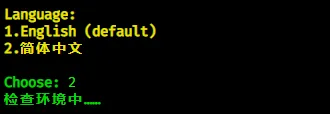
选择语言。
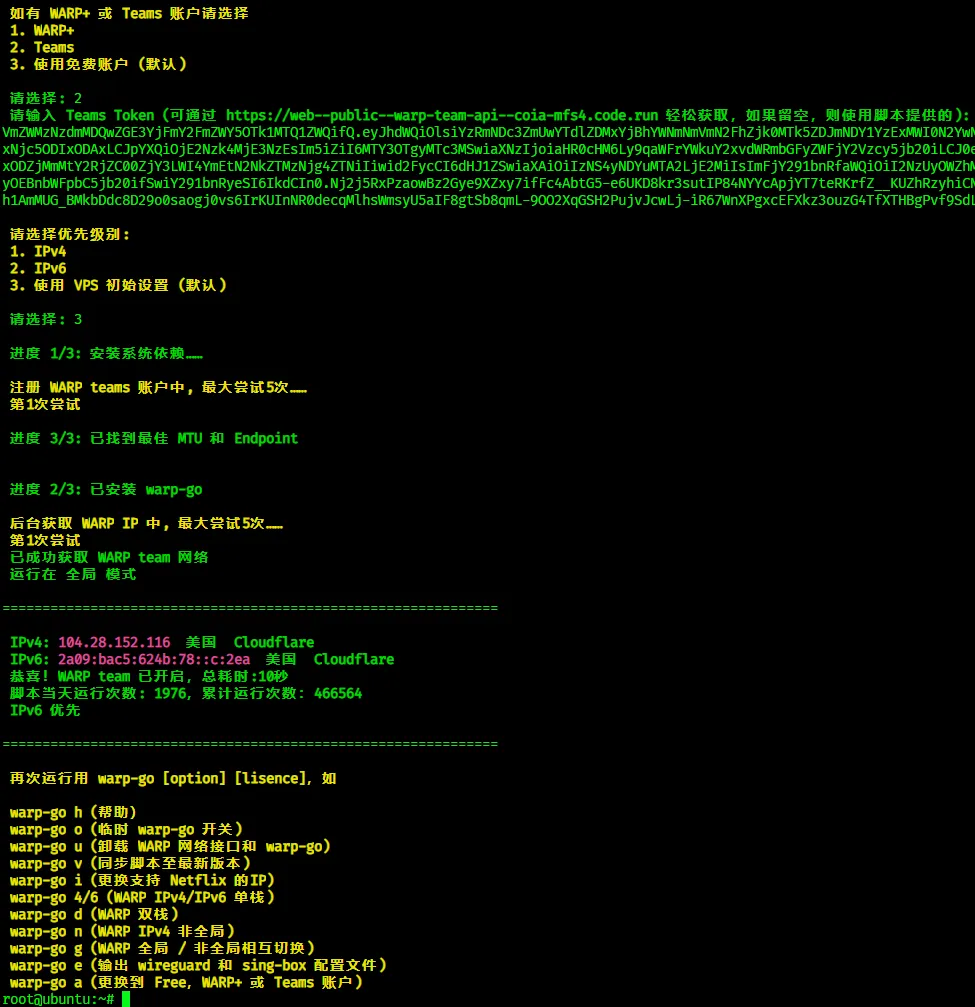
选择账户类型,推荐Teams账户。

这时候,要输入Teams Token,要获取这个值,必须注册Cloudflare的Zero Trust账号。具体可见油管博主—甬哥侃侃侃的这期视频中的注册Teams账户部分。
输入Teams Token,优先级别选择3-默认即可
1
2
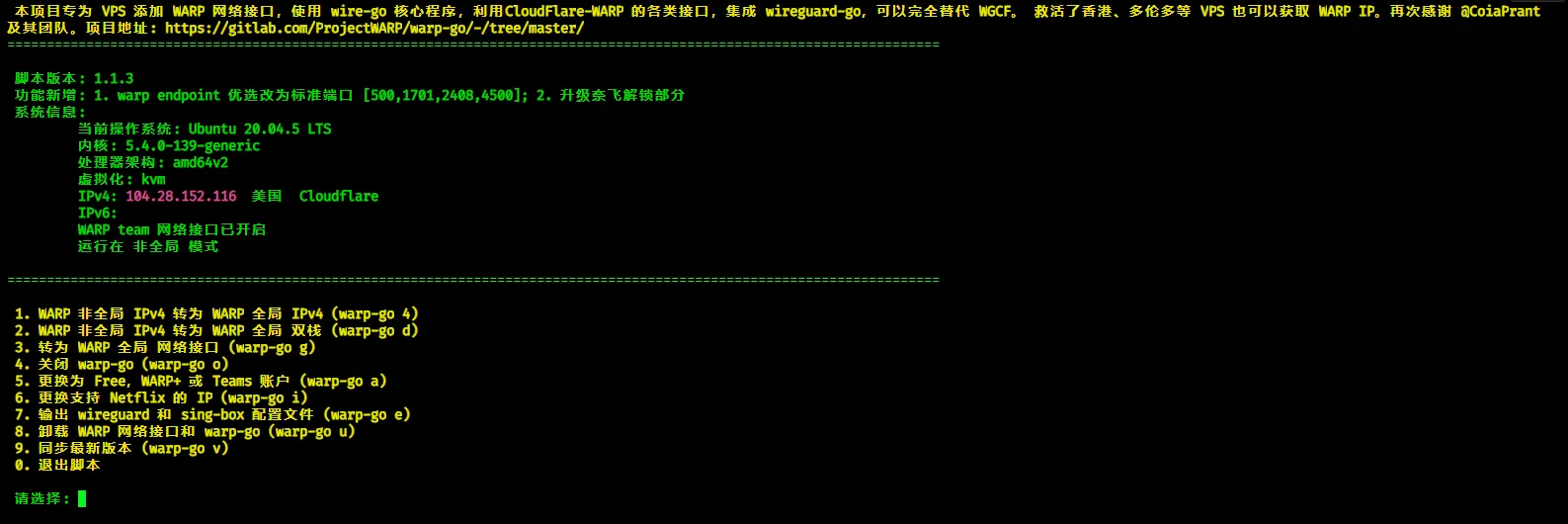
| # 进去warp-go脚本配置界面
warp-go
|
选择3,将vps上warp网络接口转为非全局。
紧接着再此运行warp-go,可以得到如下界面。选择0退出脚本。
1
2
3
4
| # 显示系统上所有网络接口的信息
ip a
# 使用WARP网络接口访问ip.gs,返回通过WARP接口获取的IP地址。
curl --interface WARP ip.gs
|
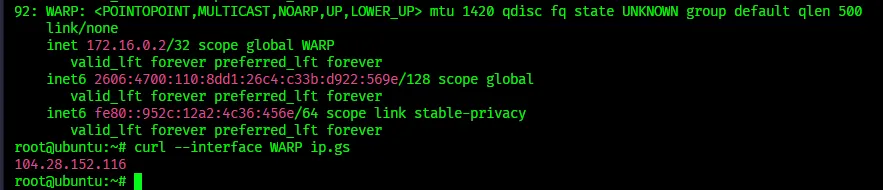
可以看到多出了一个WARP虚拟网卡,指定WARP虚拟网卡访问ip站点,得到和本VPS截然不同的ip地址。
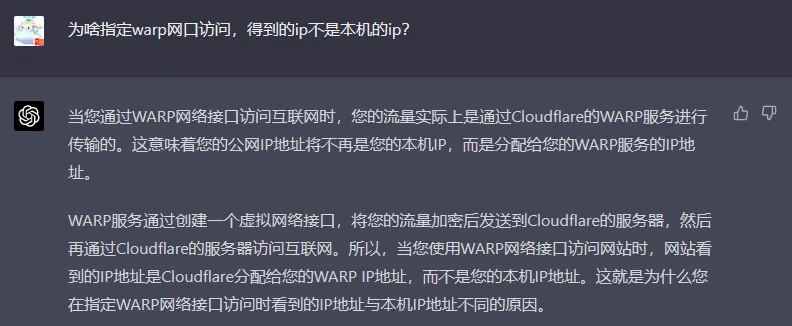
至于为啥指定warp网口访问,得到的ip不是本机的ip?
可见chatgpt4的回答:
由于我这台vps上原本就已经安装了x-ui面板。x-ui面板的安装教程可以参考油管博主——不良林的这个视频。
登录x-ui的后台管理界面,更改默认的xray配置模板。
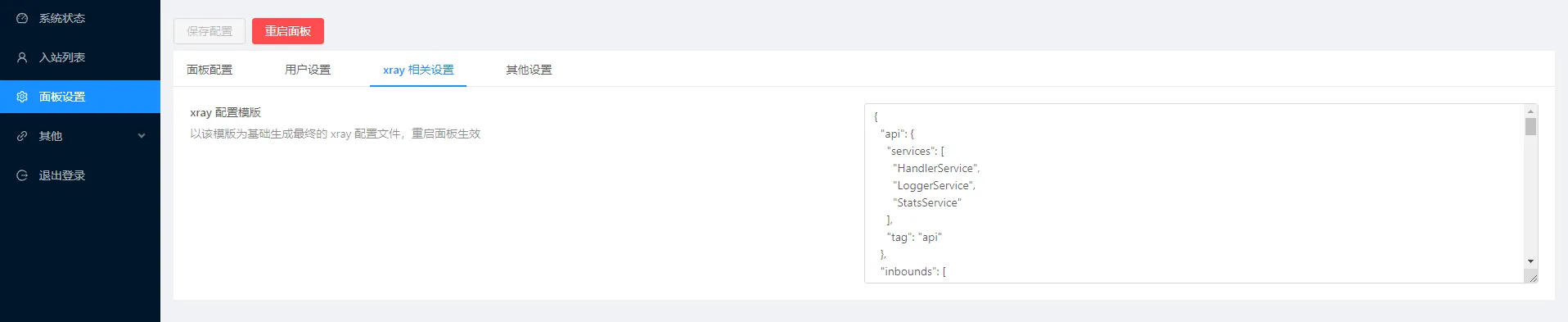
更新(2023.6.1),可以直接更新geo数据,紧接着,出站规则可以直接指定geosite:openai和geosite:bing即可。以下操作规则不全。直接看本篇最后一部分的操作即可。
将默认的配置换为以下内容,保存配置,重启面板。让www.bing.com和chat.openai.com的流量走warp虚拟网络接口。
其余流量走主网络接口(如eth0)。
 1
 2
 3
 4
 5
 6
 7
 8
 9
10
11
12
13
14
15
16
17
18
19
20
21
22
23
24
25
26
27
28
29
30
31
32
33
34
35
36
37
38
39
40
41
42
43
44
45
46
47
48
49
50
51
52
53
54
55
56
57
58
59
60
61
62
63
64
65
66
67
68
69
70
71
72
73
74
75
76
77
78
79
80
81
82
83
84
| {
"api": {
"services": [
"HandlerService",
"LoggerService",
"StatsService"
],
"tag": "api"
},
"inbounds": [
{
"listen": "127.0.0.1",
"port": 62789,
"protocol": "dokodemo-door",
"settings": {
"address": "127.0.0.1"
},
"tag": "api"
}
],
"outbounds": [
{
"protocol": "freedom",
"settings": {},
"tag": "direct"
},
{
"protocol": "freedom",
"settings": {},
"streamSettings": {
"sockopt": {
"tcpFastOpen": true,
"interface": "WARP"
}
},
"tag": "warp"
},
{
"protocol": "blackhole",
"settings": {},
"tag": "blocked"
}
],
"policy": {
"system": {
"statsInboundDownlink": true,
"statsInboundUplink": true
}
},
"routing": {
"rules": [
{
"inboundTag": [
"api"
],
"outboundTag": "api",
"type": "field"
},
{
"domain": [
"chat.openai.com",
"www.bing.com"
],
"outboundTag": "warp",
"type": "field"
},
{
"ip": [
"geoip:private"
],
"outboundTag": "blocked",
"type": "field"
},
{
"outboundTag": "blocked",
"protocol": [
"bittorrent"
],
"type": "field"
}
]
},
"stats": {}
}
|
注:xray配置模板源于chatgpt4。
经过以上操作,使用x-ui面板的结点,就可以访问chat.openai.com以及www.bing.com了。
参考资料
更新版本
1
2
| # 更新预定义域名规则
wget https://github.com/v2fly/domain-list-community/releases/latest/download/dlc.dat -O /usr/local/x-ui/bin/geosite.dat
|
紧接着替换xray的默认配置模板。
 1
 2
 3
 4
 5
 6
 7
 8
 9
10
11
12
13
14
15
16
17
18
19
20
21
22
23
24
25
26
27
28
29
30
31
32
33
34
35
36
37
38
39
40
41
42
43
44
45
46
47
48
49
50
51
52
53
54
55
56
57
58
59
60
61
62
63
64
65
66
67
68
69
70
71
72
73
74
75
76
77
78
79
80
81
82
83
84
| {
"api": {
"services": [
"HandlerService",
"LoggerService",
"StatsService"
],
"tag": "api"
},
"inbounds": [
{
"listen": "127.0.0.1",
"port": 62789,
"protocol": "dokodemo-door",
"settings": {
"address": "127.0.0.1"
},
"tag": "api"
}
],
"outbounds": [
{
"protocol": "freedom",
"settings": {},
"tag": "direct"
},
{
"protocol": "freedom",
"settings": {},
"streamSettings": {
"sockopt": {
"tcpFastOpen": true,
"interface": "WARP"
}
},
"tag": "warp"
},
{
"protocol": "blackhole",
"settings": {},
"tag": "blocked"
}
],
"policy": {
"system": {
"statsInboundDownlink": true,
"statsInboundUplink": true
}
},
"routing": {
"rules": [
{
"inboundTag": [
"api"
],
"outboundTag": "api",
"type": "field"
},
{
"domain": [
"geosite:openai",
"geosite:bing"
],
"outboundTag": "warp",
"type": "field"
},
{
"ip": [
"geoip:private"
],
"outboundTag": "blocked",
"type": "field"
},
{
"outboundTag": "blocked",
"protocol": [
"bittorrent"
],
"type": "field"
}
]
},
"stats": {}
}
|
保存配置,重启xui面板,即可实现openai和bing走warp虚拟网络接口。