Removing Trailing Slashes from Hugo Blog URLs
Update (2025.3.4)
Recently, I noticed that Google seemed to have removed my site from Google Search. So I opened Google Search Console and found that I hadn’t verified my website yet. However, Google still gave me significant exposure in previous years - thanks, Google.
After verifying the website, I discovered that a large portion of web pages had issues that prevented Google from indexing them. After several conversations with Claude, I identified the root cause - it was the environment variable setting from 2022 that caused duplicate links in the sitemap: some with .html and some without. Google flagged these as duplicates and consequently didn’t index these non-canonical page links.
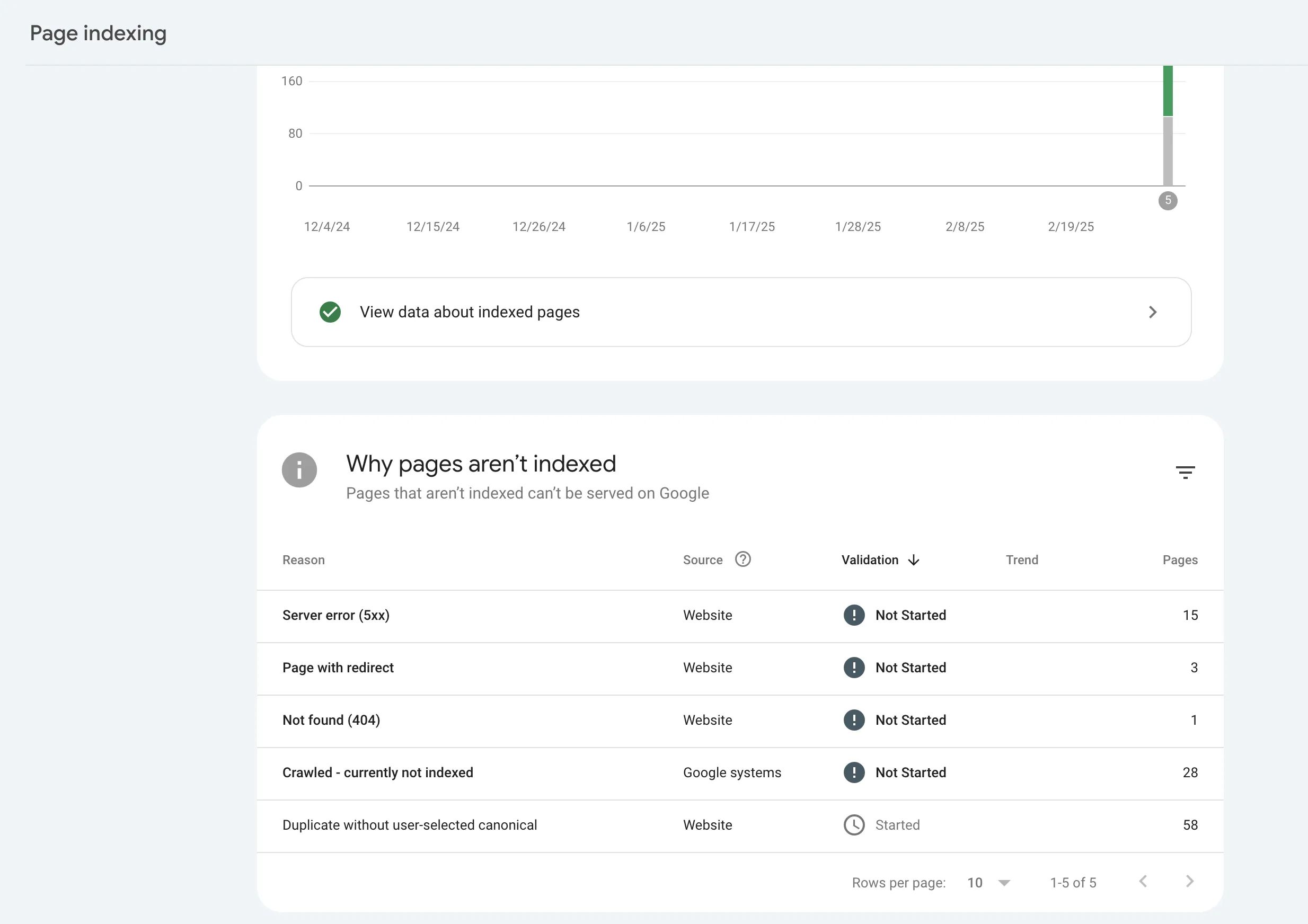
I removed the environment variable from Netlify and added the following canonical link code to the head section of my Hugo blog. Hopefully, the site will return to Google Search results after some time.
|
|
Hugo’s default Pretty URL standard is actually quite good. The reason I wanted to keep the UGLY URL with .html was inspired by Ruanyifeng’s blog URL style.
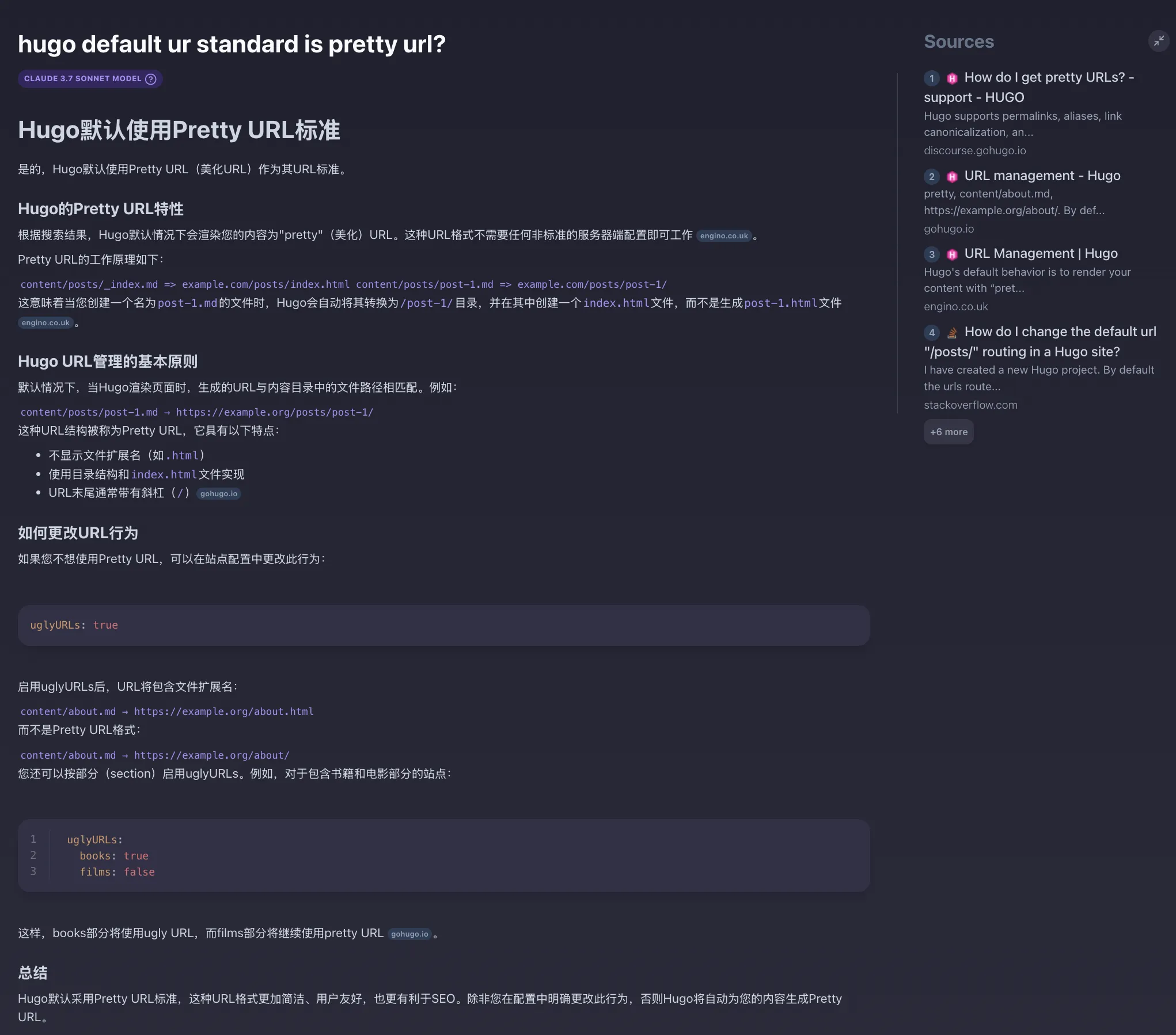
Note: The following method is only for cases where adding
uglyURLs = trueto Hugo’s config.toml still doesn’t work.If adding
uglyURLs = truesuccessfully replaces the trailing/with.html, there’s no need to configure environment variables.
1. Background
Ever since I first started using Hugo blogs earlier this year, I’ve been annoyed by Hugo’s URL format. For example, http://localhost:1313/2022/11/hugo-bear-theme-add-fancybox/.
I don’t want that trailing /. Both the Hugo community and other tech communities have discussed this issue - you can search for it if you’re interested.
I found many solutions online, all suggesting adding uglyurls = true to the root config file config.toml, but after adding it, the / wasn’t removed.
During summer break, I was browsing the official Hugo documentation and found the following two paragraphs, as shown below:
Figure 1:
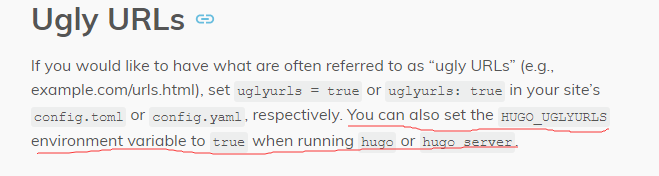
In addition to adding
uglyurls = truein the root directory, you can also set environment variables when running the hugo command.
Figure 2:
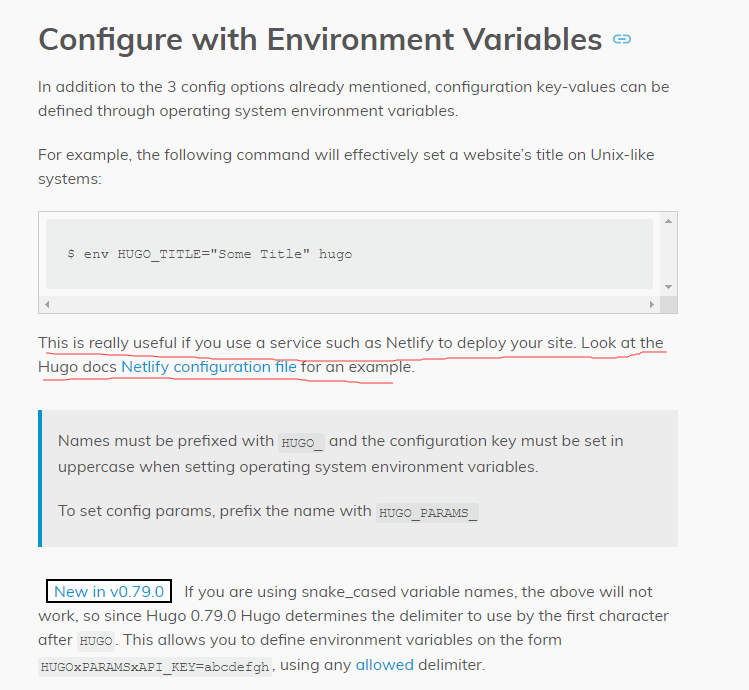
On Unix-like systems, you can use the env command to set environment variables. Setting environment variables is very useful when deploying sites with services like Netlify.
Of course, Windows is not a Unix-like system. So if you want to see the ugly URLs effect locally, you can add a record to Windows environment variables [Key=HUGO_UGLYURLS, Value=true].

2. Steps
Deploying a static blog to Netlify or Vercel is very simple. First push your local Hugo blog folder to GitHub, then open Netlify, import the Hugo blog repository from GitHub, and Netlify or Vercel will automatically detect the project framework. After importing, just click deploy. Here’s an example using Netlify.
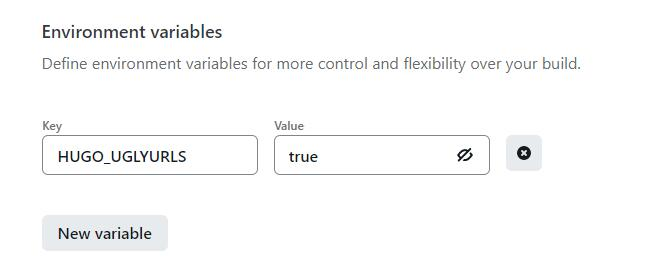
- Deploy the site to Netlify. During deployment, set the environment variable [Key=
HUGO_UGLYURLS, Value=true].
- Final result

3. Reference Links
Document Info
- License: Free to share - Non-commercial - No derivatives - Attribution required (CC BY-NC-ND 4.0)