Solution for Caddy Startup Failure on BandwagonHost The Plan V2
BandwagonHost launched The Plan V2 package on June 27, 2023, with expensive pricing. The Plan V2 package purchase link without any affiliate: https://bandwagonhost.com/the-plan-v2
Whether on HostLoc, NodeSeek, or V2EX, you can see a bunch of affiliate marketers promoting how great BandwagonHost’s new package is. Clicking their affiliate links to purchase BandwagonHost’s new package earns them high affiliate commissions (22% commission for each successful referral order).
This Plan V2 package, after using a discount code, costs over $110 per year. If you step on an affiliate link to purchase and regularly renew, the affiliate marketer can earn over $20 per year just lying down.
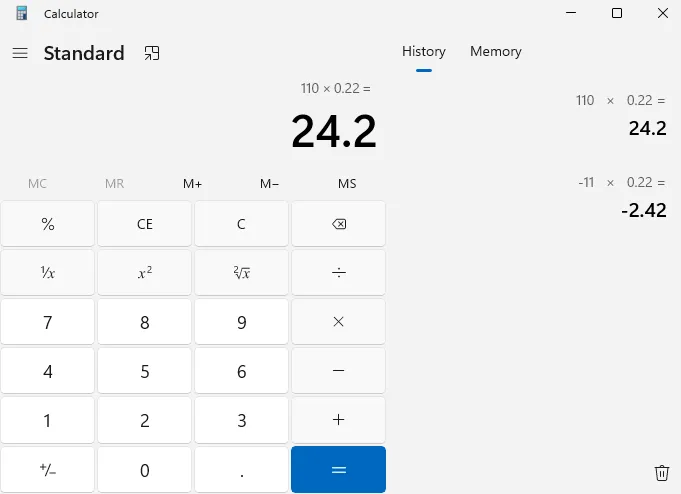
I originally already had two BandwagonHost VPS—one CN2 GT at over $40/year, another BandwagonHost CN2 GIA limited package at over $70. But I suspect both machines were purchased through others’ affiliate links. Would I want affiliate marketers to earn money lying down every year? Of course not. The moment I realized the affiliate link issue, I no longer had any intention of renewing those VPS purchased through others’ affiliate links.
The Plan V2’s routing and specs are decent (disk could be higher—40GB is underwhelming; disk prices are dirt cheap now, yet BandwagonHost is still so stingy). Plus my original two BandwagonHost machines were purchased through affiliate links, so I bought a quarter (mainly because I’m currently cash-strapped; will have money when graduate school starts, then I’ll renew annually).
These days I’m preparing to migrate various services from the original two BandwagonHost VPS to The Plan V2. This way I can avoid affiliate marketers profiting annually.
For reverse proxy servers, I usually choose simple and easy-to-use Caddy. When I installed Caddy on The Plan V2’s Debian system, I found Caddy startup failed.
Error message: Error: loading initial config: loading new config: starting caddy administration endpoint: listen tcp 69.171.67.22:2019: bind: cannot assign
Error screenshot:
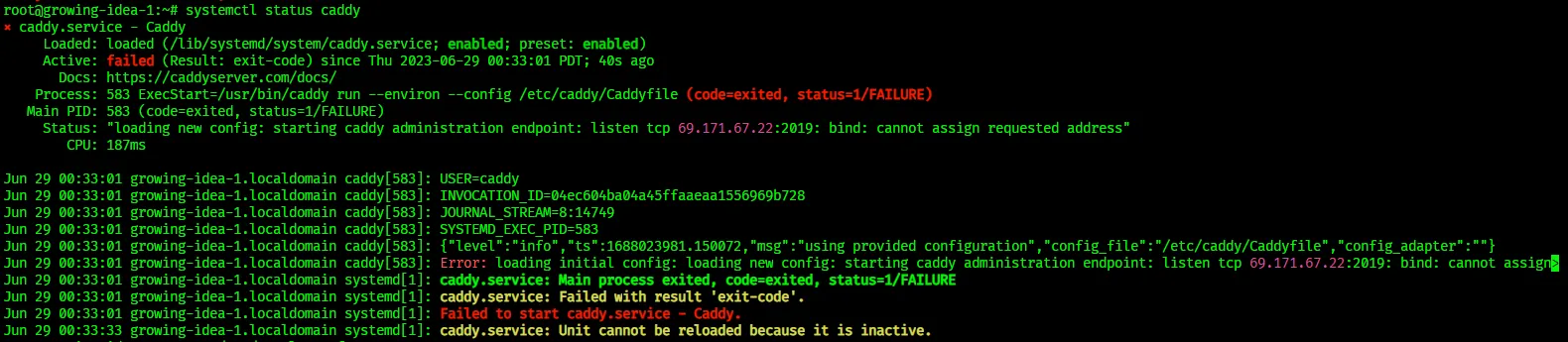
The 69.171.67.22 here is not my VPS IP. With the help of New Bing + ChatGPT-4 + Google, I found the cause of this error.
Solution:
|
|
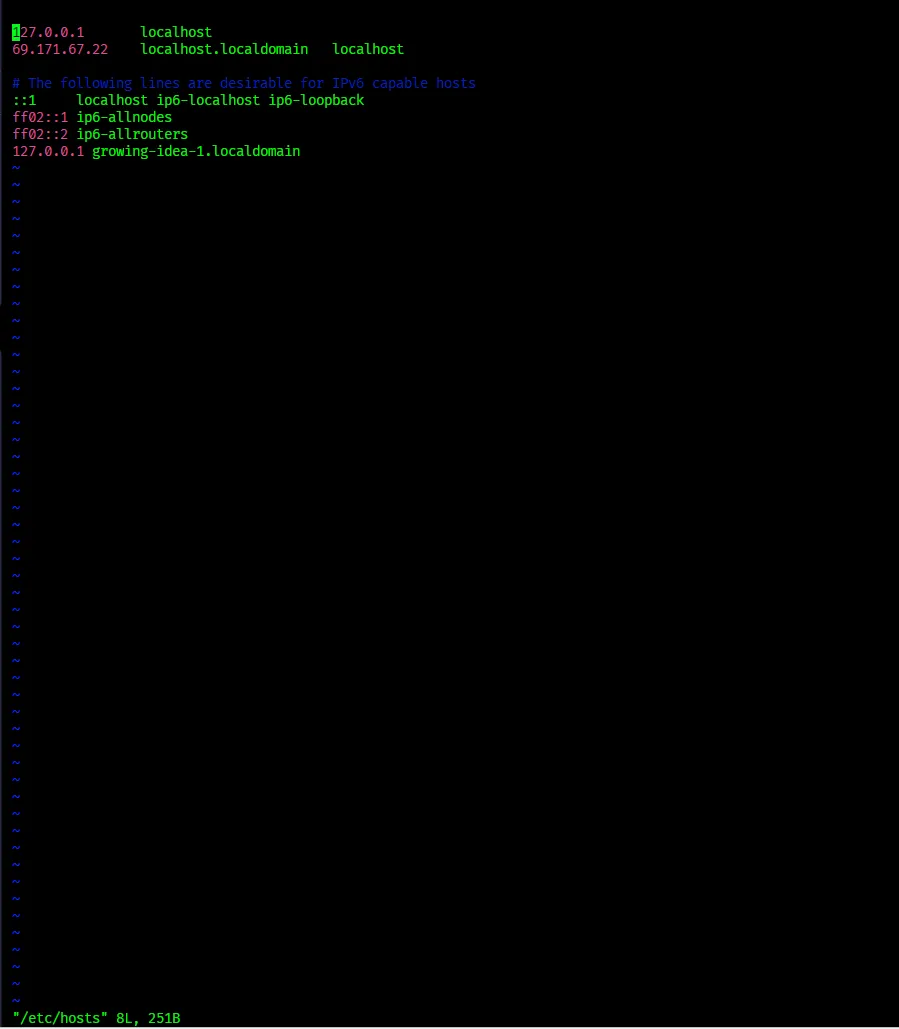
This should be a BandwagonHost machine issue—this incorrect IP to hostname mapping entry wasn’t added by me.
Finally, Caddy started successfully.
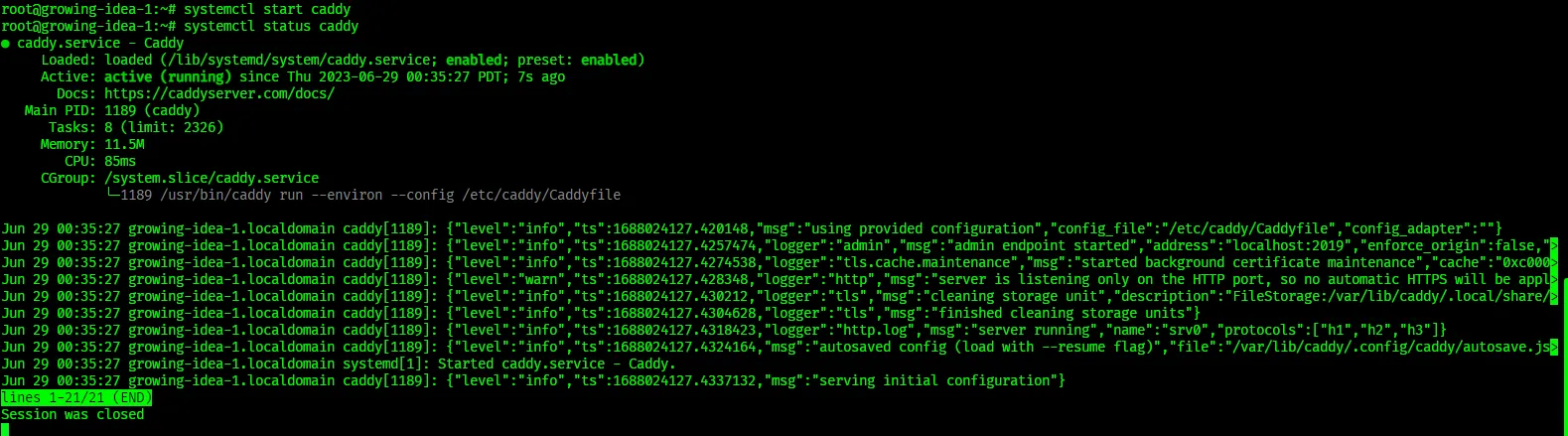
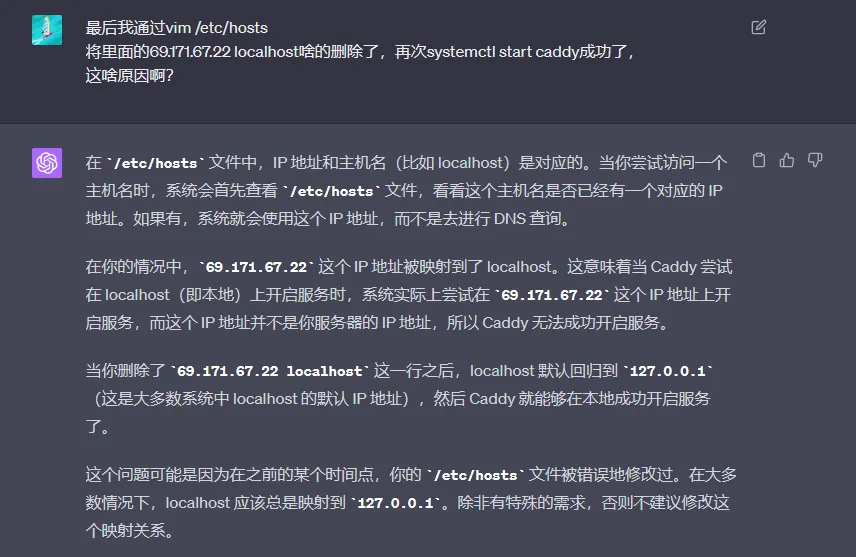
Finally, here’s ChatGPT-4’s explanation:
Document Info
- License: Free to share - Non-commercial - No derivatives - Attribution required (CC BY-NC-ND 4.0)