Solution for Windows Git Bash Conda Activation Error 'UnicodeDecodeError: gbk codec can't decode byte'
Background
Starting graduate school, I brought a new Windows computer. This Windows computer had no environments installed—even Anaconda was only installed after school started.
During the Mid-Autumn and National Day holidays, I planned to back up the photos from the sm.ms image hosting service. During undergraduate, I would back up sm.ms every month.
So I pulled my sm.ms Python script from my GitHub repository, created a new Python environment with conda. When I tried to activate that Python environment, the terminal showed an error: “UnicodeDecodeError: ‘gbk’ codec can’t decode byte 0xaf in position 271: illegal multibyte sequence”.
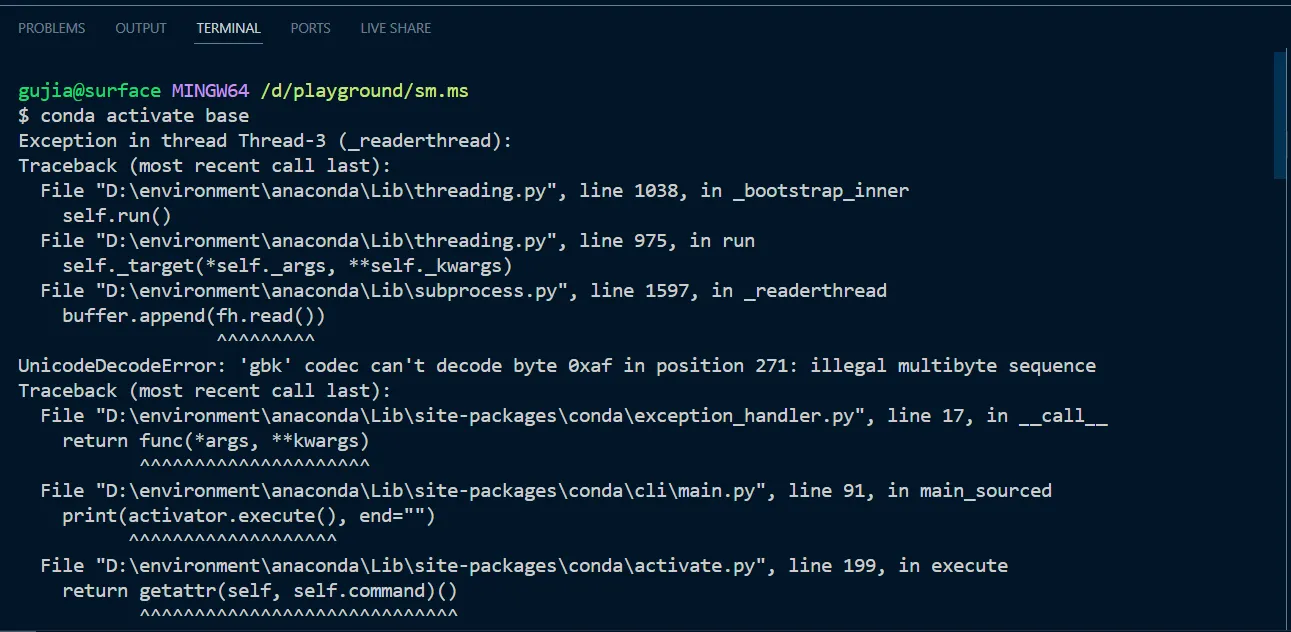
Clearly an encoding issue.
Solution
After some searching and attempts, I solved the error by adding the following line to the .condarc file in the C drive user directory (create the file if it doesn’t exist):
|
|
GPT-4’s explanation of this line:
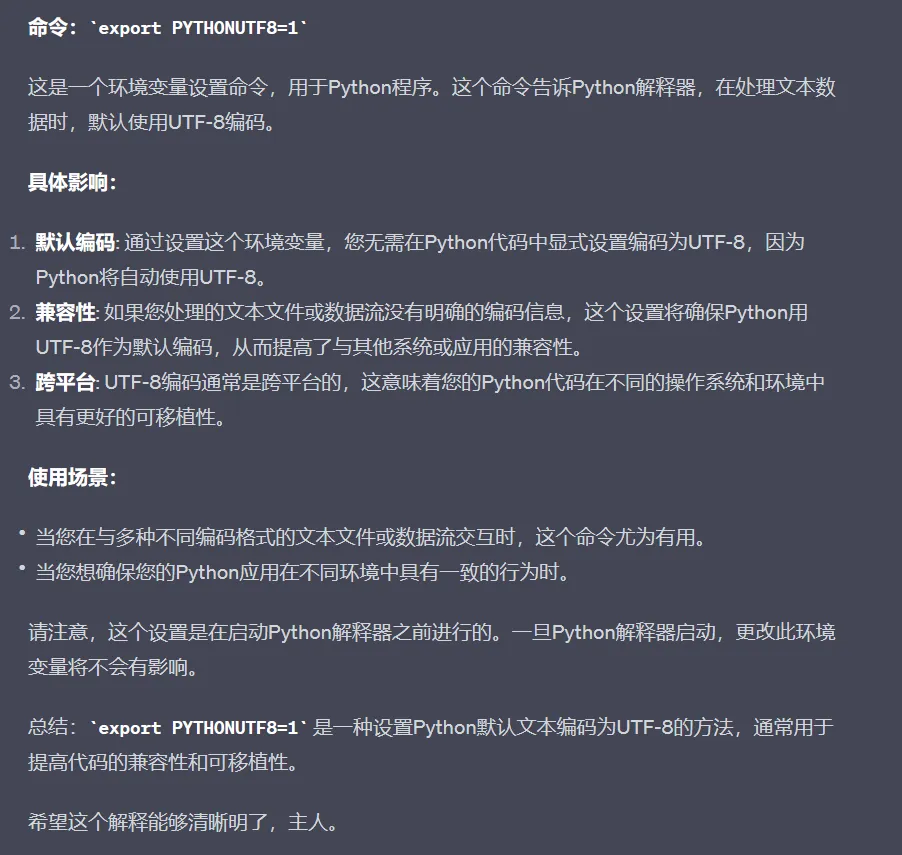
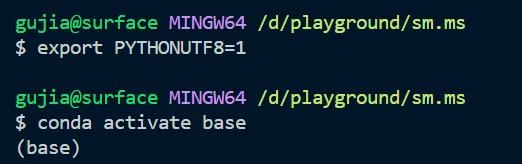
Successfully activated Python environment. (The image below shows exporting in git bash terminal, which is temporary. For permanent effect, it’s recommended to modify the .condarc configuration file)
Now I can happily back up my image hosting pictures.

Supplement
Initially, I changed the Windows “Language for non-Unicode programs” setting to English (United States), which also solved the encoding issue. But I found the PicGo software went completely black screen. When I changed it back to Chinese (Simplified, Singapore), PicGo no longer had the black screen issue.

Reference Links
Document Info
- License: Free to share - Non-commercial - No derivatives - Attribution required (CC BY-NC-ND 4.0)