Solution for Git Push Error 'remote: fatal: did not receive expected object'
Background
After arriving at Guangxi Minzu University, when I used Keep’s outdoor running feature to record my daily morning runs and excitedly opened my self-hosted running page website, I found that new running records weren’t showing up as usual. The website’s last update date was September 9th, when I used Keep’s indoor running feature at the hotel that morning.
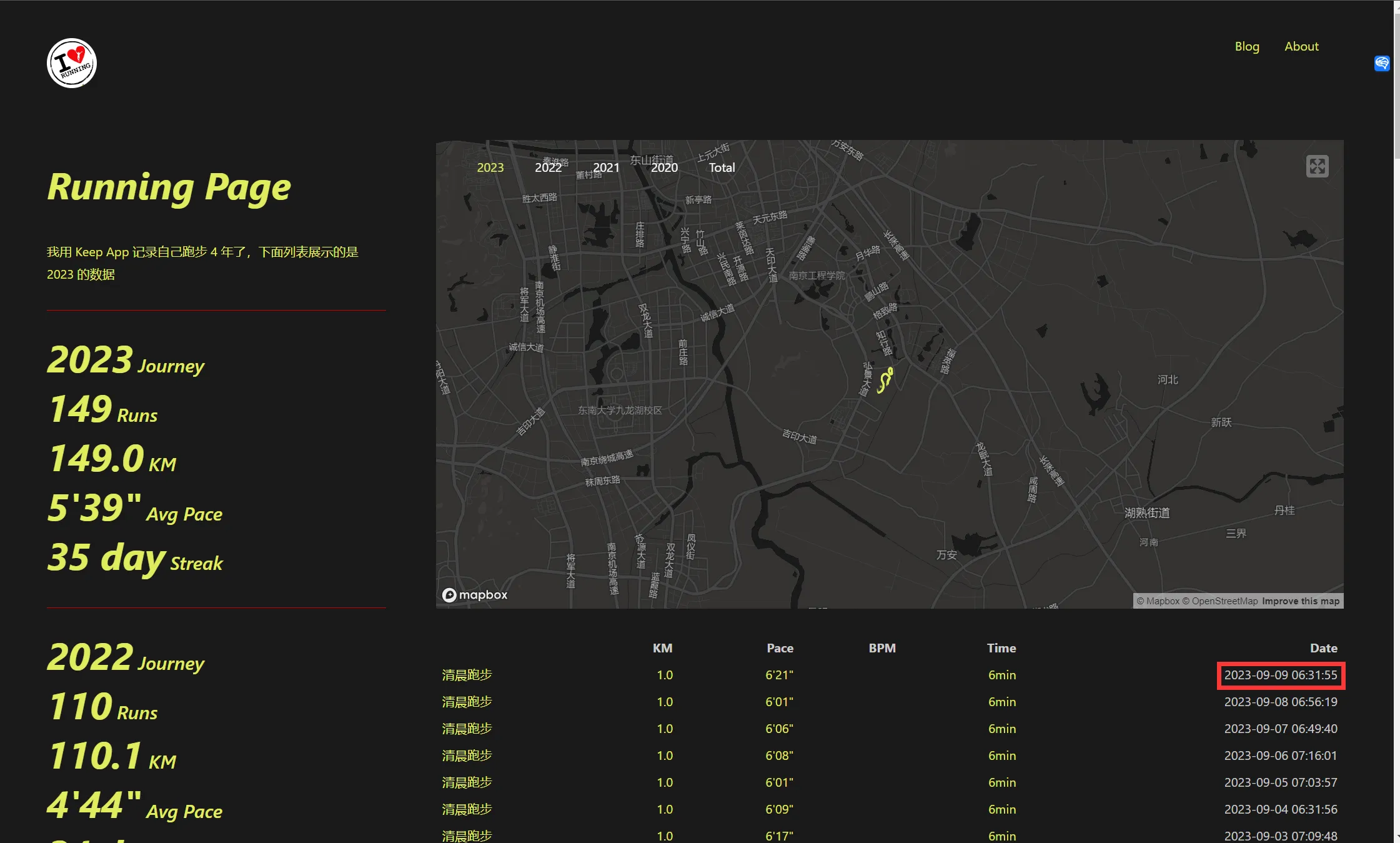
Keep’s app redesign should have happened during the summer of 2023, around July. At that time at home, I used the indoor running feature daily. Although map data couldn’t be obtained, running records could still be continuously retrieved and updated on the website.
Other users in the original project’s discussion area also encountered errors with Keep data not syncing. See Keep data fetching error #484

This is a common problem with domestic software - they like to hold user data hostage. I admit that Keep’s user experience is more user-friendly than the currently used foreign Strava app, but the behavior of locking user data immediately negates its advantages.
So I prepared to create a new repository and deploy it, keeping the original website while archiving the original repository.
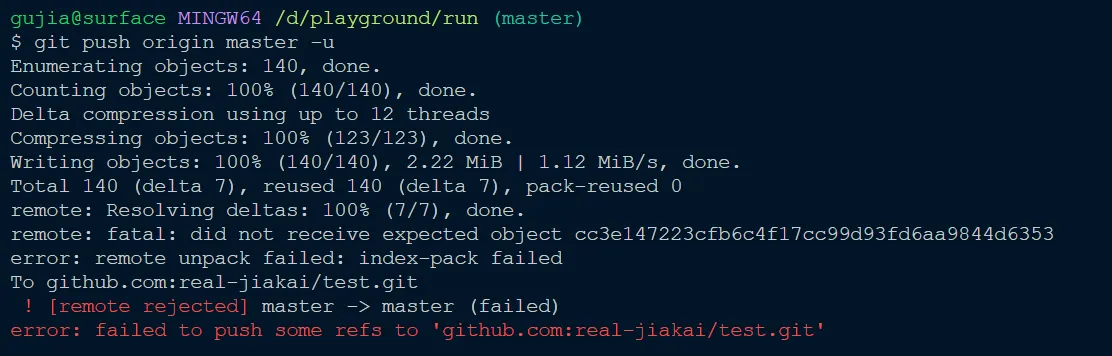
When I finished configuring the settings and was ready to push the content to a new GitHub repository, an error appeared: ‘remote: fatal: did not receive expected object’.
Steps to Reproduce
|
|
After these operations, I got the following error:
Solution
There was a reply on Stack Overflow about this:
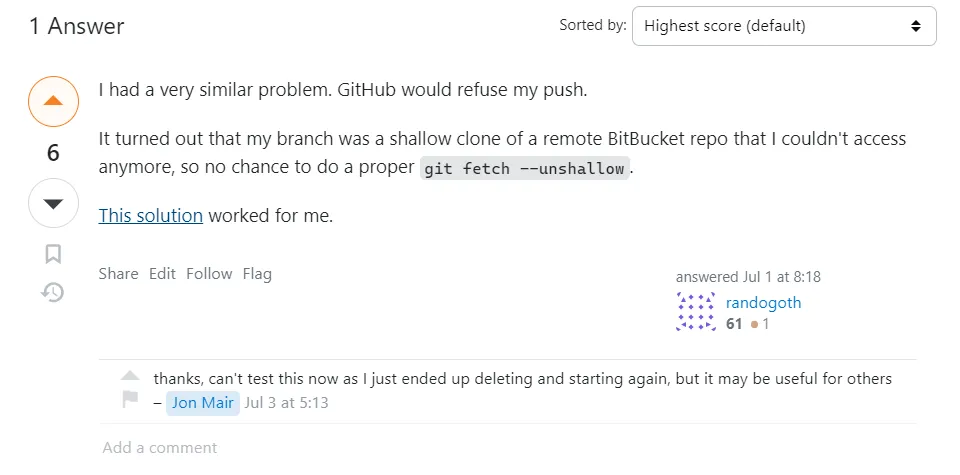
For my scenario, I chose Jon Mair’s solution - directly delete the .git folder, then perform the following operations. Finally succeeded in pushing the repository to GitHub.
|
|
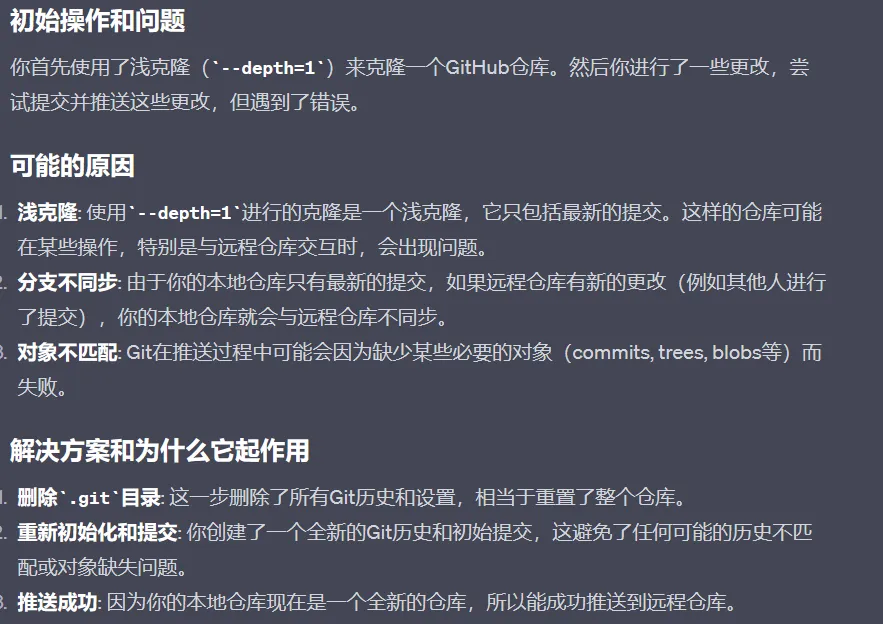
GPT-4 analysis:
Document Info
- License: Free to share - Non-commercial - No derivatives - Attribution required (CC BY-NC-ND 4.0)