Solution for ChatGPT Android Error: Disallowed ISP / There is a problem with your request
Update (2023.12.13)
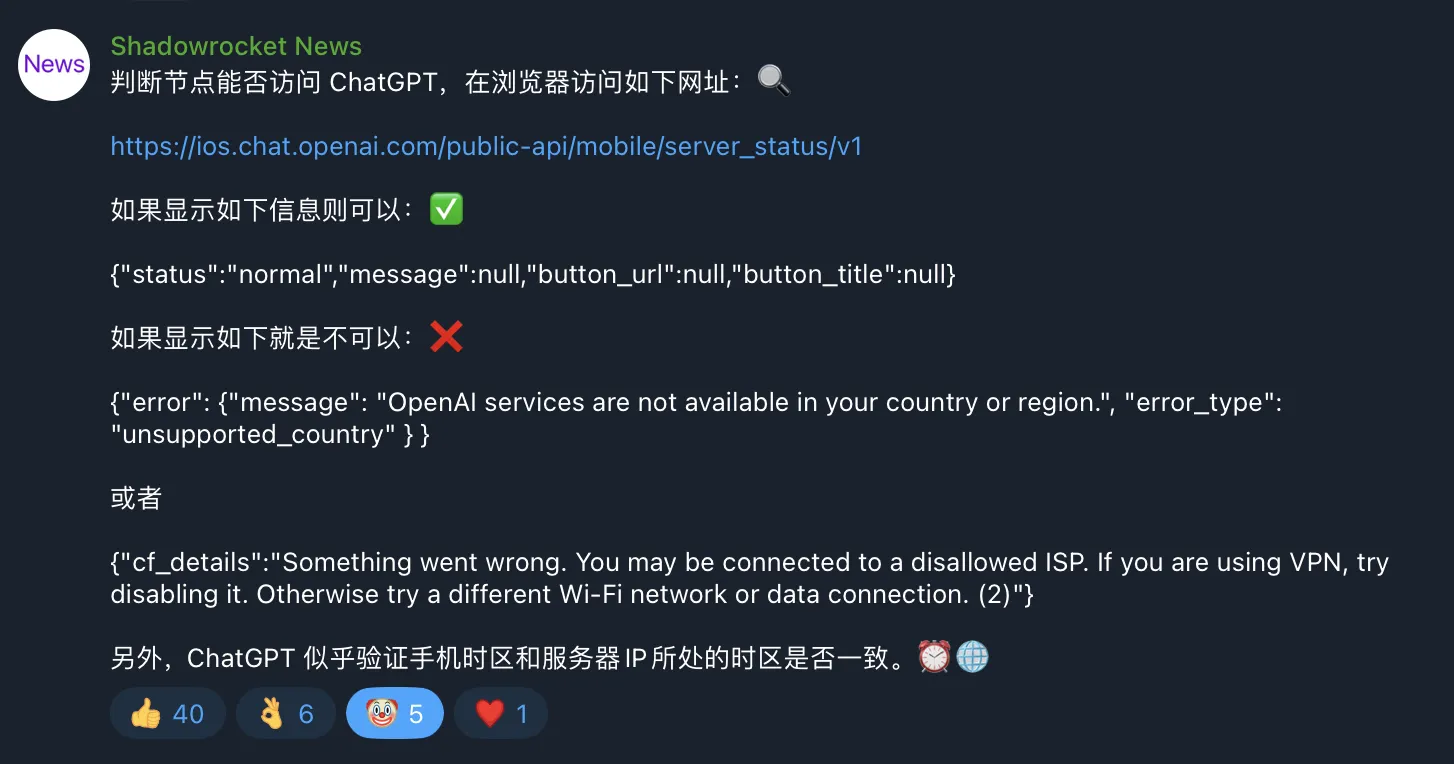
Shadowrocket’s Telegram channel provided a method to check if a node can access GPT.
Visit: https://ios.chat.openai.com/public-api/mobile/server_status/v1
Update (2023.11.23)
When using a proxy node that doesn’t unlock GPT mobile, the error message on GPT mobile has changed to There is a problem with your request.
The error message on the server side of proxy nodes that don’t unlock GPT mobile is still “disallowed ISP”.

Update (2023.11.21)
Recently saw a great post on NodeSeek forum - ChatGPT Android/iOS Unlock Methods. It mentions the criteria for unlocking mobile ChatGPT.
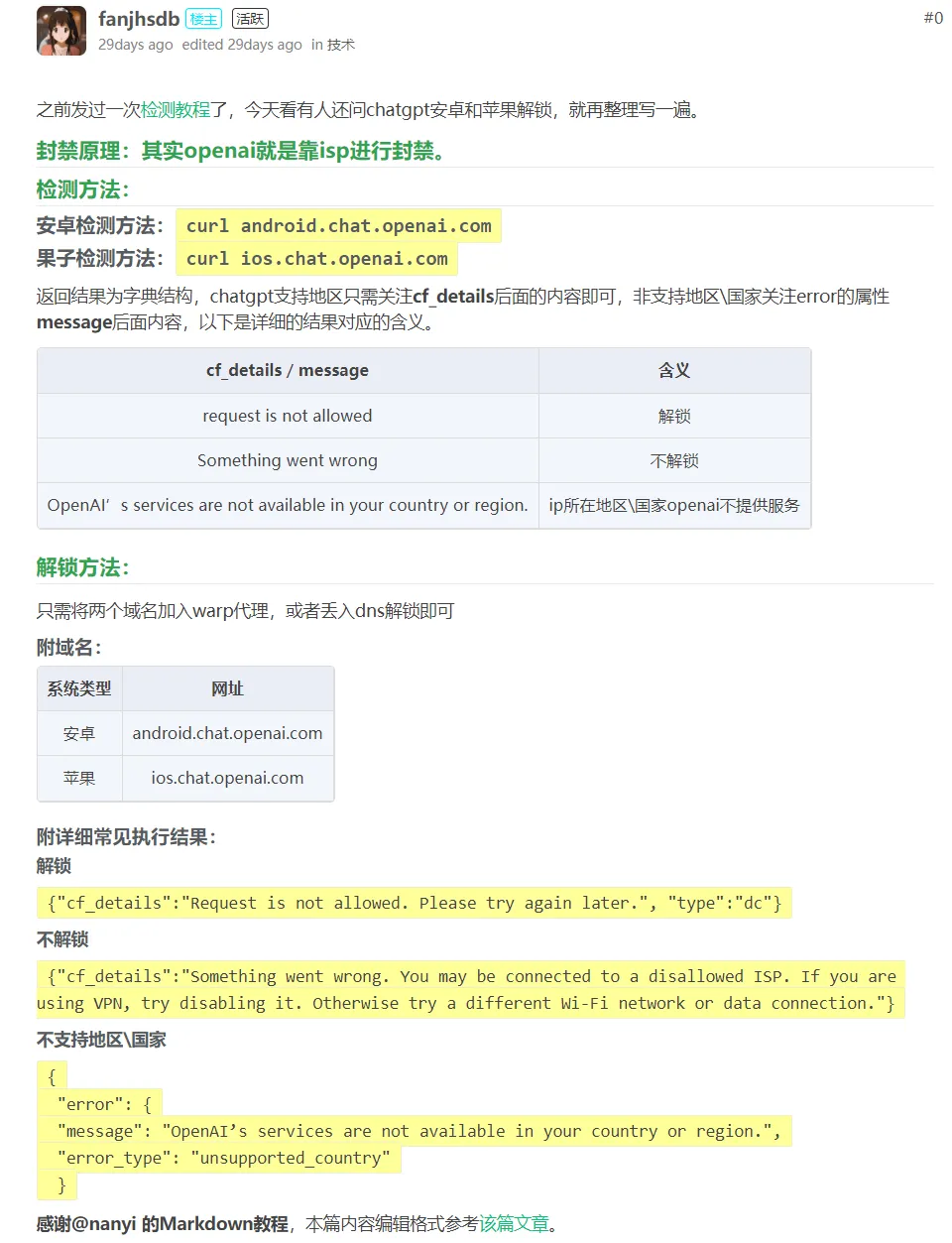
The curl android.chat.openai.com and curl ios.chat.openai.com commands are meant for the server where the node is located.
If you’re self-hosting proxy nodes using VPS from CloudCone, RackNerd, the node probably won’t unlock mobile GPT. For example, the RackNerd Black Friday DC02 plan I bought doesn’t unlock mobile GPT by default.

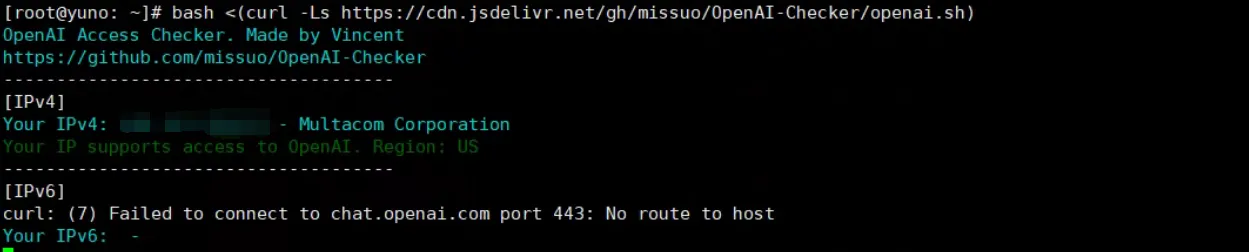
Using the popular VPS OpenAI detection script from the first half of the year shows “Yes”. This “Yes” only means web GPT is unlocked.
|
|
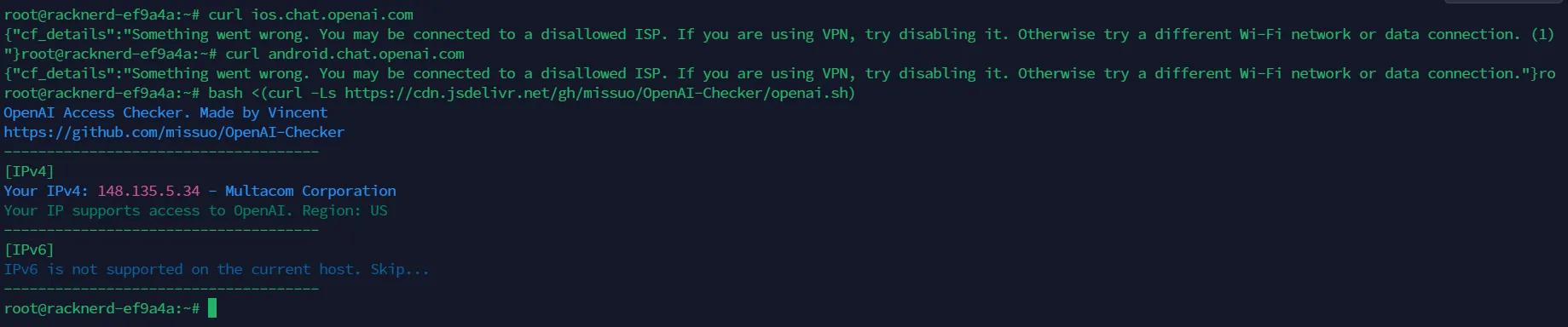
After searching online, I found that the script with mobile OpenAI detection is provided by 1Stream.
|
|
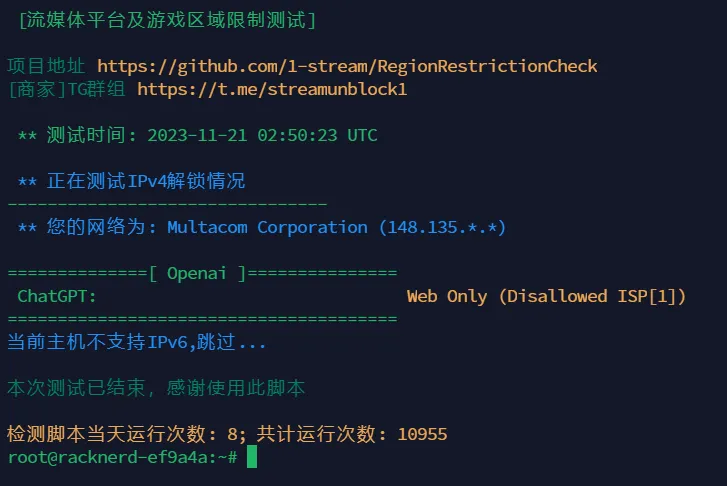
This script’s detection principle is to get the result of the curl ios.chat.openai.com command, then based on the return result, intuitively display whether OpenAI mobile is unlocked in the terminal.
The solution given in this post is to add these two domains to WARP proxy or use DNS unlock.
You can wrap the VPS with WARP, or just open a WARP SOCKS port, then modify your self-hosted proxy node’s routing rules so all OpenAI-related requests are forwarded to the WARP SOCKS port for processing.
My solution: Route OpenAI-related domain requests through Google One VPN exit machine’s SS node / residential ISP exit machine’s SS node for traffic splitting. The specific process is to modify your self-hosted proxy node’s routing rules so all OpenAI-related requests are forwarded to a Windows VPS with Google One VPN enabled / residential ISP exit machine. I’ll write a blog post or upload a YouTube video demonstration when I have time during winter break - it’s hard to explain in a few words.
References:
Background
Recently I’ve been teaching my roommate about VPS. With CloudCone’s Black Friday pre-sale and BandwagonHost’s limited edition plan returning, I shared this info with him. He’s currently studying Bird Brother’s Linux tutorial and is willing to spend money, so he bought CloudCone’s $29 Black Friday pre-sale plan and BandwagonHost’s $46 heirloom plan with DC6 datacenter.
I recommended Buliang Lin’s beginner tutorial, and after following it, he set up his own nodes.
During dinner tonight, my roommate told me that he could use ChatGPT with the node I gave him, but using his own self-built nodes showed this error - Something went wrong. You may be connected to a disallowed ISP. If you are using VPN, try disabling it. Otherwise try a different Wi-Fi network or data connection.
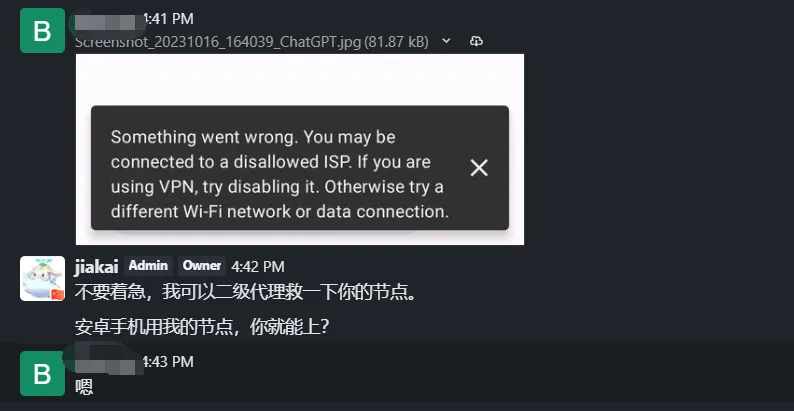
Based on his description and my exit processing for all my nodes, I was certain this was an IP-related issue.
Although the OpenAI detection script showed both his VPS supported ChatGPT, and he could use the web version of ChatGPT with those nodes, the Android app didn’t work.
Using my Google One VPN as ChatGPT traffic exit allowed the ChatGPT Android app to work normally. So I added secondary proxy to his two servers’ X-UI panels, making my Google One VPN the ChatGPT traffic exit. This way he can use his own nodes and still use the ChatGPT Android app normally.
Specific Steps
For specific steps, see Buliang Lin’s secondary proxy videos. Configure the Xray settings in the Linux VPS’s X-UI panel.
For setting up Google One VPN on Windows and making it into a node, you can search online - I won’t elaborate here.
Epilogue
After iterations, as of October 16, 2023, my ChatGPT Android version only lacks Advanced Data Analysis and Plugins features compared to the web version. The mobile-exclusive Voice conversations feature amazed me.
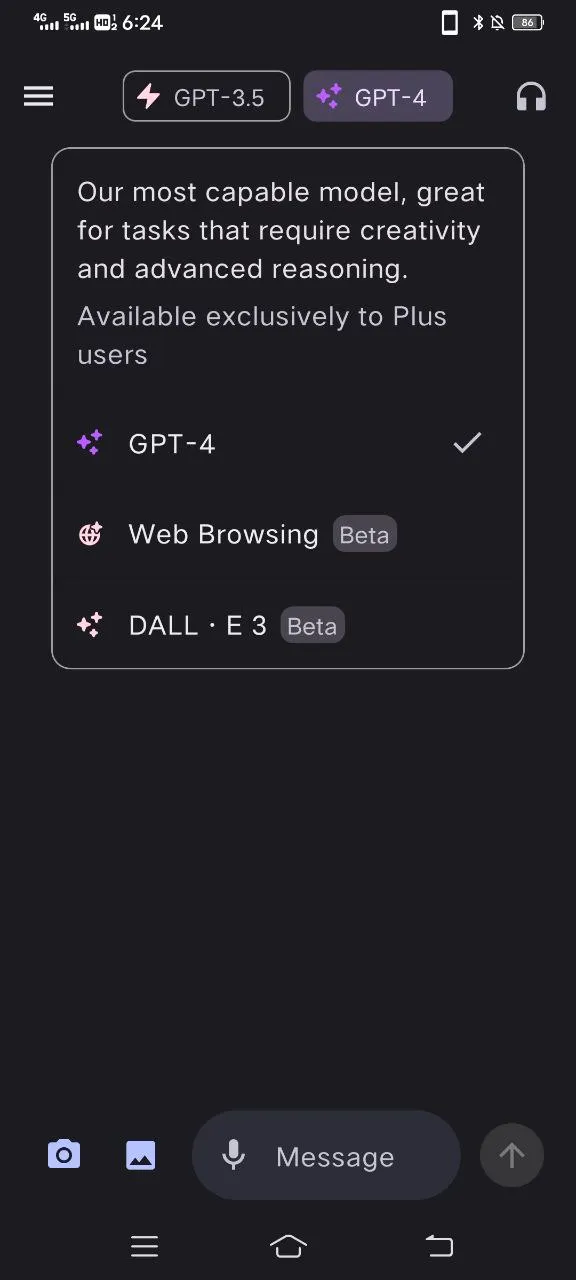
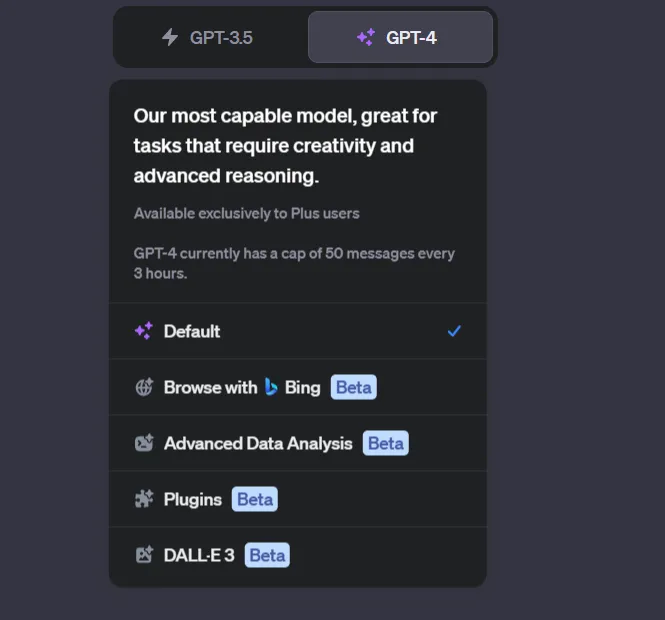
Hope more people can use GPT to improve their efficiency.
Document Info
- License: Free to share - Non-commercial - No derivatives - Attribution required (CC BY-NC-ND 4.0)