Experiencing iCloud+ Private Relay
Background
As the National Day holiday draws to a close, I decided to use the remaining time to try out the Private Relay feature provided by iCloud+.
The setup process references this blogger’s post—How to Enable iCloud Private Relay in China | Apple’s VPN Experience ✈️ [Note: Since the images in this post can no longer load, I’m linking the Internet Archive’s historical snapshot.]
That blogger used a router + OpenClash as a frontend proxy to connect successfully. In this article, I’ll introduce how to use Clash for Windows TUN mode + Windows hotspot as a frontend to successfully enable Private Relay provided by iCloud+ on Mac.
For an introduction to Private Relay and how it works, refer to the blog post linked above or search for information yourself - I won’t elaborate here.
Actual Operation
Note: Prerequisites: Apple US account, logged into US Apple Store with US Apple ID, subscribed to US iCloud+.
In the Clash for Windows software on Windows, select a US node in Global or Rule mode. Then enable Clash for Windows TUN mode. Then enable Windows hotspot.
Open the “Change adapter options” in Control Panel’s Network Connections section. You should find 3 network adapters as shown in the image below: a Clash virtual NIC, a local WiFi, and a shared hotspot [Local Area Connector in the image below].

Click on Clash virtual NIC properties, and in the sharing tab, allow the hotspot to connect through Clash’s NIC.
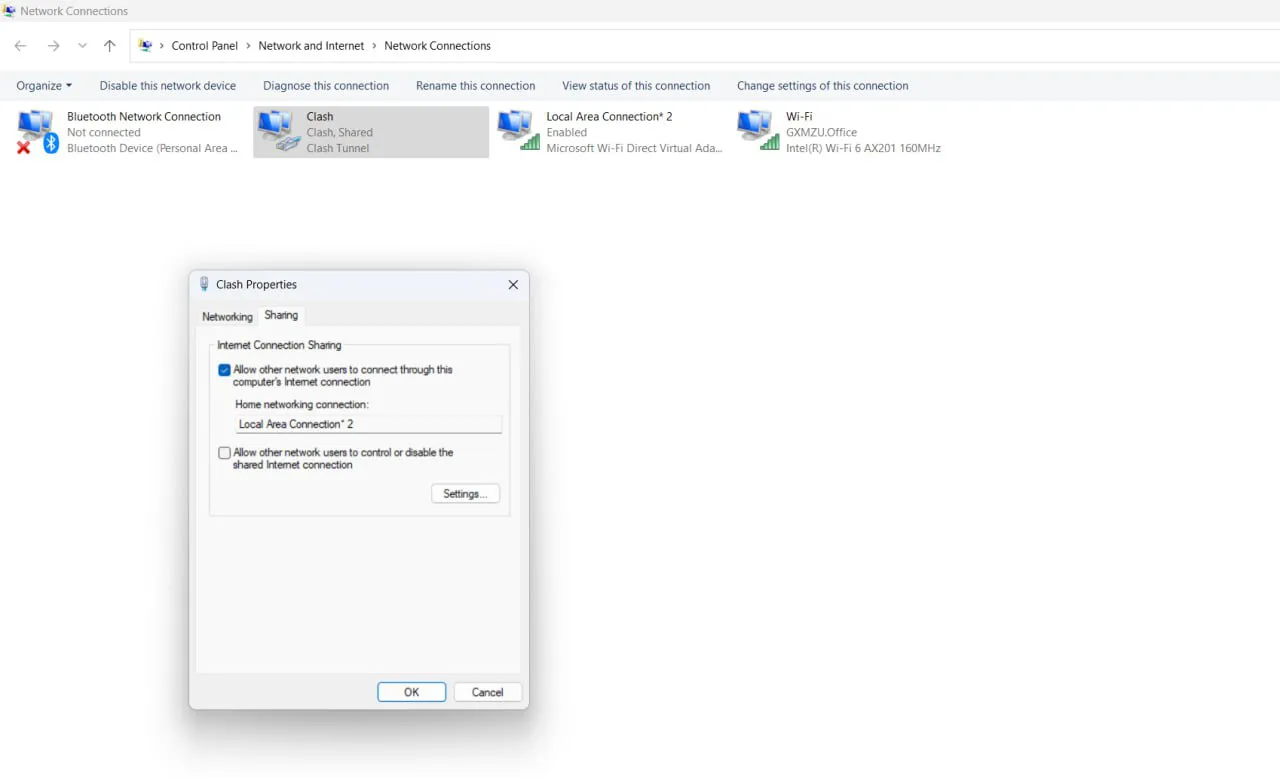
The above operation is actually the method mentioned in my blog post from last month—Using Windows Hotspot and Clash TUN Mode to Enable Kindle Internet Access. This method came from a user’s Zhihu comment.

Then on Mac, connect to the hotspot shared from Windows.
Note: After the above operations, Mac may not be able to connect to the Windows hotspot. If this happens, try re-enabling TUN mode and re-enabling Windows hotspot.
Find Private Relay (Settings—>Apple ID—>iCloud—>Private Relay) and turn it on.
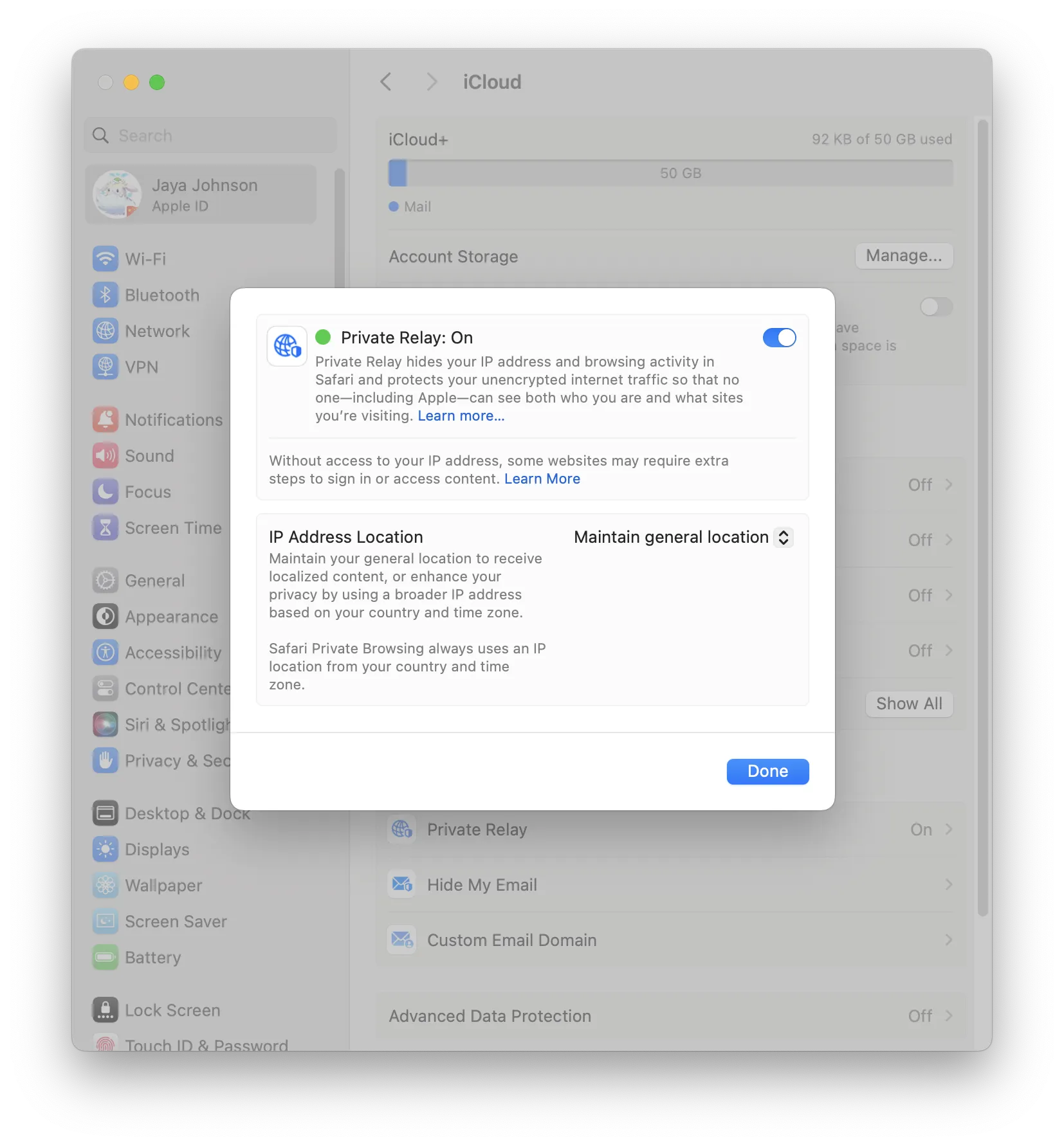
At this point, browsing in Safari will be protected by Private Relay. Other browsers will still use the Clash traffic shared through Windows hotspot.
Apple Private Relay exit node IPs use Cloudflare nodes. Each request basically uses a different Cloudflare node.
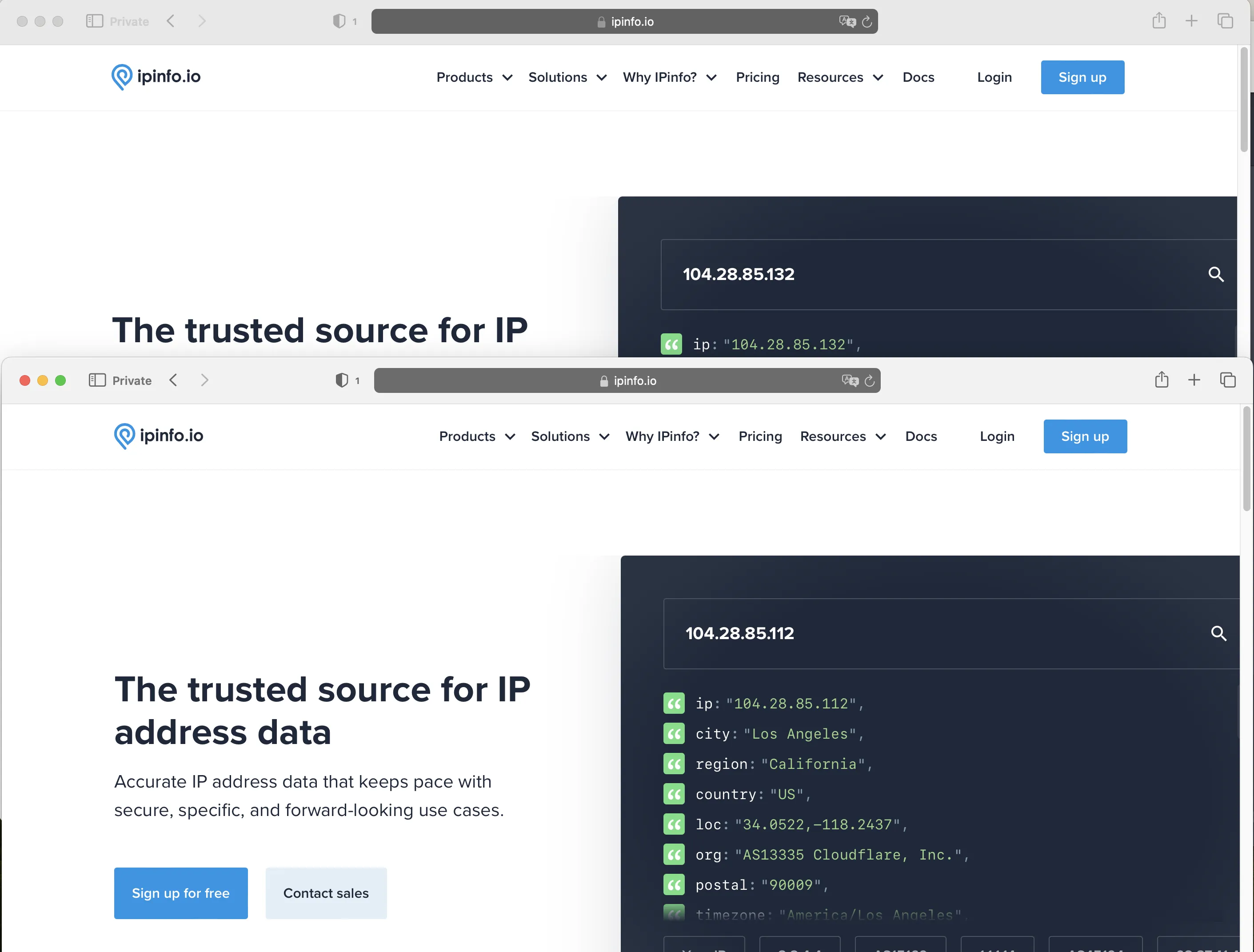
Without a doubt, Apple’s Private Relay workflow (local—>ISP—>Apple—>Cloudflare—>target website) provides privacy protection. It’s somewhat similar to the Tor Browser concept.
But for me, this feature isn’t as fascinating as Google One VPN. One reason: Apple’s exit nodes are just Cloudflare nodes.
Because for me, to get Cloudflare nodes as exits, I just need to use the WARP script to wrap a VPS with WARP. WARP IP cleanliness isn’t as good as Google One VPN.
Today I initially ordered the US $0.99 iCloud+ plan, mainly for Private Relay. After trying it, I actually found the custom email address feature might attract me more.
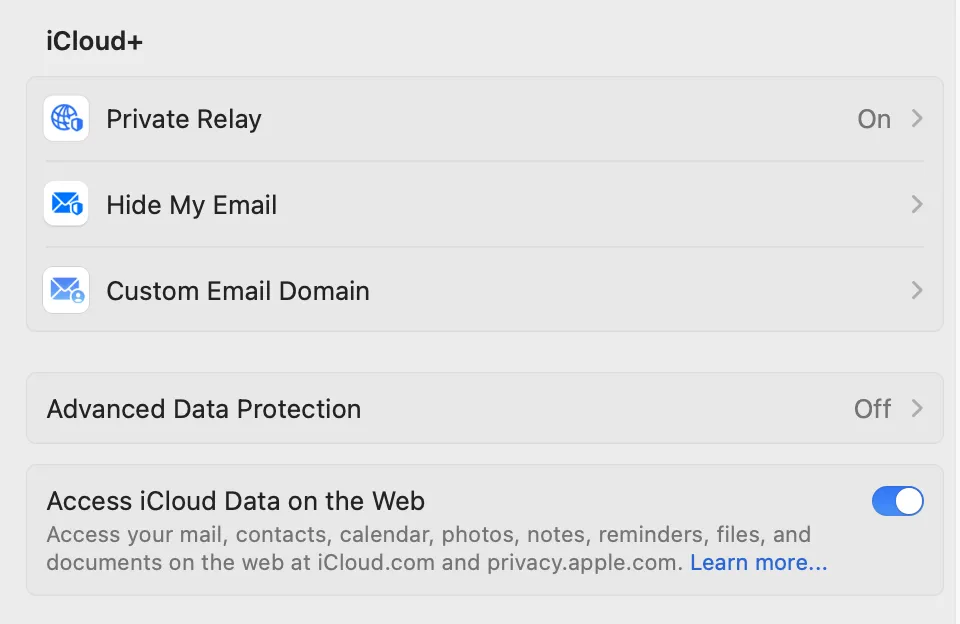
Of course, the attraction mentioned here isn’t that strong either. Firefox Relay and DuckDuckGo’s email privacy service both provide similar functionality, and DuckDuckGo’s service impressed me deeply - their service is completely free.
Currently I’ve used iCloud+’s custom email feature to set up a domain email for one of my domains. Maybe this is my motivation to continue renewing iCloud+.
Document Info
- License: Free to share - Non-commercial - No derivatives - Attribution required (CC BY-NC-ND 4.0)