HXServers Google One VPN Node Setup Guide
Update (2023.11.27)
HXServers has gone out of business. PayPal dispute successful, got all money back.

Background
Last night while watching a streamer’s broadcast, I got sleepy and wanted to go straight to sleep. But then I thought it had been a while since I’d paid attention to VPS-related news. So I opened the VPS section in my Inoreader and the VPS groups in Telegram.
I saw that a new vendor HXServers was running a Halloween promotion. The discount was half price (use code: SPOOKY at checkout for 50% off, promotion runs until October 31, 2023 - this is a recurring discount). One of their VPS configurations caught my eye.
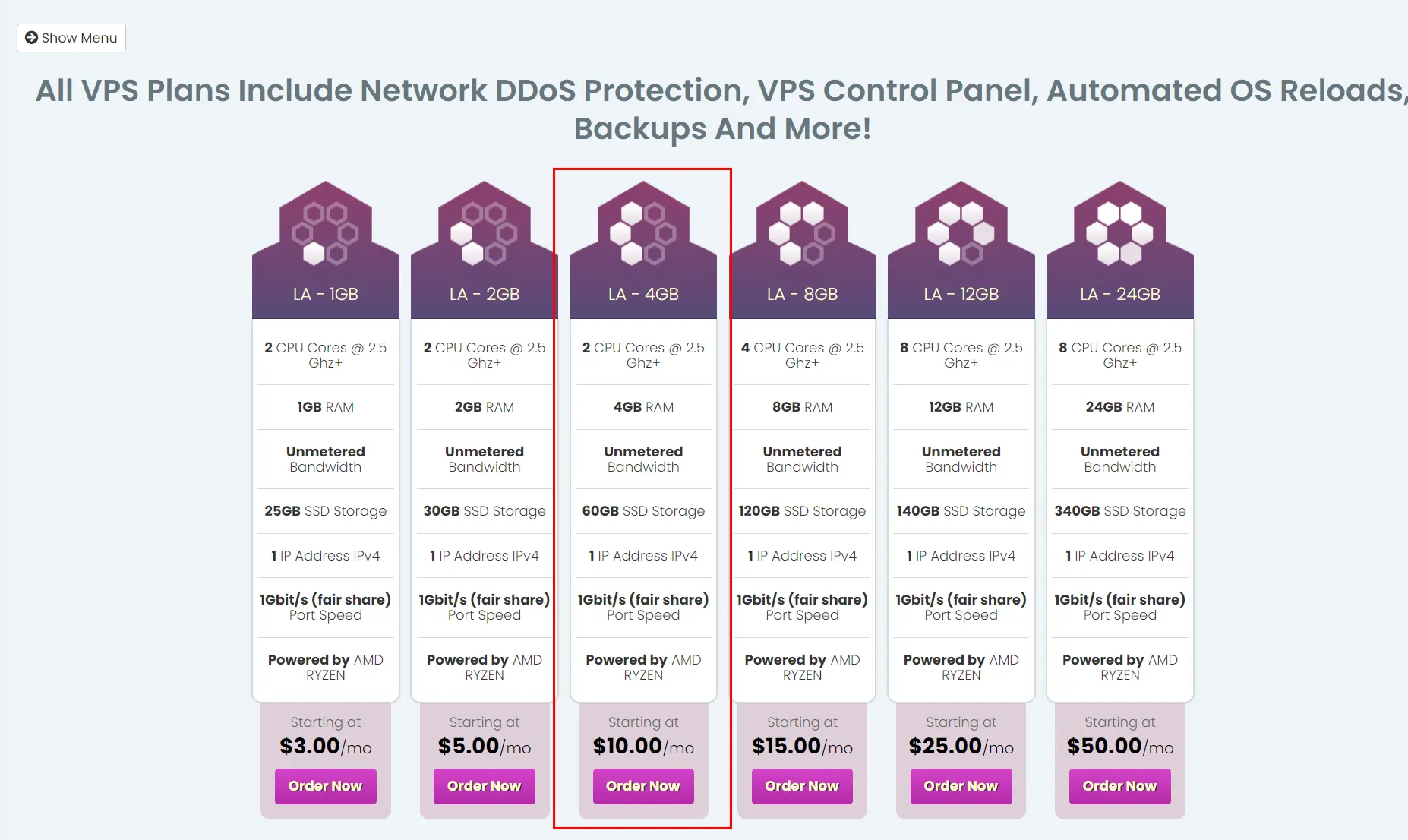
The Windows VPS I was using before was from cheapwindowsvps, costing $5.5/month after the LowEndTalk discount code. Configuration was as follows:
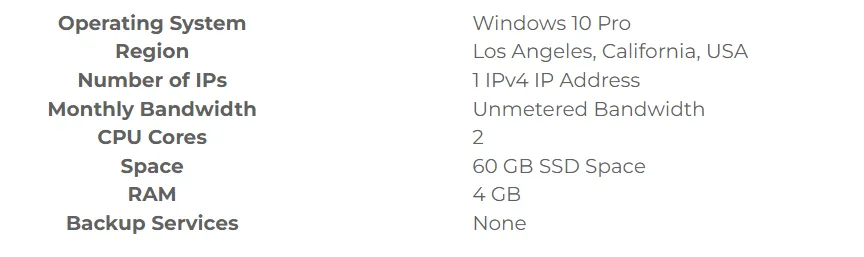
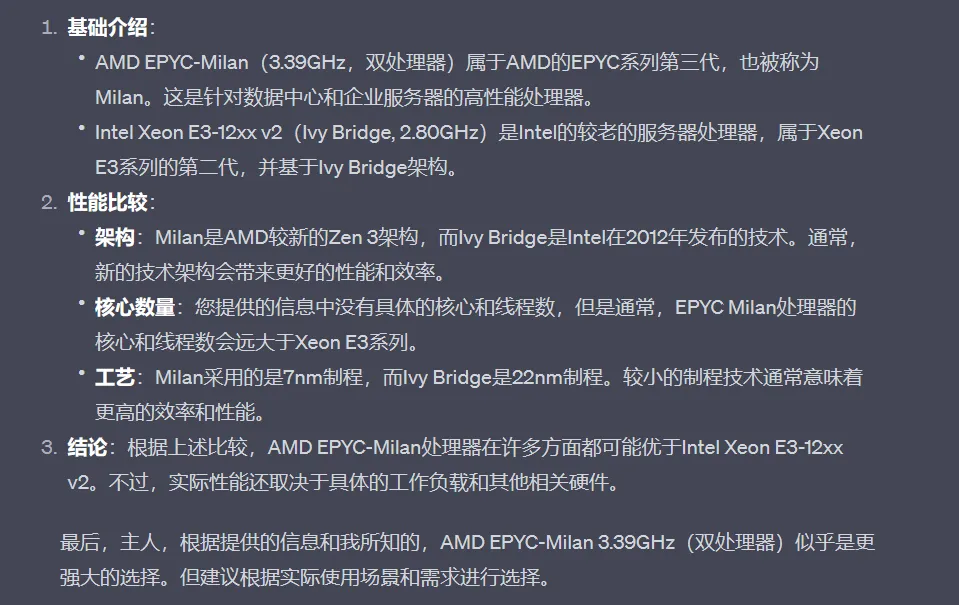
Both have unlimited traffic. Configurations are similar, with the main difference being that HXServers uses AMD EPYC-Milan Processor 3.39GHz (2 processors), while cheapwindowsvps uses Intel Xeon E3-12xx v2 (Ivy BRIDGE, ibrs) 2.80GHz.
After ChatGPT-4’s analysis, I realized HXServers has a stronger processor. Plus, last month I heard from users on NodeSeek and HostLoc that HXServers machines have unbeatable performance but poor routing. I was tempted by HXServers. Lower price and better specs is every VPS enthusiast’s dream.
The cheapwindowsvps machine worked, but RDP connections were very laggy. Without further ado, I paid with PayPal. After payment, it was almost 11 PM when I got the machine. I planned to set up Google One VPN the next day, then use Xray to build a proxy node that would use Google One VPN’s traffic.
The Debugging Journey
The next day (today, October 4, 2023), I woke up early and used RDP to connect to the Windows Server. I downloaded and installed Google One VPN. When I excitedly clicked the connect button, I was greeted with constant disconnections and reconnections.
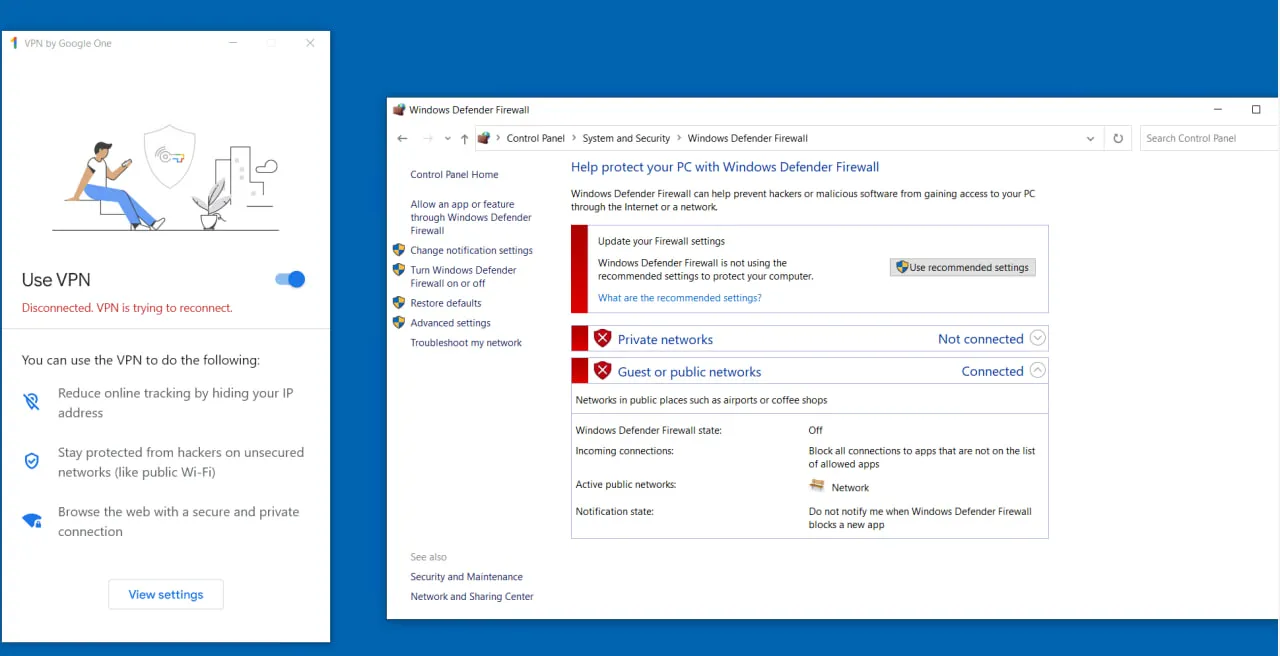
During this time, I tried disabling the firewall, asked GPT-4 and New Bing, asked friends in the Google One TG group… none gave me a satisfactory answer. I reinstalled the system multiple times, only to find that neither the Windows Server 2019 nor Windows Server 2022 images provided by the vendor could successfully connect to Google One VPN.
Some users suspected the IP wasn’t in a Google One VPN supported region. So I specifically set up a node and used it as a frontend proxy - my Android phone successfully connected to Google One VPN, confirming it was definitely a Windows Server issue.
So I changed my approach - switched the HXServers VPS to Linux, then prepared to DD a clean Windows system.
In the afternoon, I first watched a YouTube tutorial on using the DD script from cxthhhhh.com for Linux to Windows DD. Following the tutorial, I found I couldn’t successfully DD.
Later my research team called me to work on a presentation, so the afternoon was wasted.
Solution
In the evening, I searched online for DD Windows scripts and found this open-source project—leitbogioro/Tools. I used the DD script from there.
|
|
Then reboot the machine. After about 5-10 minutes, I opened the vendor’s VNC in the backend and directly saw the Windows standby screen. I had a feeling I was about to succeed.
Sure enough, with Teddysun’s Windows image, I successfully connected to Google One VPN.
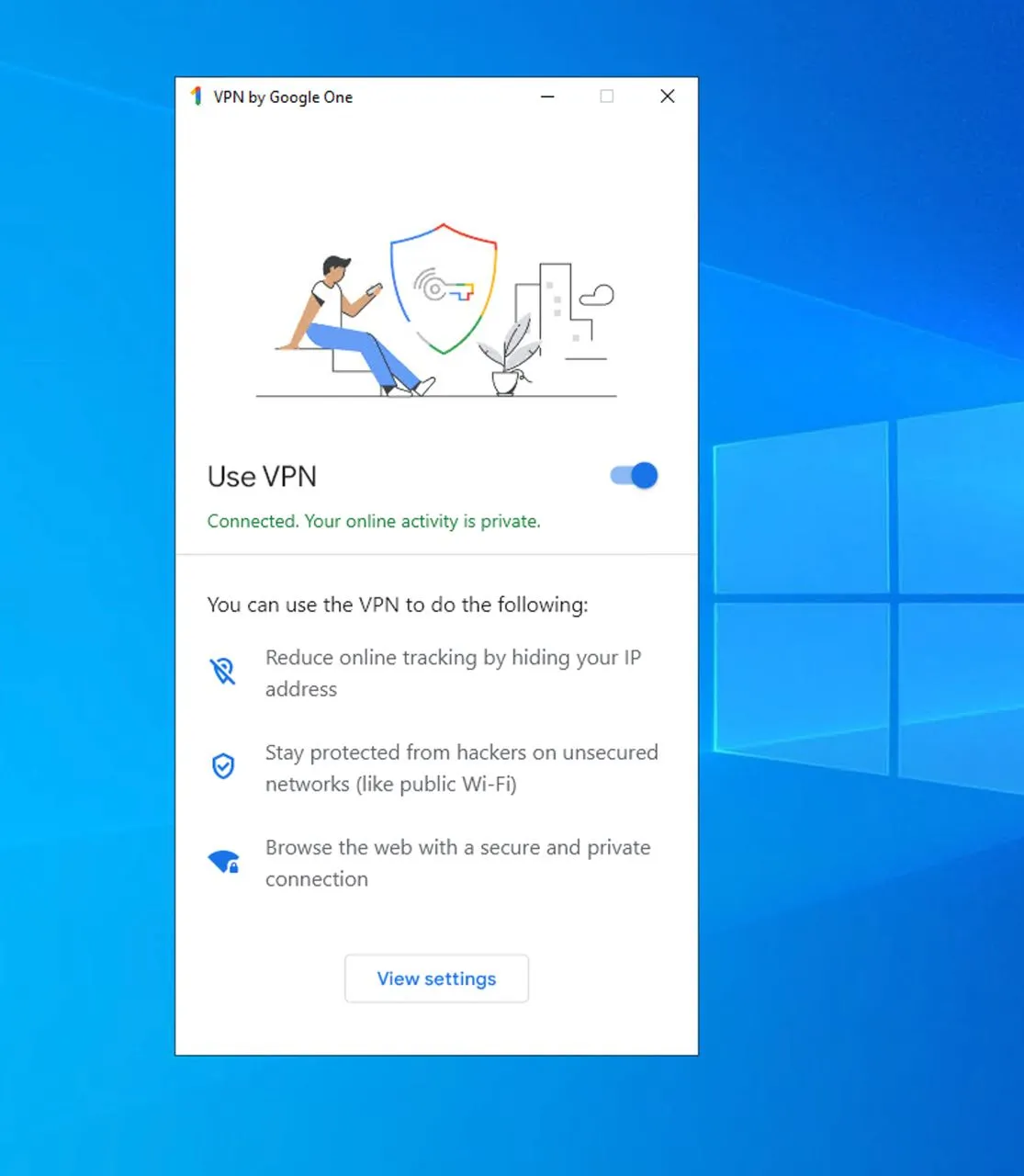
At this moment I felt very happy - conquering obstacles on the tinkering path is truly satisfying.
Setting up nodes is very easy. Using Xray for the server and V2rayN for the client, you can easily set up a proxy. If you have questions about this part, you can search for Buliang Lin’s Windows node setup tutorial on YouTube - he uses V2ray, and the setup process for Xray is pretty similar.
Finally, you need to set the Ethernet network adapter to the lowest priority, so that Google One VPN’s priority is higher than Ethernet. This way, the proxy provided by Xray will use Google One VPN’s traffic. For a specific tutorial, see a user’s answer in the Google One TG group—via.
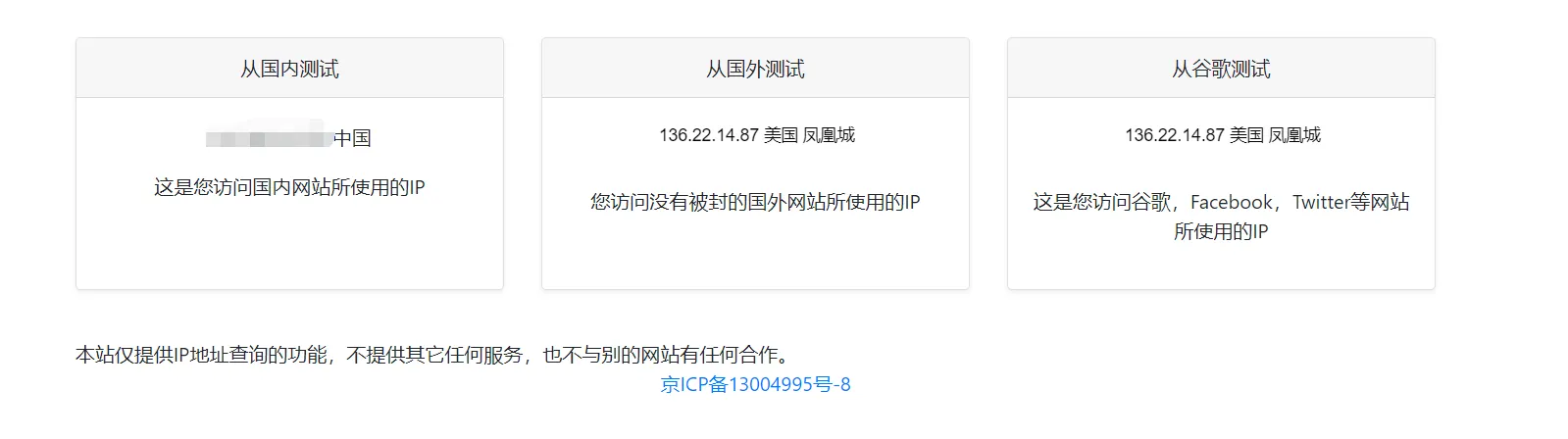
I mainly use the Windows Server with Google One VPN as an exit node to route ChatGPT and New Bing traffic. I generally don’t use the direct Google One VPN node connection.
Note: After DD’ing Windows, it’s recommended to immediately change the Windows Server RDP default port 3389 and the Windows image’s default password: Teddysun.com. On the evening of October 8th, when I remotely logged into my DD’d Windows Server, I found a bunch of files on the desktop named sql, tcp, etc., and there was a window downloading something. I immediately realized something was wrong - this system had been hacked. I immediately reset the system and re-DD’d. I also checked the Google account that had been logged in on the original HXServers Windows and logged out all devices.
Document Info
- License: Free to share - Non-commercial - No derivatives - Attribution required (CC BY-NC-ND 4.0)