Self-Hosted Kasm Workspaces
Update (2025.4.15)
- About seamless clipboard
Seamless clipboard supports copying images directly from local clipboard to Chrome browser in Kasm Workspaces. Attaching images doesn’t need file upload as described below.
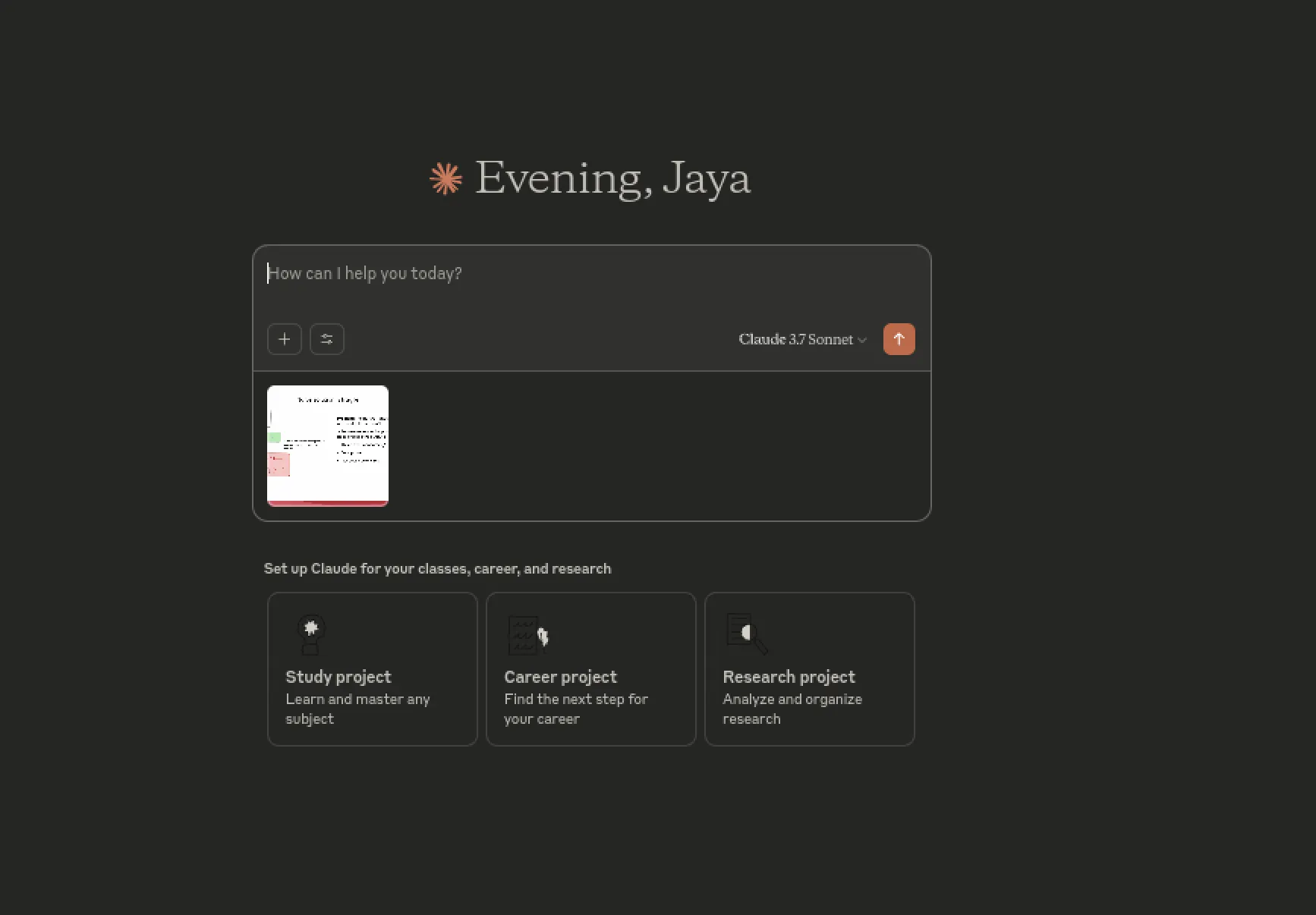
Supplement: Sometimes this method works, sometimes fails—feels unstable. This seamless clipboard has bugs.
- About datacenter IPs
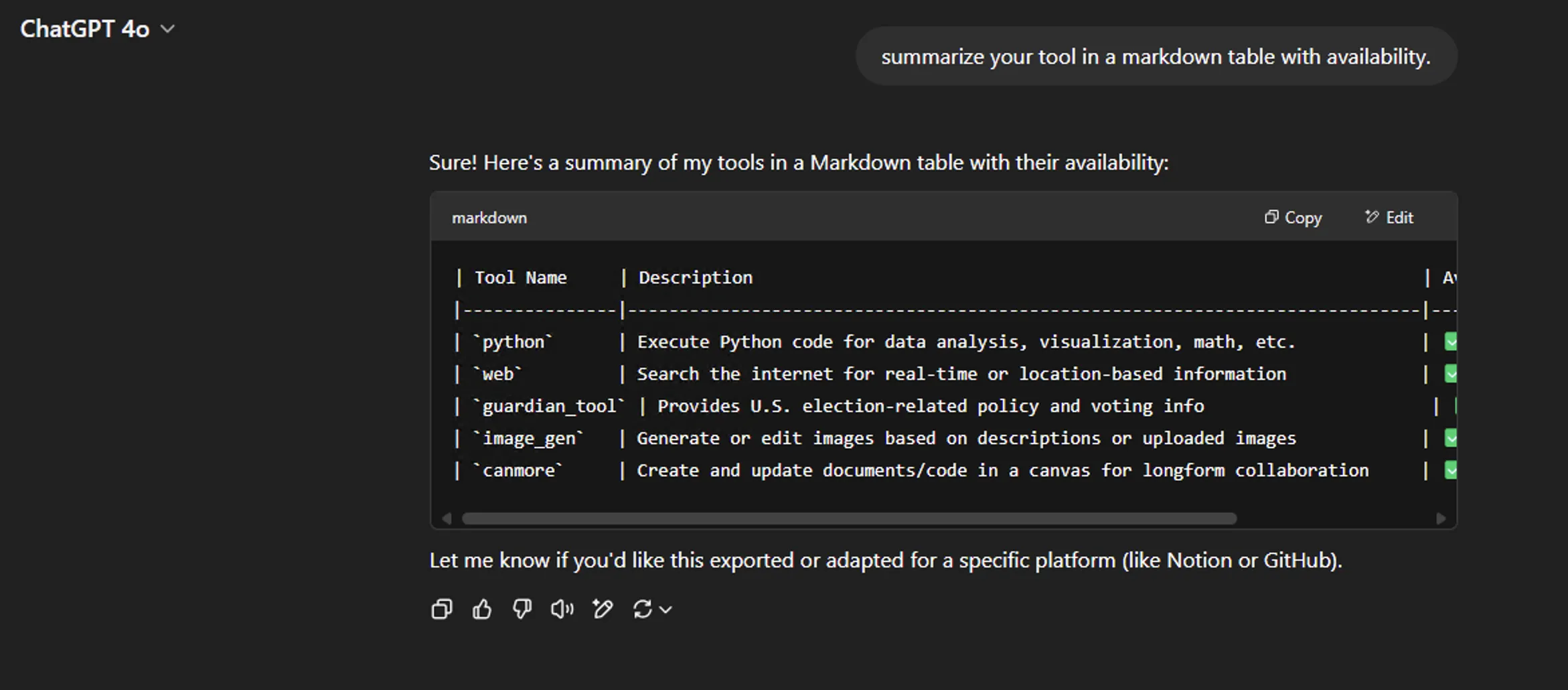
OpenAI indeed dumbs down models based on datacenter IPs. Example: I logged into ChatGPT on a garbage VPS from Colocrossing’s Windows VPS, asked o3-mini-high to think and write code comments—thought for 7s. Used common dumbing-down detection prompt: summarize your tool in a markdown table with availability. Found only 4 tools (missing US election tool). Non-dumbed-down ChatGPT has at least as many tools as below. Immediately decided not to renew Colocrossing this year.
If your VPS IP isn’t clean, don’t set up Kasm Workspaces to play with AI.
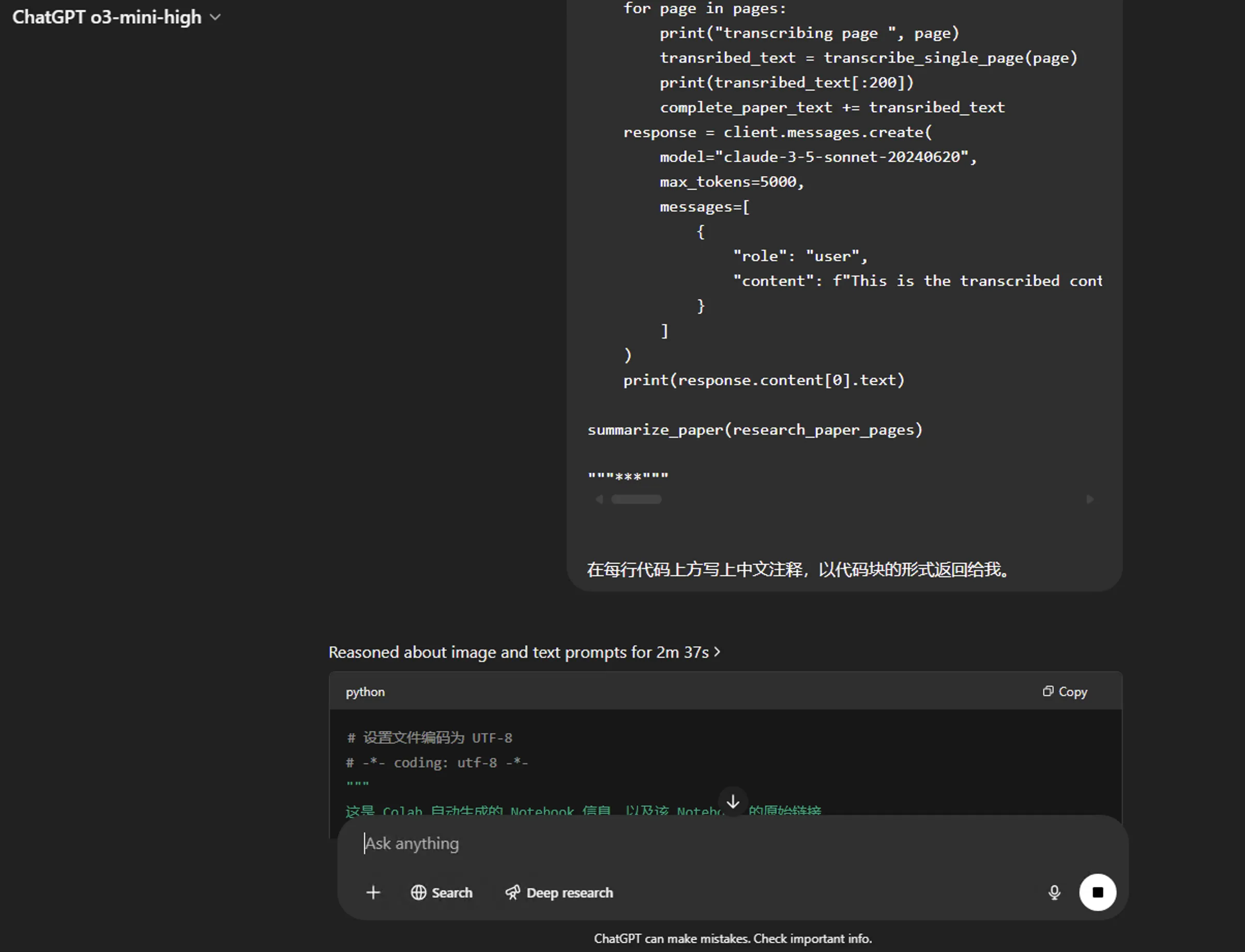
On a lesser-known US datacenter VPS [US East machine], logged into ChatGPT, asked o3-mini-high to think and write code comments—thought for over 2 minutes.
Indeed for OpenAI AI services, not just US residential IPs get full power—obscure clean datacenter IPs can also shine.
Update (2025.4.3)
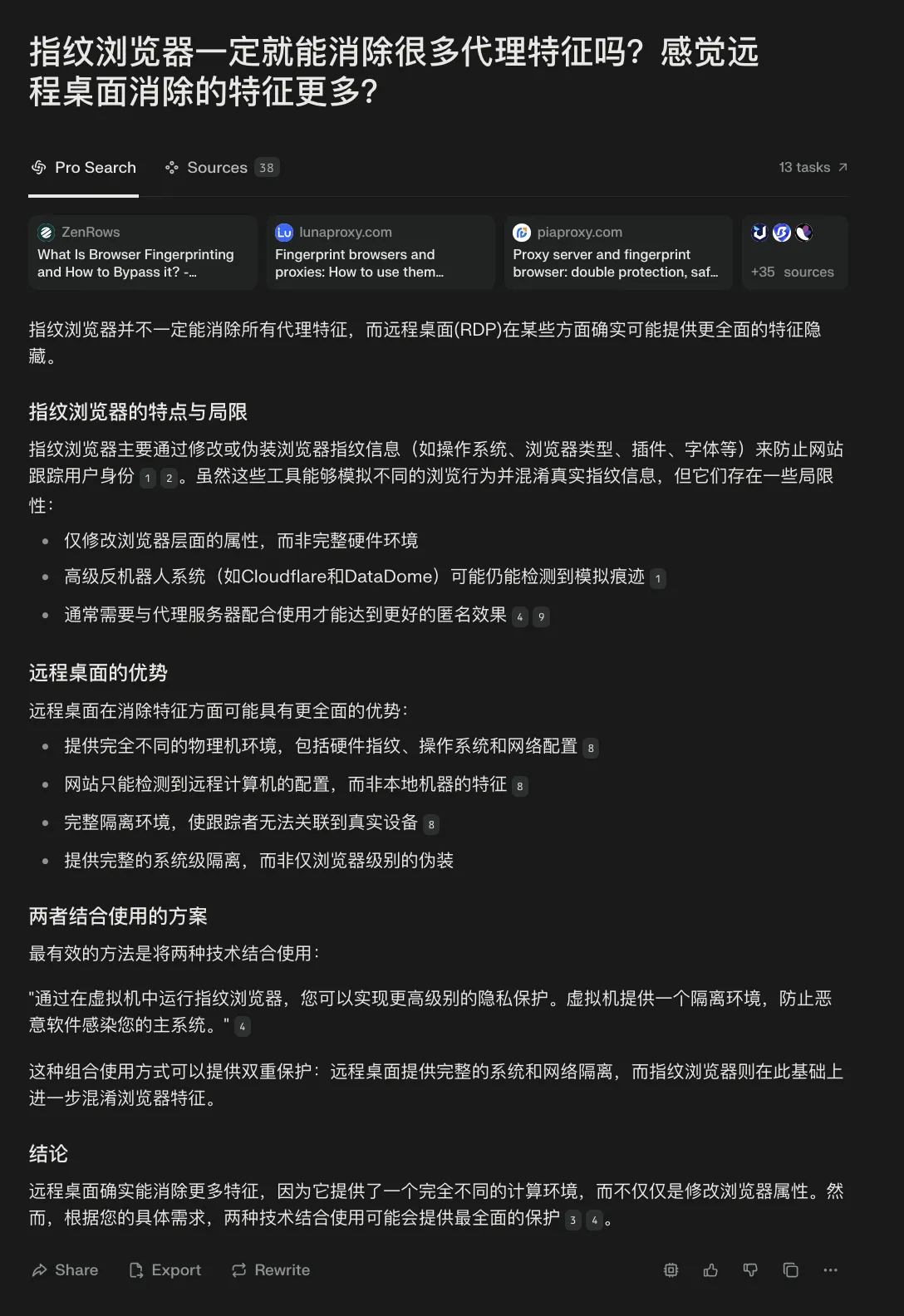
Actually this solution’s experience isn’t as good as remote Windows desktop. Even with datacenter IP, remote Windows desktop’s proxy characteristics basically only have IP type issues—other characteristics are eliminated. Plus if it’s California machine, latency is low—good experience. Copying images, uploading files etc. much easier than Kasm Workspaces.
Kasm Workspaces suits friends who don’t want VPS as Windows but want good disguise for AI. Using overseas AI on East Asia timezone computers—might get telemetry detected someday. Traffic splitting isn’t foolproof. Fingerprint browsers also feel lacking.
Background
First time using Kasm Workspaces was 2023. Set up non-Docker version on a HostHatch Singapore machine but didn’t dig deep—just set up, tried various Workspaces like Chrome, Ubuntu desktop.
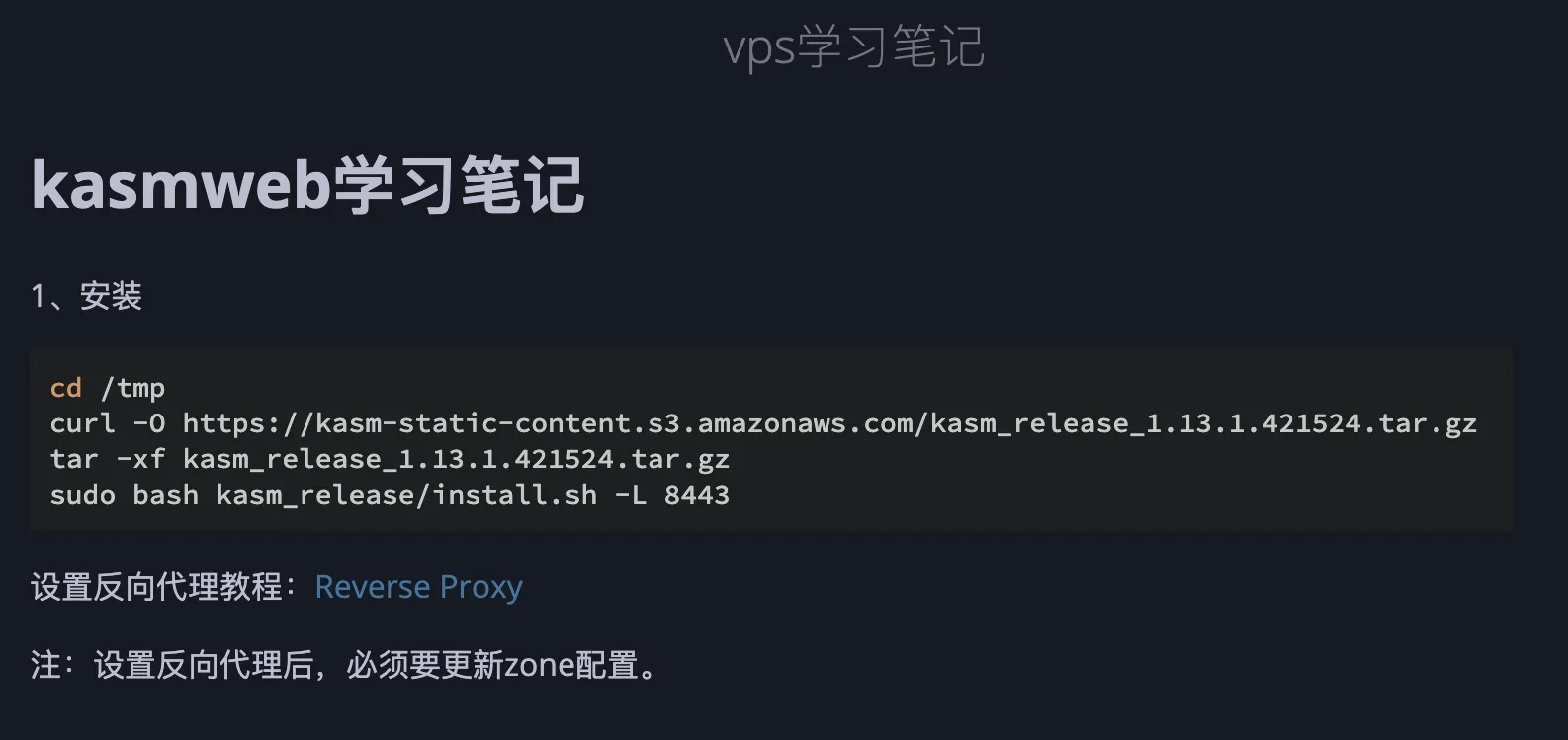
Let Claude 3.7 Sonnet briefly introduce Kasm Workspaces.
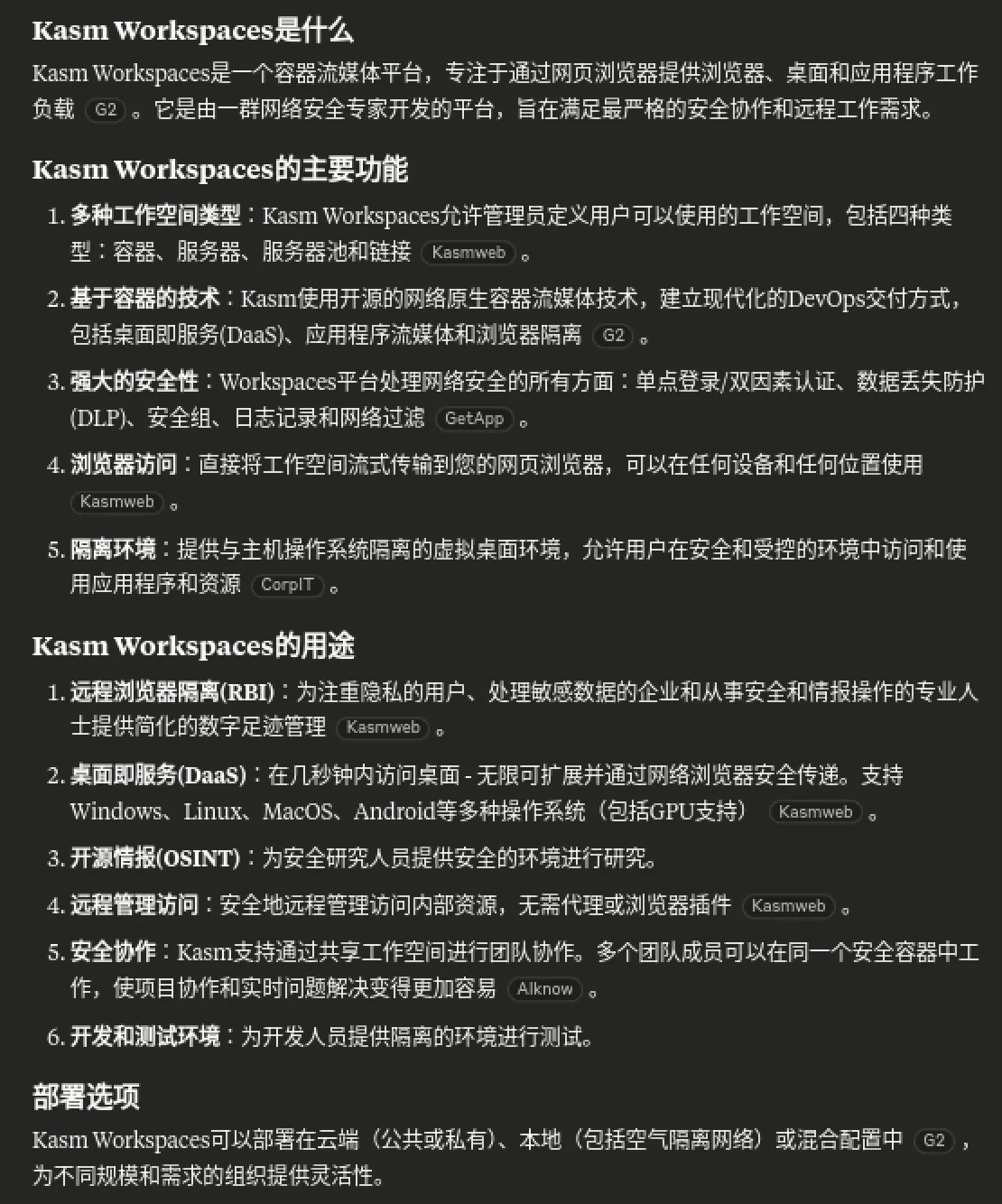
Desktop-as-a-service is actually very practical use case.
Then let Gemini 2.5 Pro explain the Workspaces concept.
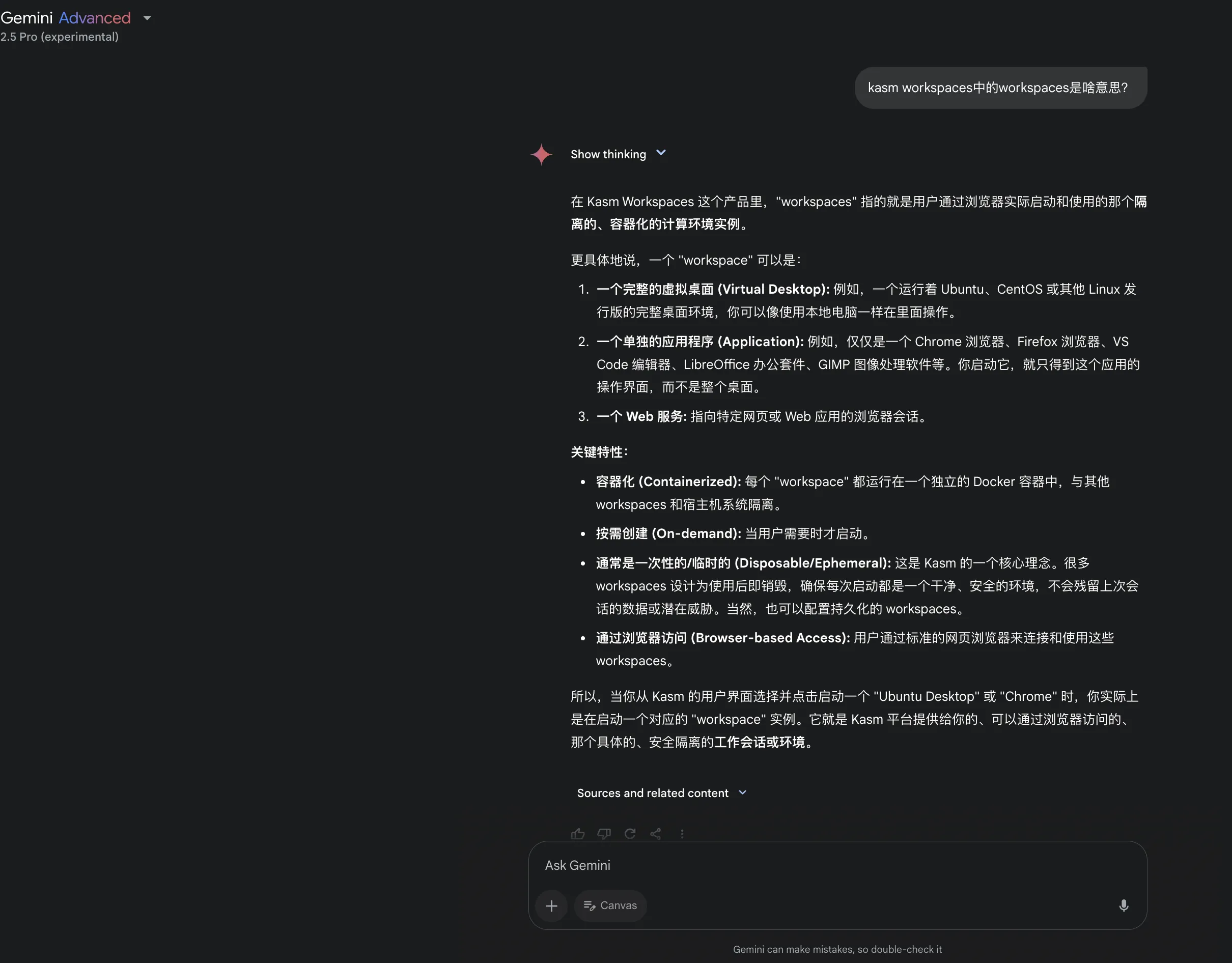
Prerequisites
- Preferably a VPS with IPv4 address and decent specs (4GB+ RAM)
IPv6-only VPS—I found during setup that after completing Kasm Workspaces installation wizard, couldn’t login to Kasm Workspaces page despite correct credentials. Didn’t investigate this bug—might only trigger in my test, not necessarily on IPv6-only machines.
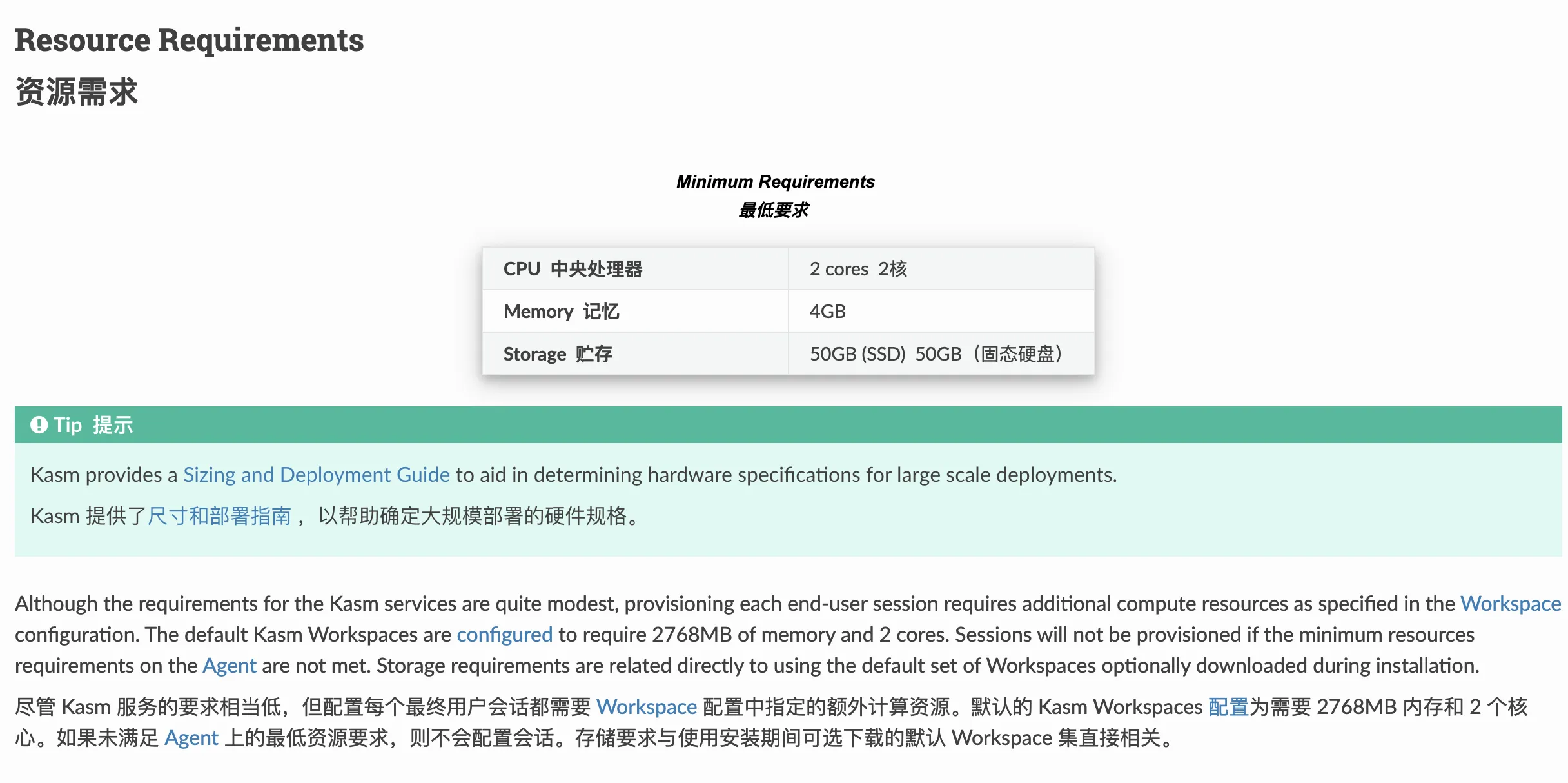
Official docs list minimum requirements: 2 cores, 4GB, 50GB1.
- Preferably a clean Linux system
Some VPS providers’ Linux templates aren’t great—Docker-based KasmWorkspaces encounters various strange issues. Initially on my high-spec machine, self-hosting KasmWorkspaces had almost no issues. But while writing this article, testing machine had various bugs—process was frustrating. Recommend friends wanting to self-host choose a dd’d clean Linux system.
Setup Process
Setup follows docker-kasm project2.
|
|
compose.yml [note host ports 8443, 3000 are free]:
|
|
|
|
Visit https://your_ip:3000 to enter Kasm Workspaces installation wizard.
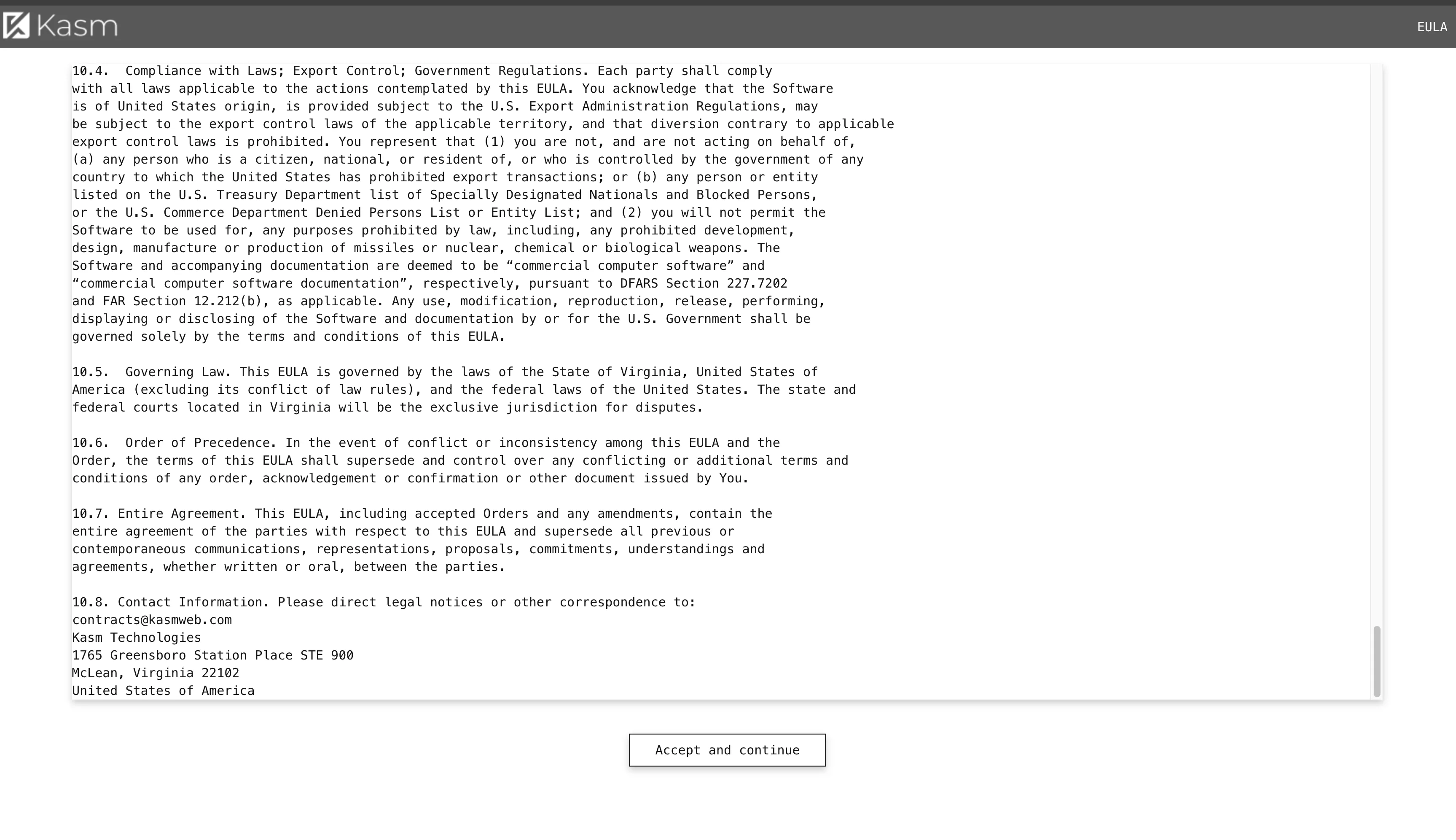
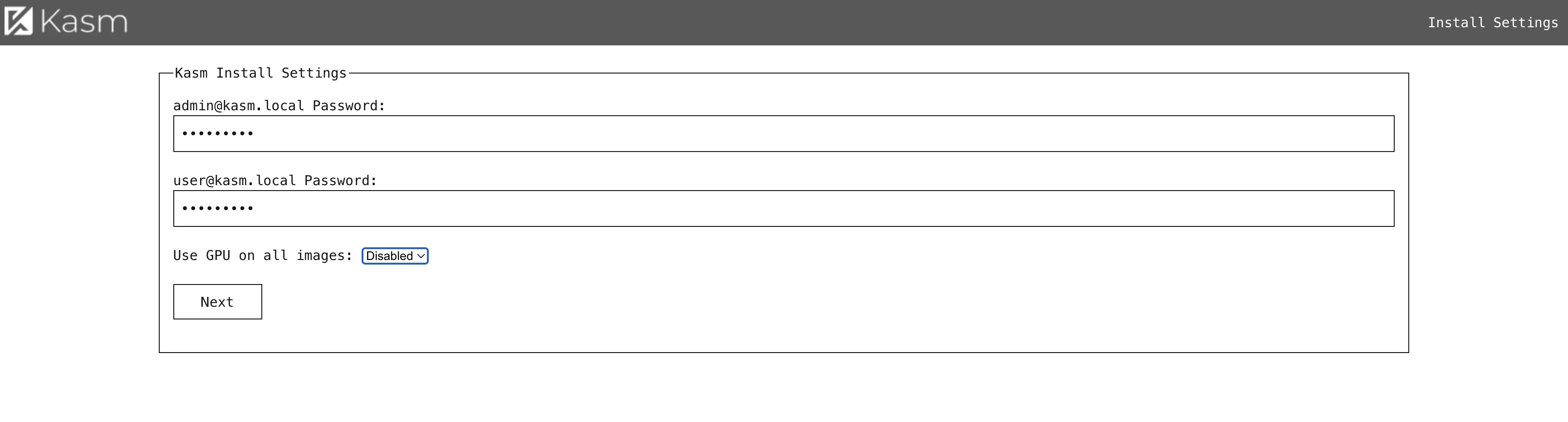
Enter admin password, continue.
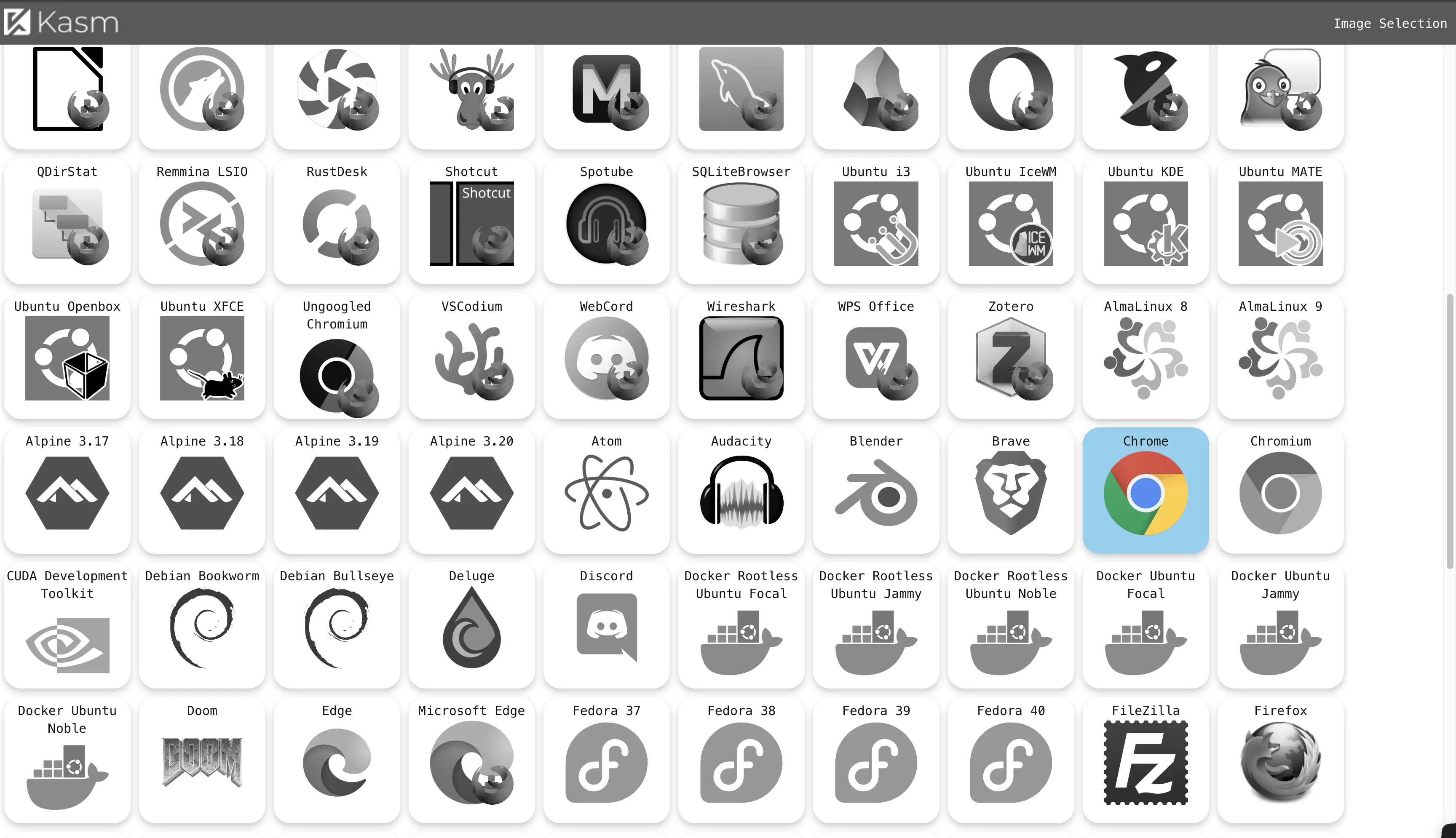
Choose Chrome, Edge, or Brave browser [pick one], click install.
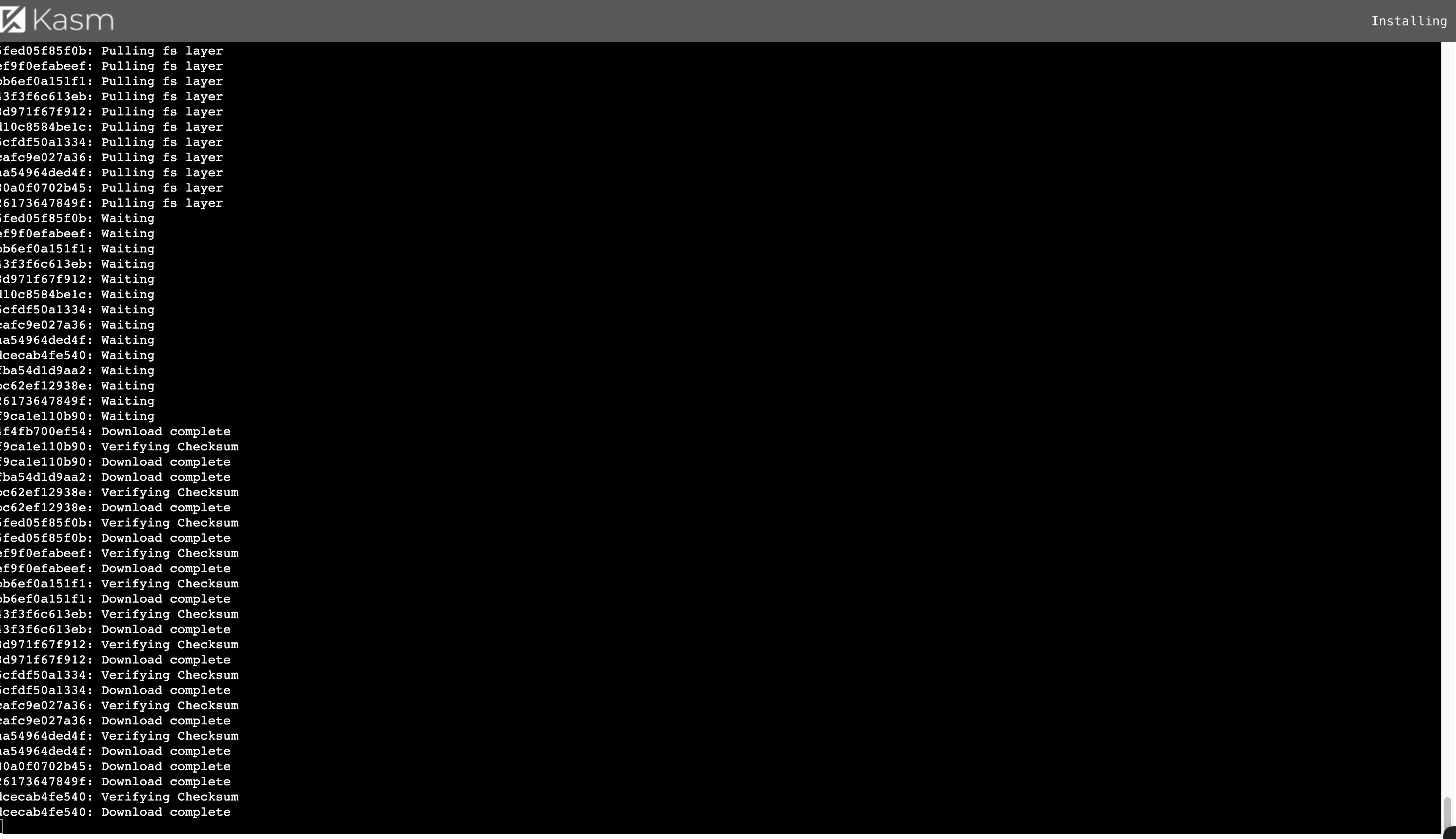
After download completes.
Visit https://your_ip:8443/ to reach Kasm Workspaces login page.
Enter username [email protected] and password from installation wizard to login.
User Settings
First thing after entering—don’t immediately Launch app Session. Do user settings first.
Can run this command on VPS to get timezone.
|
|
For example I got "timezone": "America/New_York".
Then in Kasm Workspaces, click admin avatar at top right for Edit Profile.
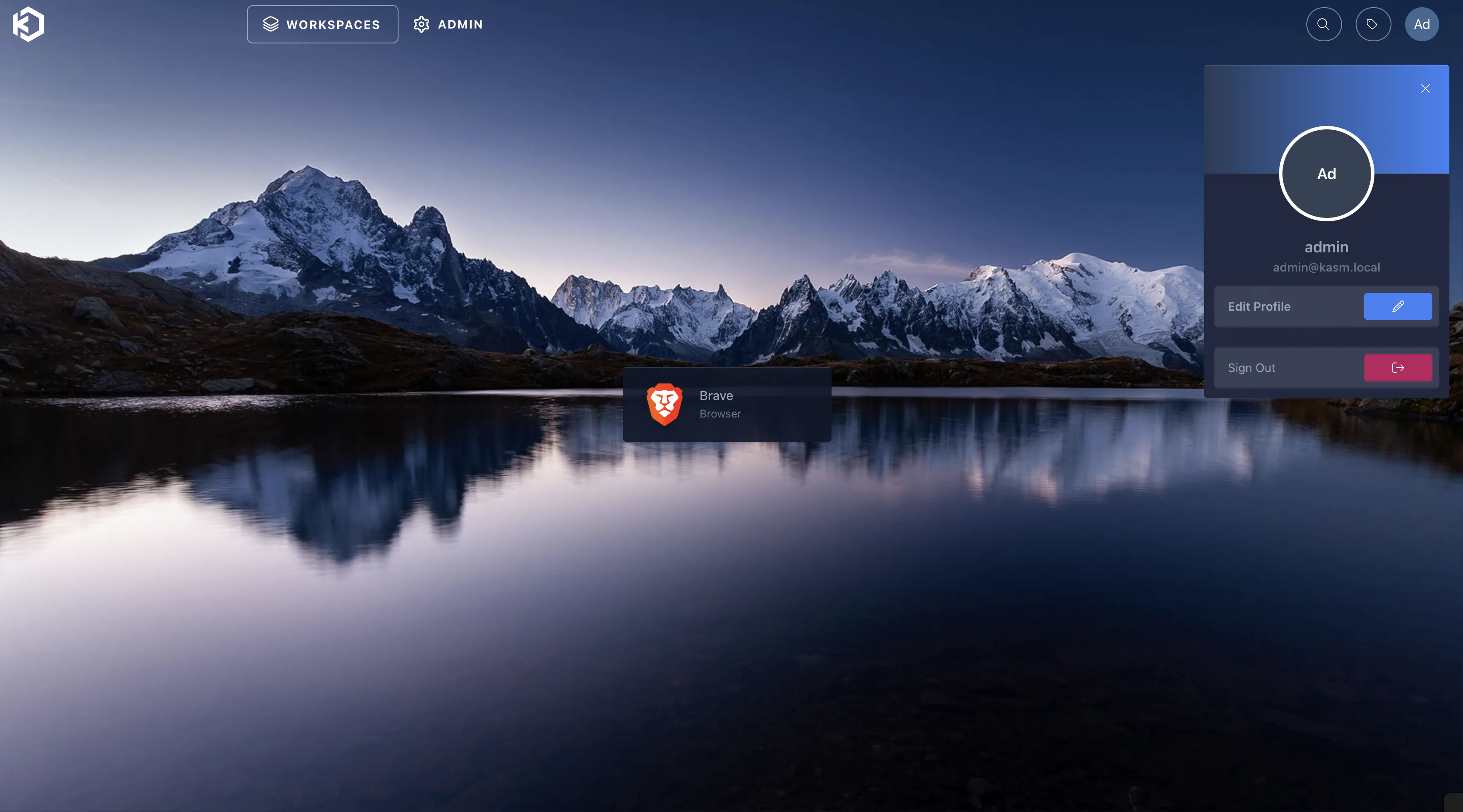
Set Kasm UI Language to English;
Set Kasm Session Language to English: United States of America;
Set Kasm Session Timezone to VPS’s timezone.
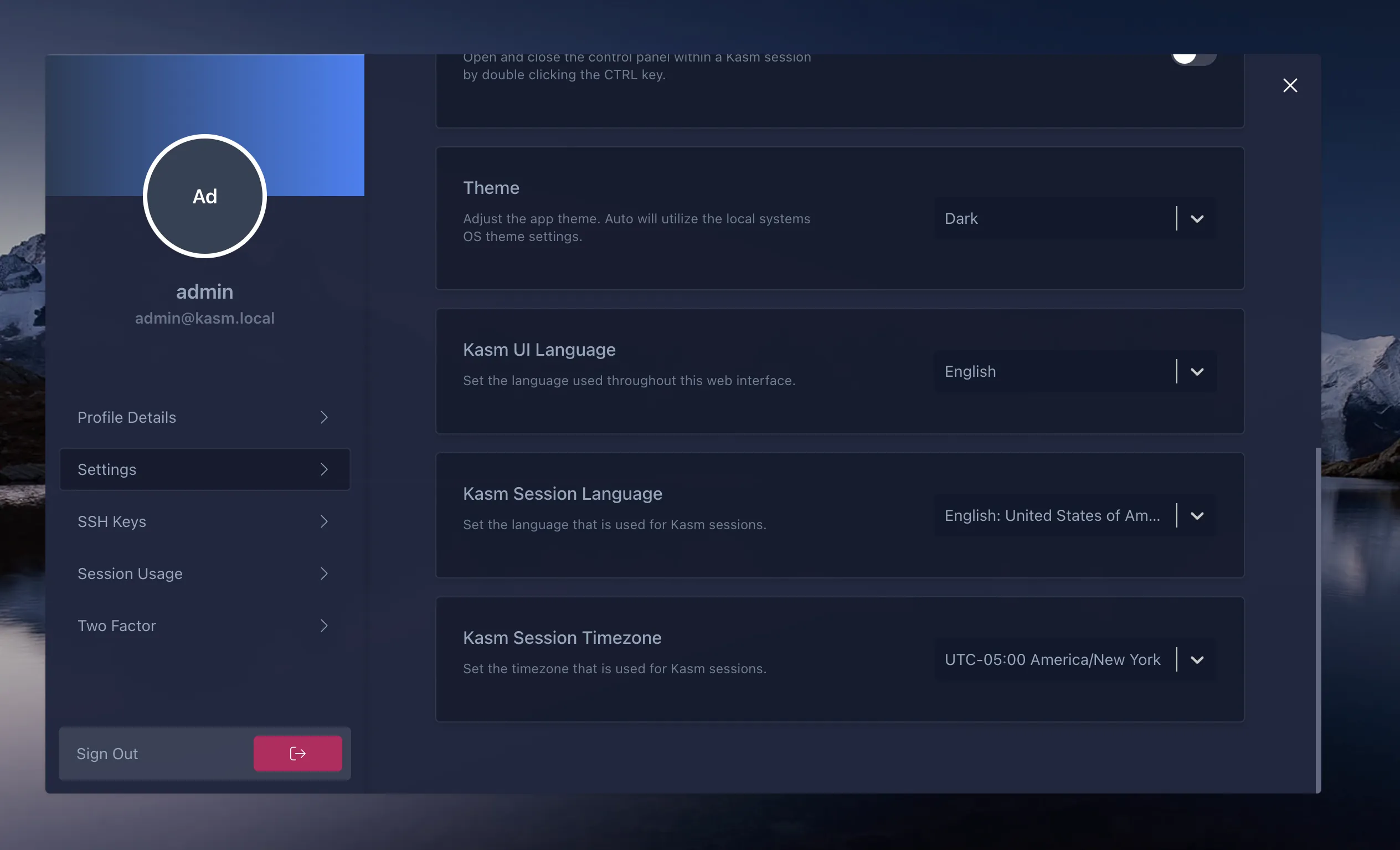
Other settings as needed, like two-factor auth.
Persistent Profiles
Reason for persistent profiles—Kasm Workspaces by default doesn’t save user Profiles config3. For example, if I login to ChatGPT in this Session, next Session requires re-login. With persistent profiles, only need to login ChatGPT first Session—next Session ChatGPT is already logged in.
Click ADMIN at top for related settings.
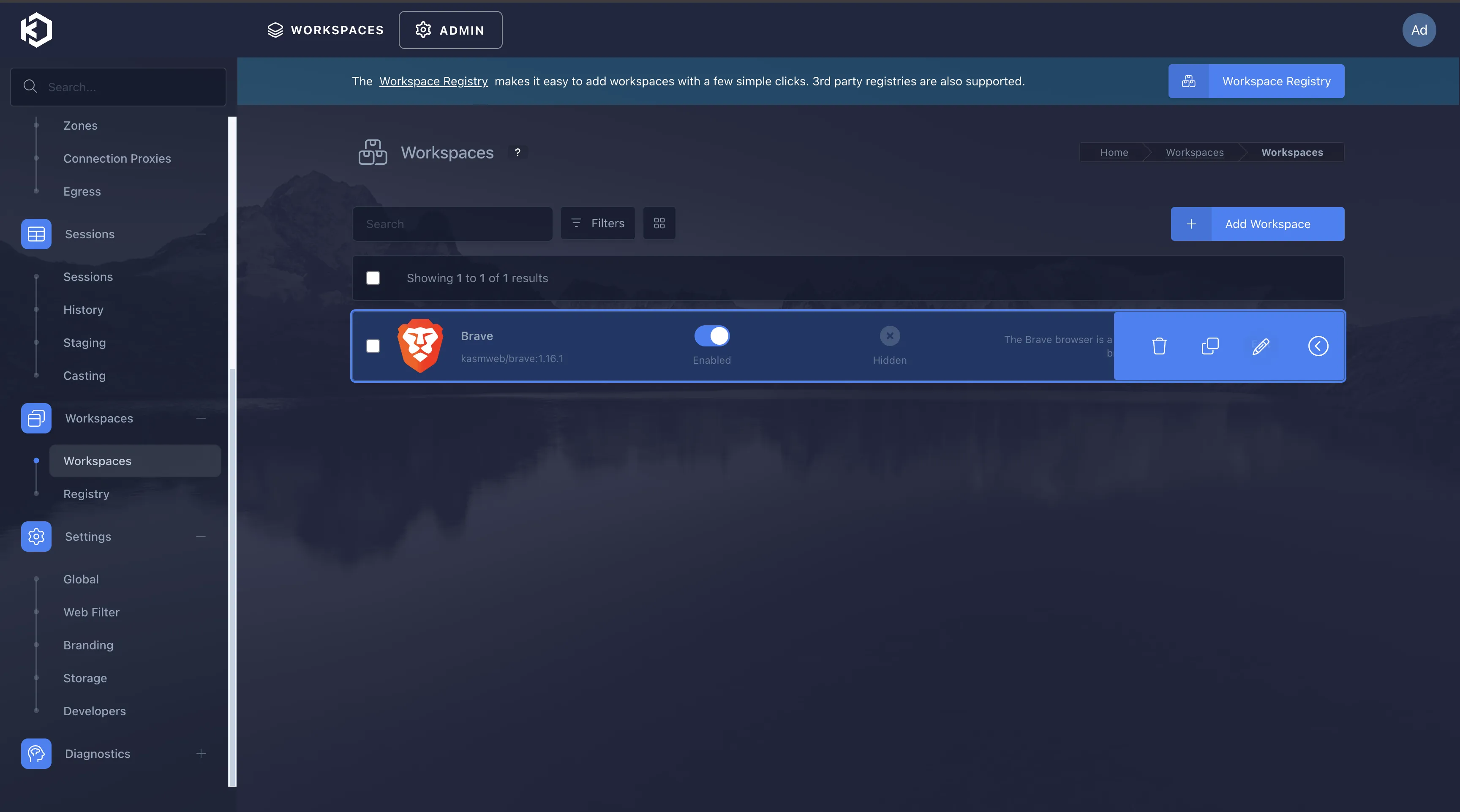
Click Workspaces—>Workspaces on left. My demo initially installed Brave browser. Click Brave browser’s Edit button.
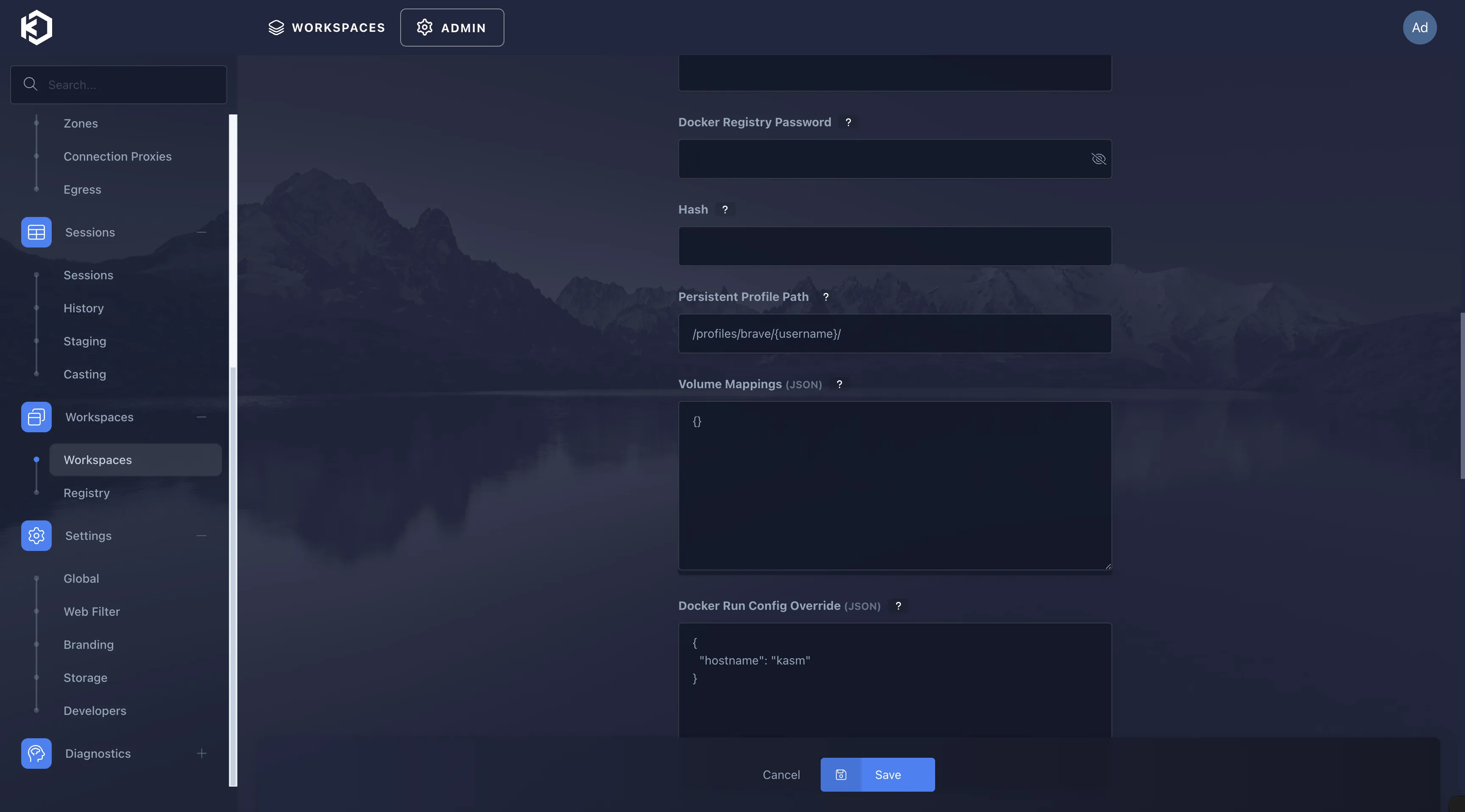
In Persistent Profile Path enter /profiles/brave/{username}/. If default app is Chrome, can set /profiles/chrome/{username}. Then click Save to update Workspace settings.
Now when Launching Brave browser, you’ll see Persistent Profile option. Enable it.
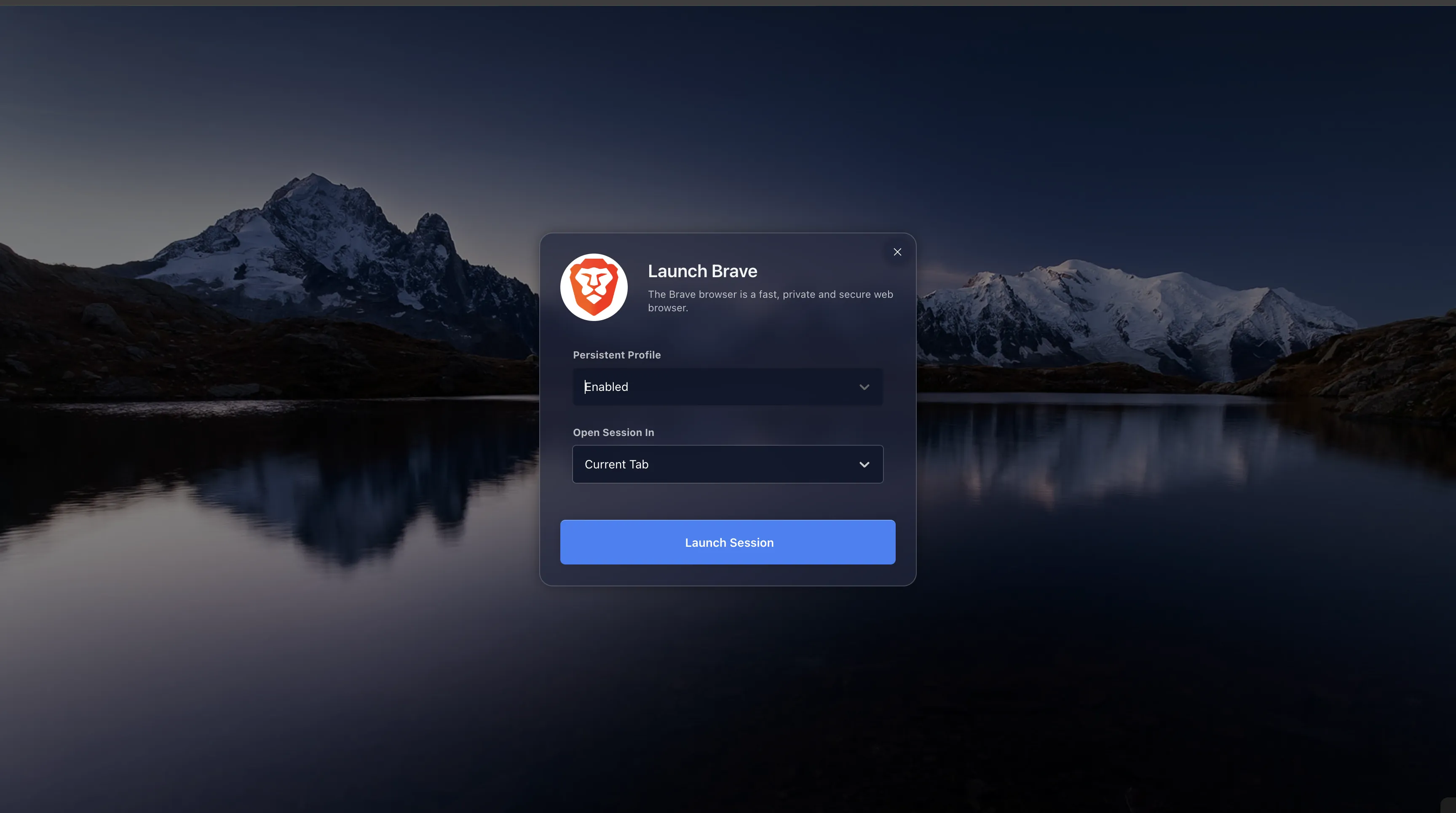
Now launch Brave browser, login ChatGPT.
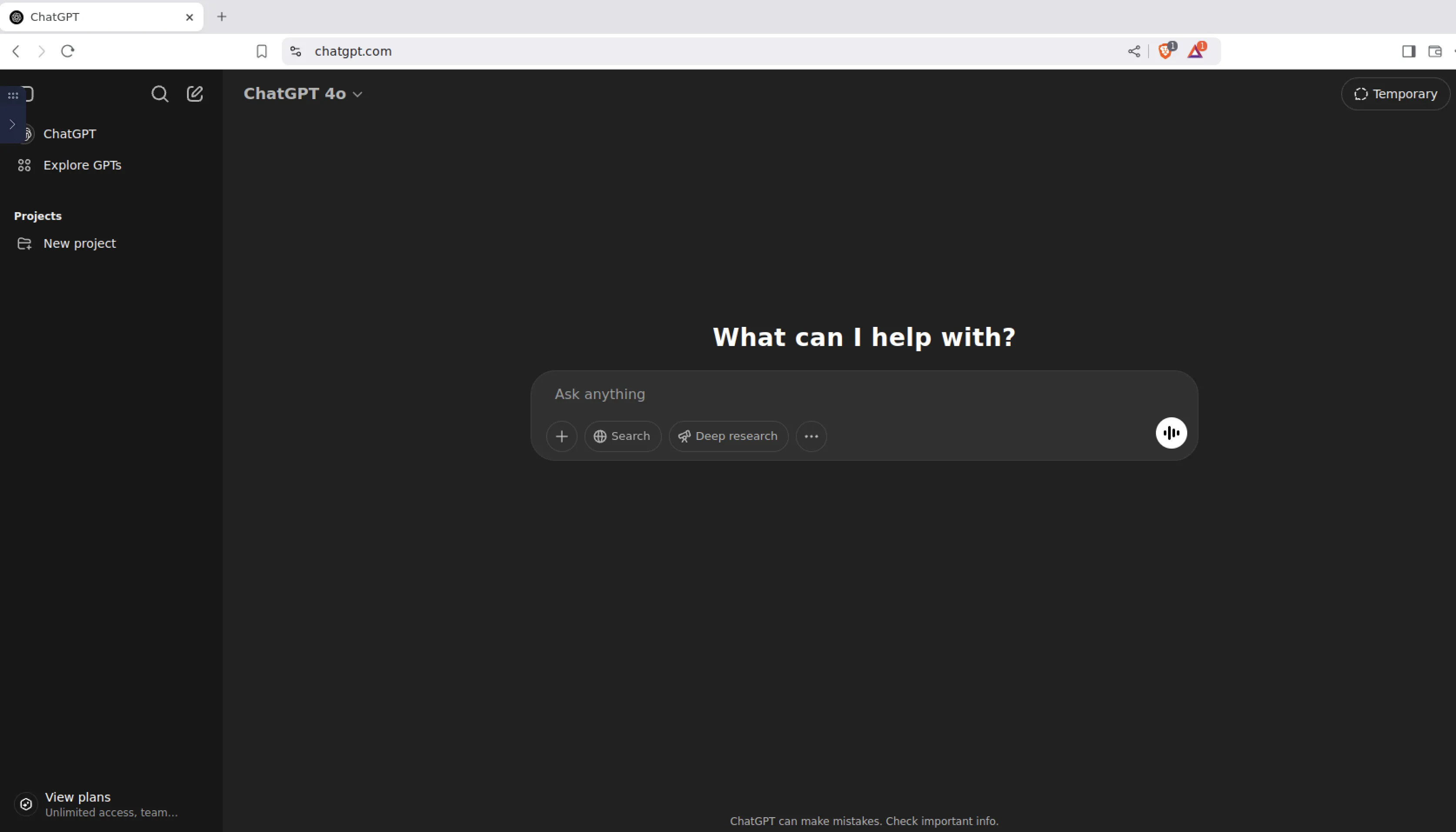
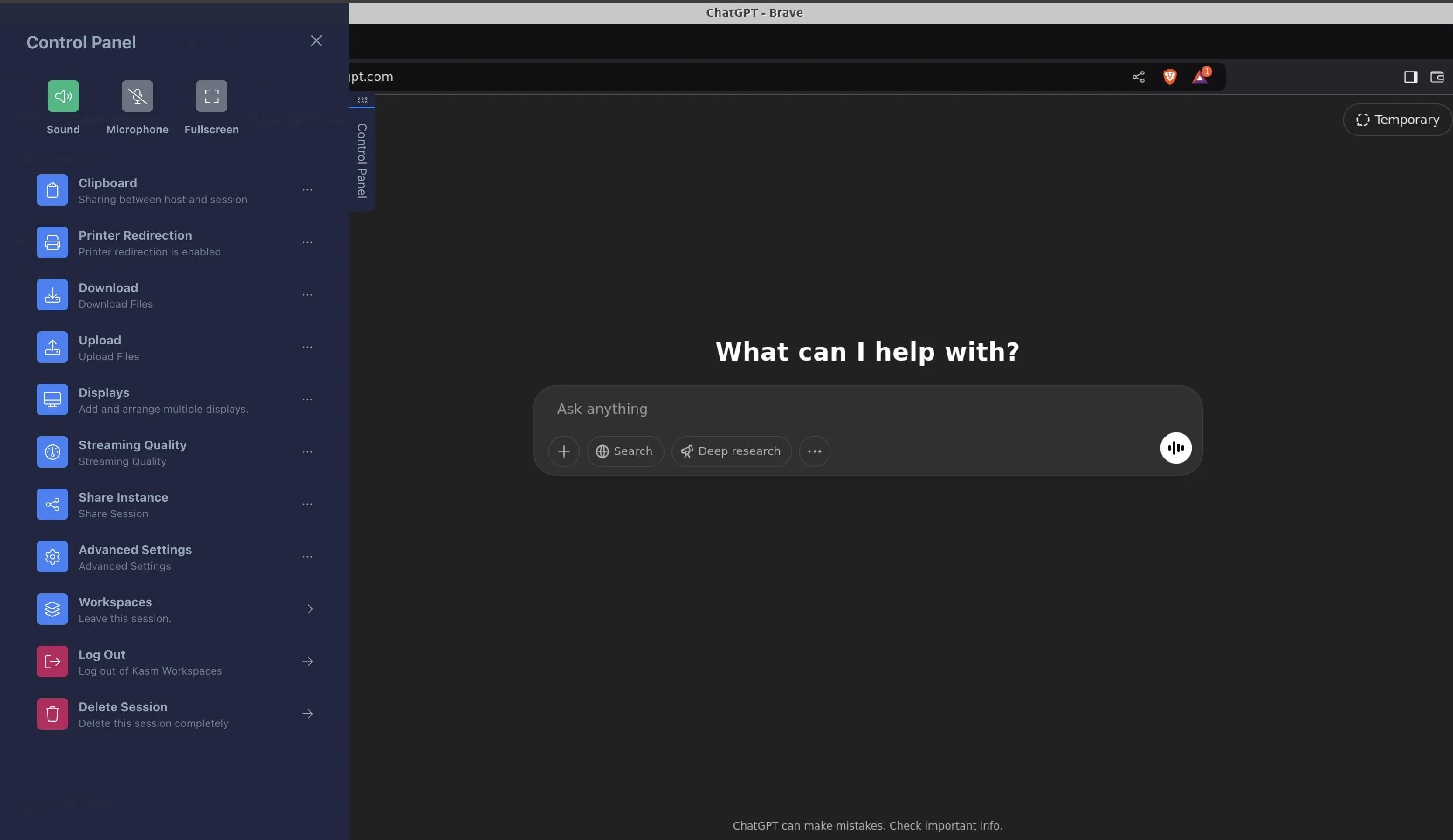
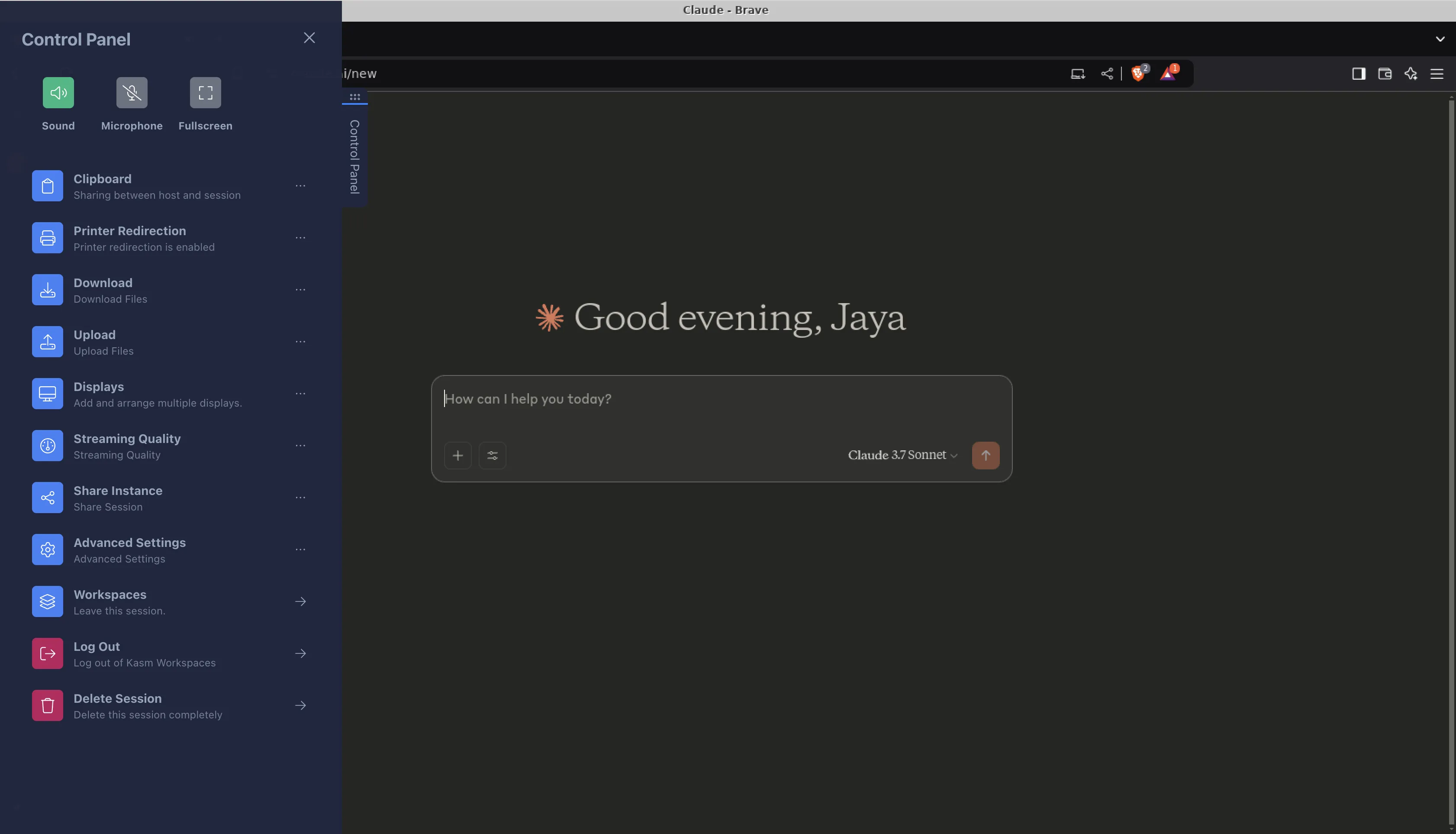
Then Delete Session from left control panel.
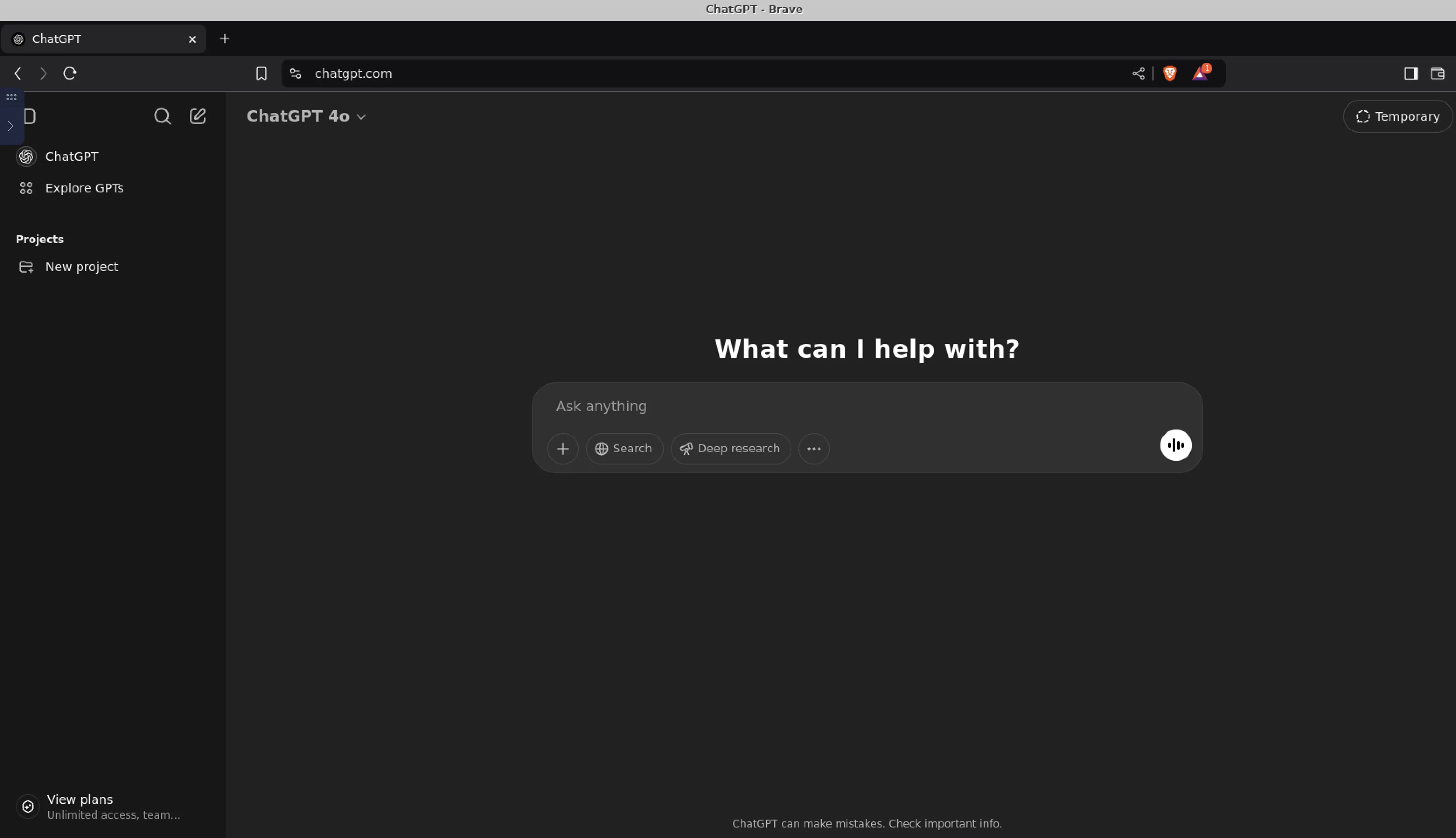
Next time launching Brave browser, ChatGPT is still logged in—this is the magic of persistent profiles.
Other
In ADMIN—>Access Management—>Users, can add and delete users.
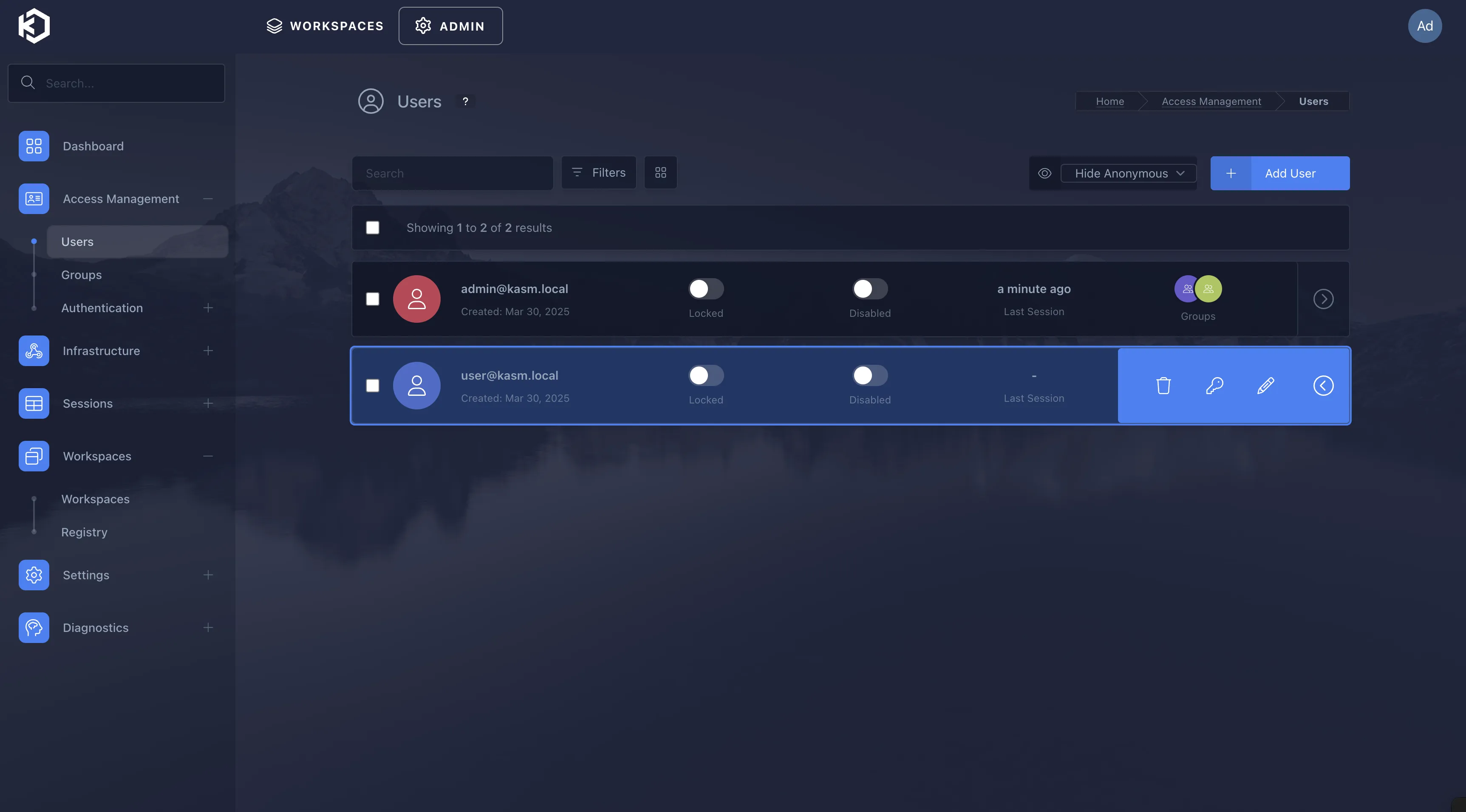
I deleted [email protected] and added custom user.
Can open Kasm Workspaces page (https://your_ip:8443) in another local browser, login with new custom user credentials.
New user’s first thing after login—still do user settings [refer to earlier section for language, timezone settings].
Then we can login Claude account in this Session.
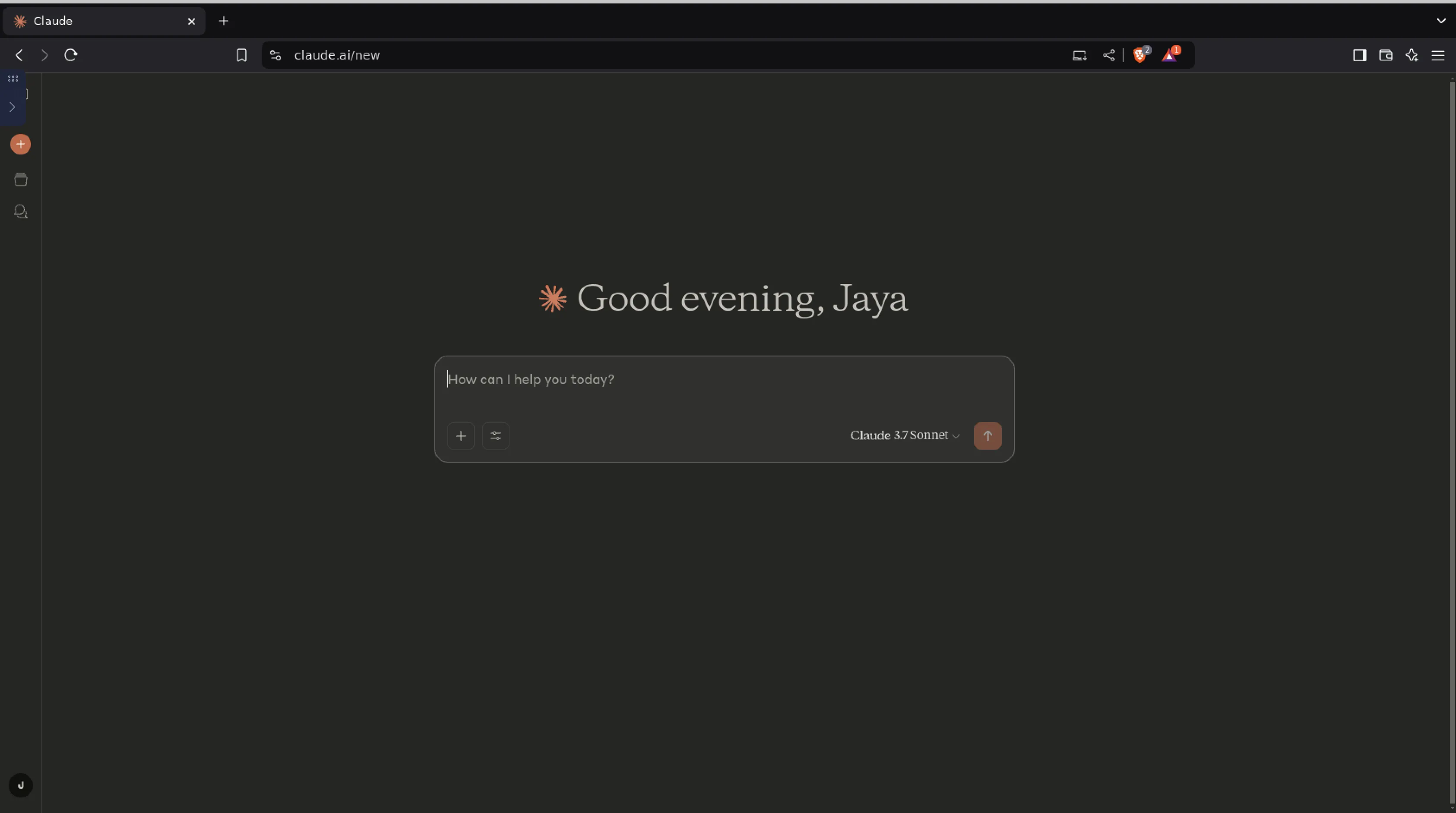
Since we enabled persistent user config, deleting this Session and reopening—Claude still logged in.
Cleanup
Set Zone Proxy Port to 0 [needed for reverse proxy]4:
ADMIN—>Infrastructure—>Zones—>default—Edit
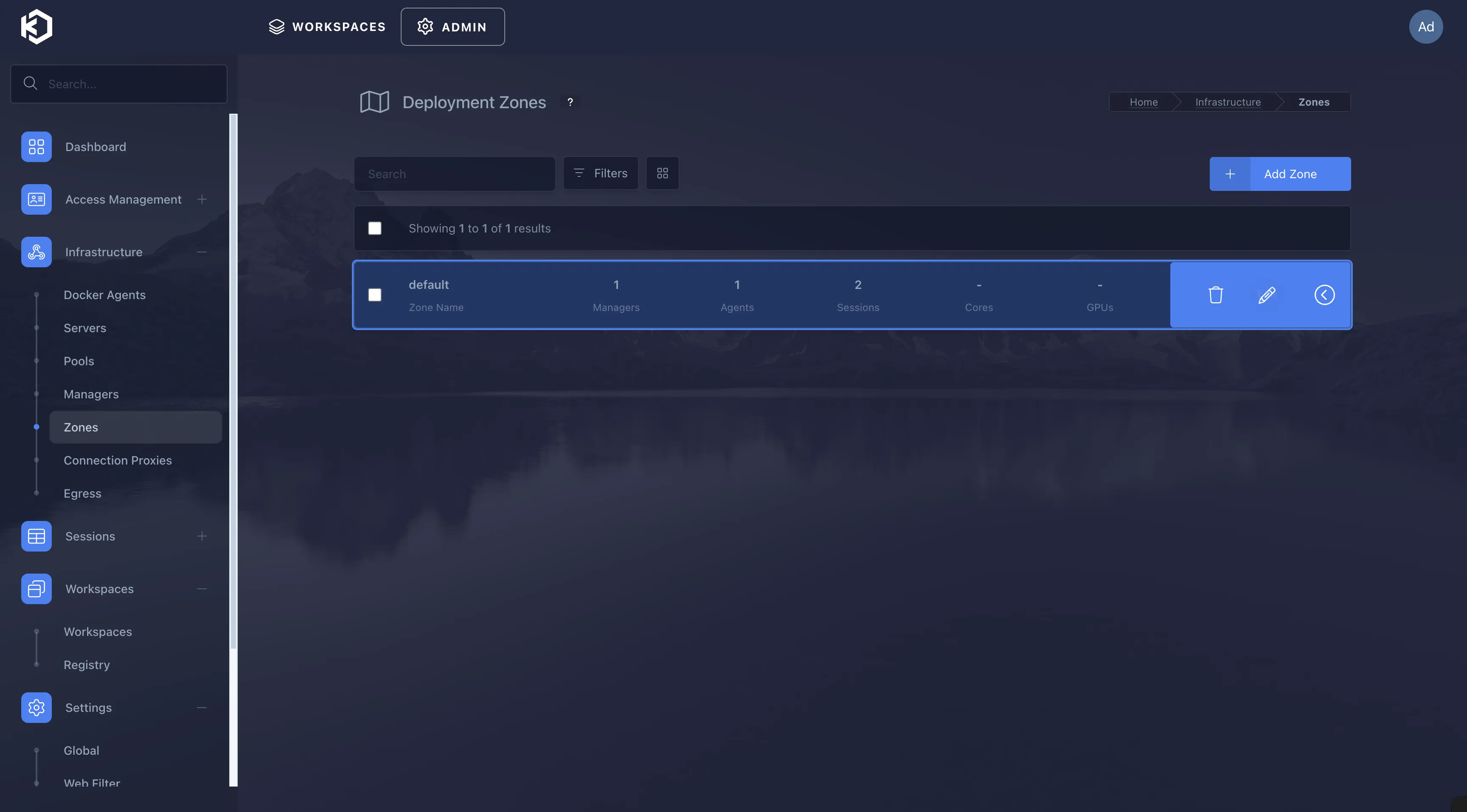
Change Proxy Port from 8443 to 0 and Save.
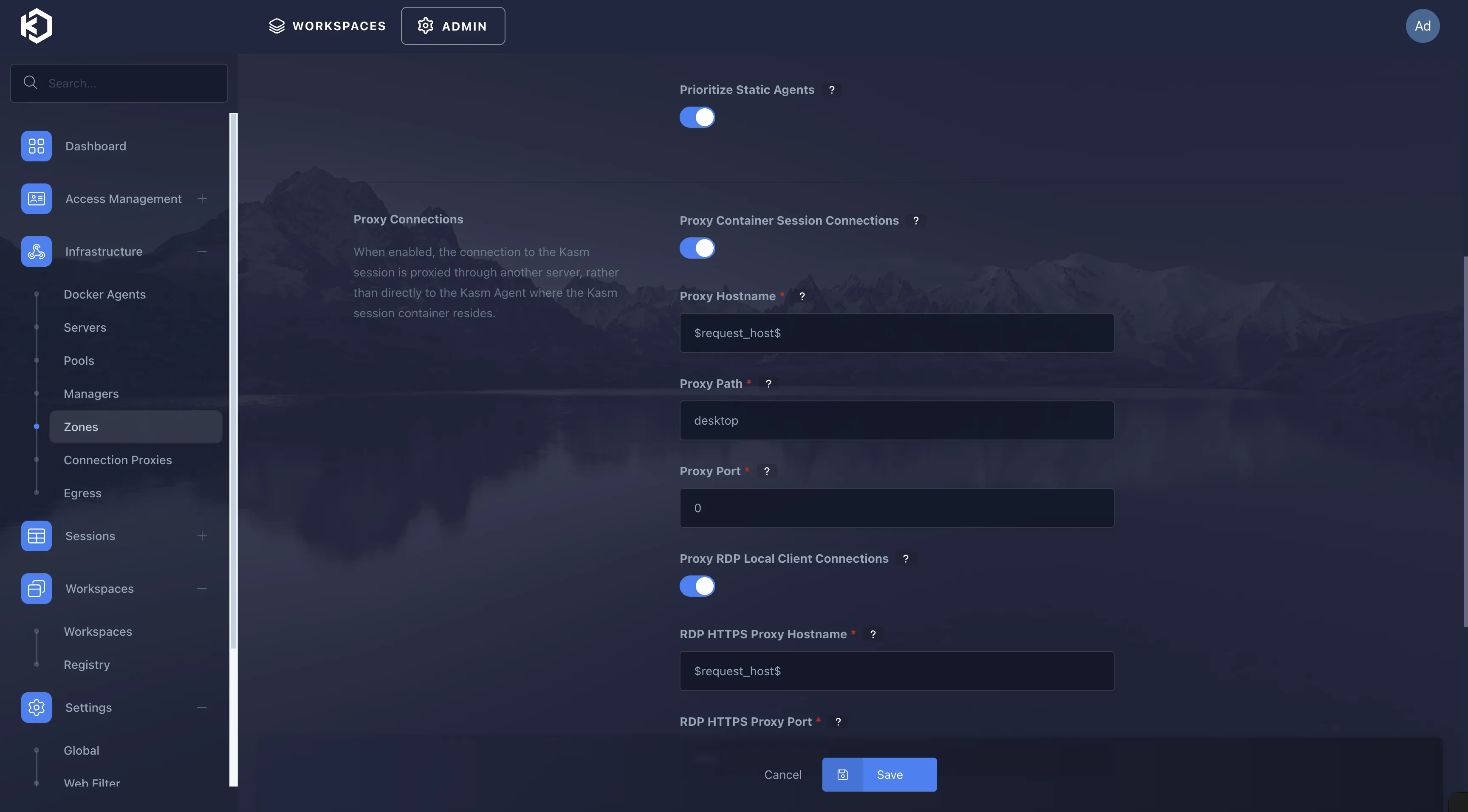
Caddy reverse proxy config [make sure domain has proper A record]5:
|
|
|
|
Then access Kasm Workspaces via domain kasm.example.com.
Update Kasm Workspaces compose.yml to reduce exposed ports:
|
|
|
|
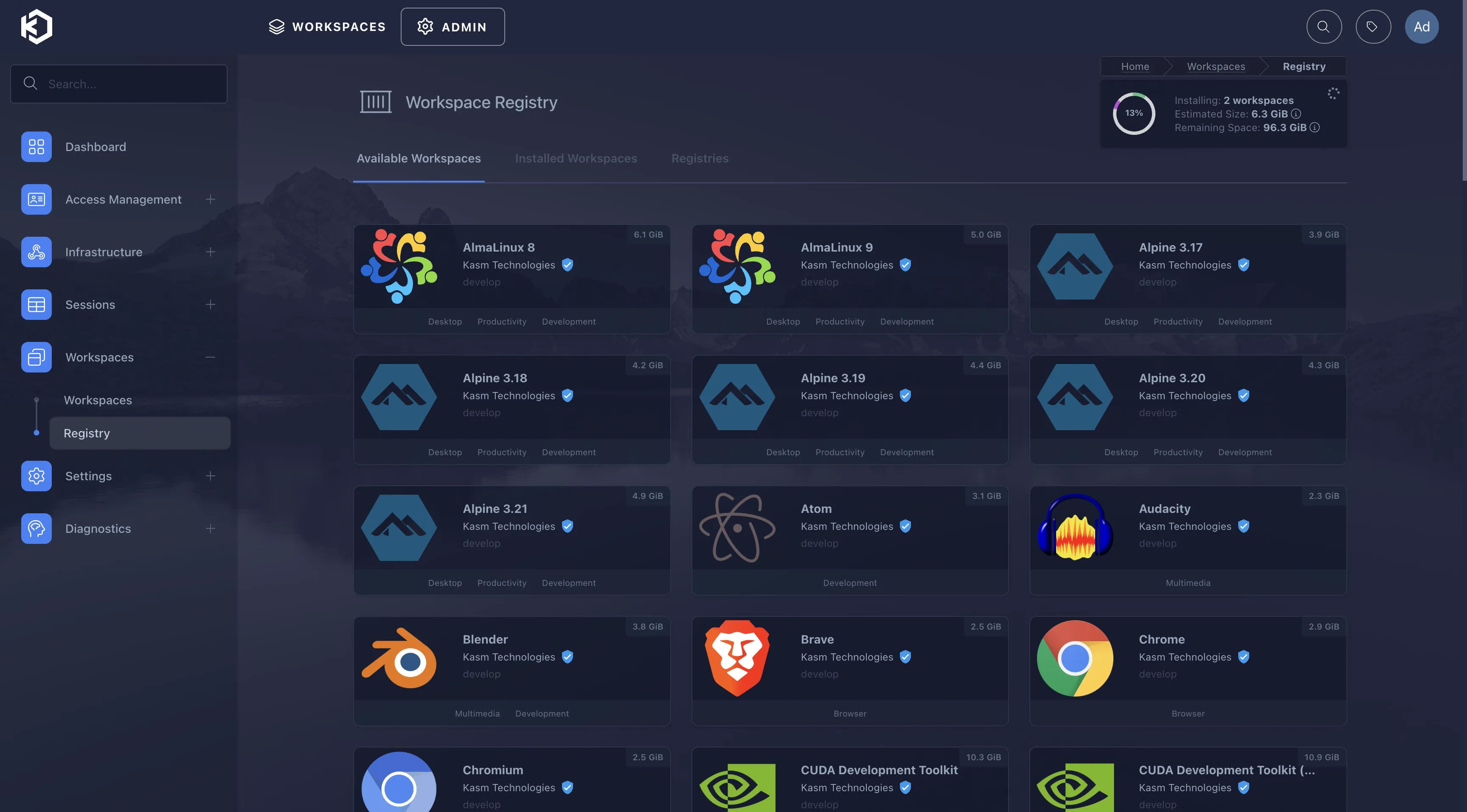
To install other Workspaces, select from ADMIN—>Workspaces—>Registry.
For AI queries, text content uses copy-paste. Kasm supports seamless clipboard for Chromium-based browsers6.
For copying images and other files—use left control panel’s Upload plus AI chat interface’s Upload feature.
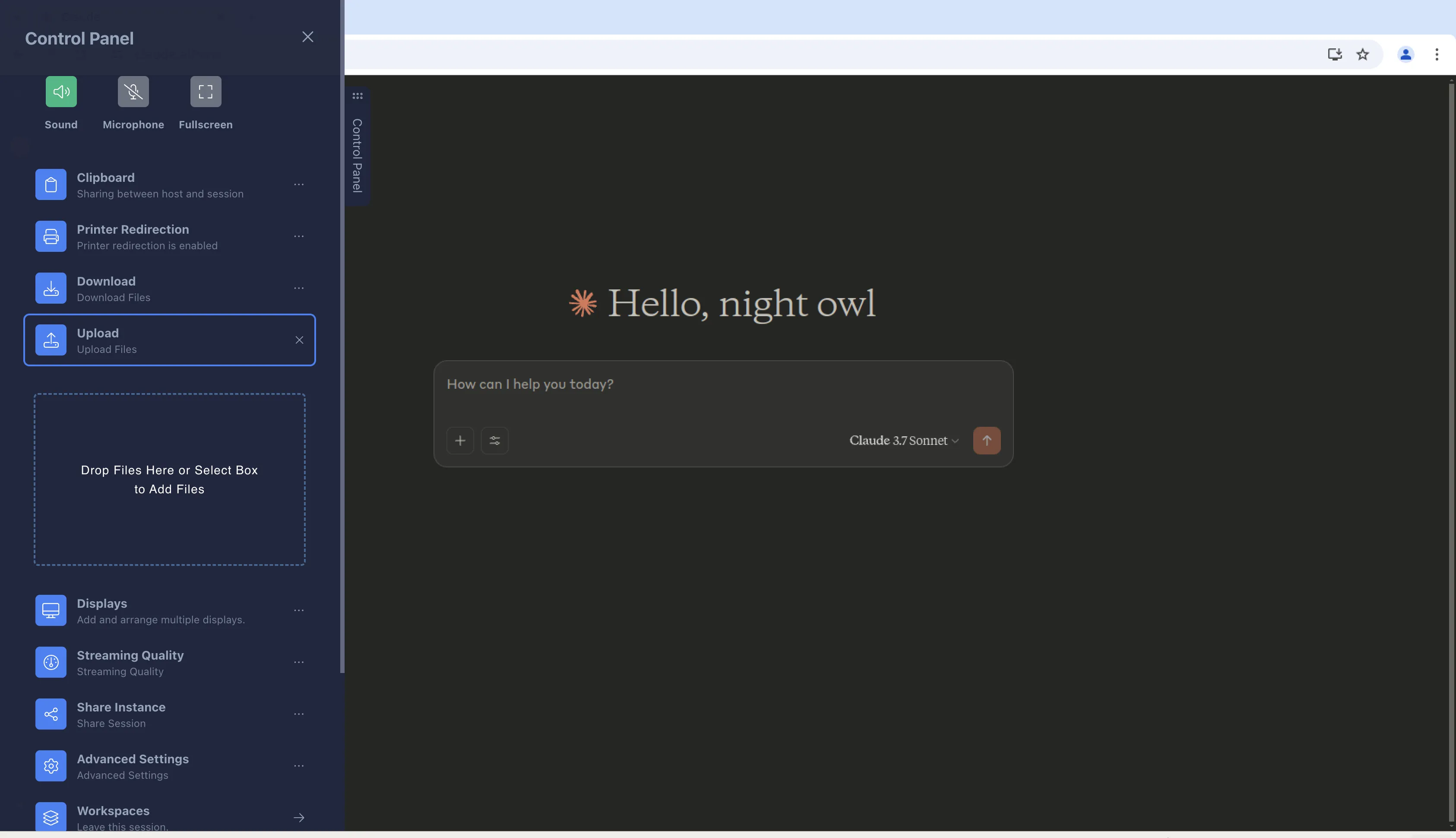
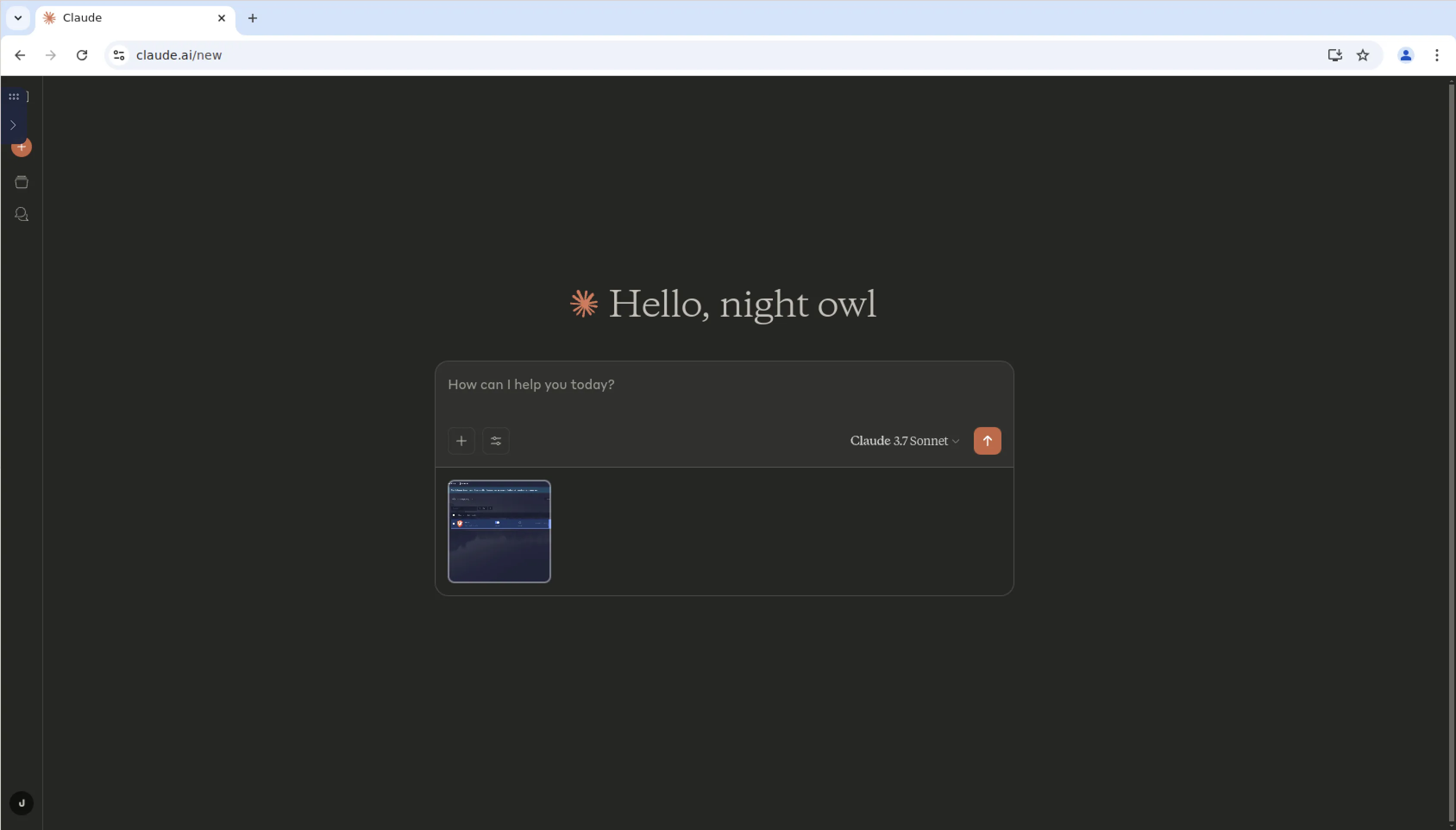
After uploaded images accumulate, can clean up in profiles-related folders.

Use Cases
- ChatGPT, Claude and other network-sensitive scenarios
- AI account sharing
- ……
My current use case—one local browser opens Kasm Workspaces ChatGPT, another opens Kasm Workspaces Claude. Used for over a week—experience is decent.
Summary
Current AI services don’t necessarily need residential IP—not just residential IP avoids bans. I’ve given up on residential IP. Datacenter IP works fine as long as your datacenter isn’t Chinese-heavy [especially US West], IP isn’t too dirty. For example, ensure proxydetect.live detects only 2 proxy characteristics—greatly reduces dumbing-down and ban risks.
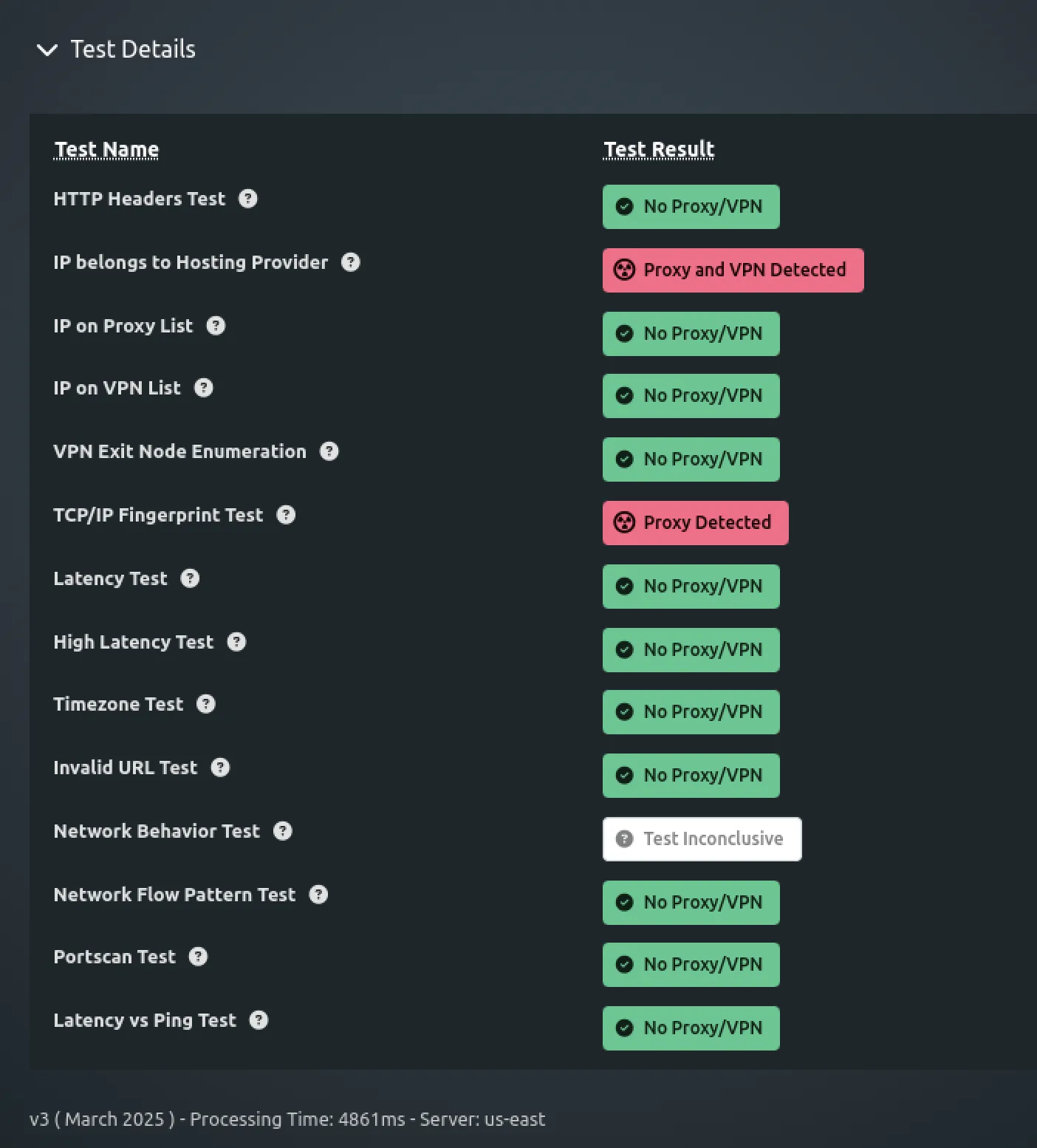
Of course using local proxy for overseas AI services with East Asia timezone characteristics might not be detected. But accessing OpenAI via Kasm Workspaces Chrome browser definitely eliminates this characteristic.
Both ChatGPT and Claude Kasm Workspaces running—nearly 4GB memory consumption.

OpenAI—that villain—in a February report already more or less revealed how they conduct so-called security activities7. Chinese prompts, Chinese working hours are significant characteristics. Not saying can’t use Chinese prompts—there are many Chinese Americans, can’t stare at Chinese forever.
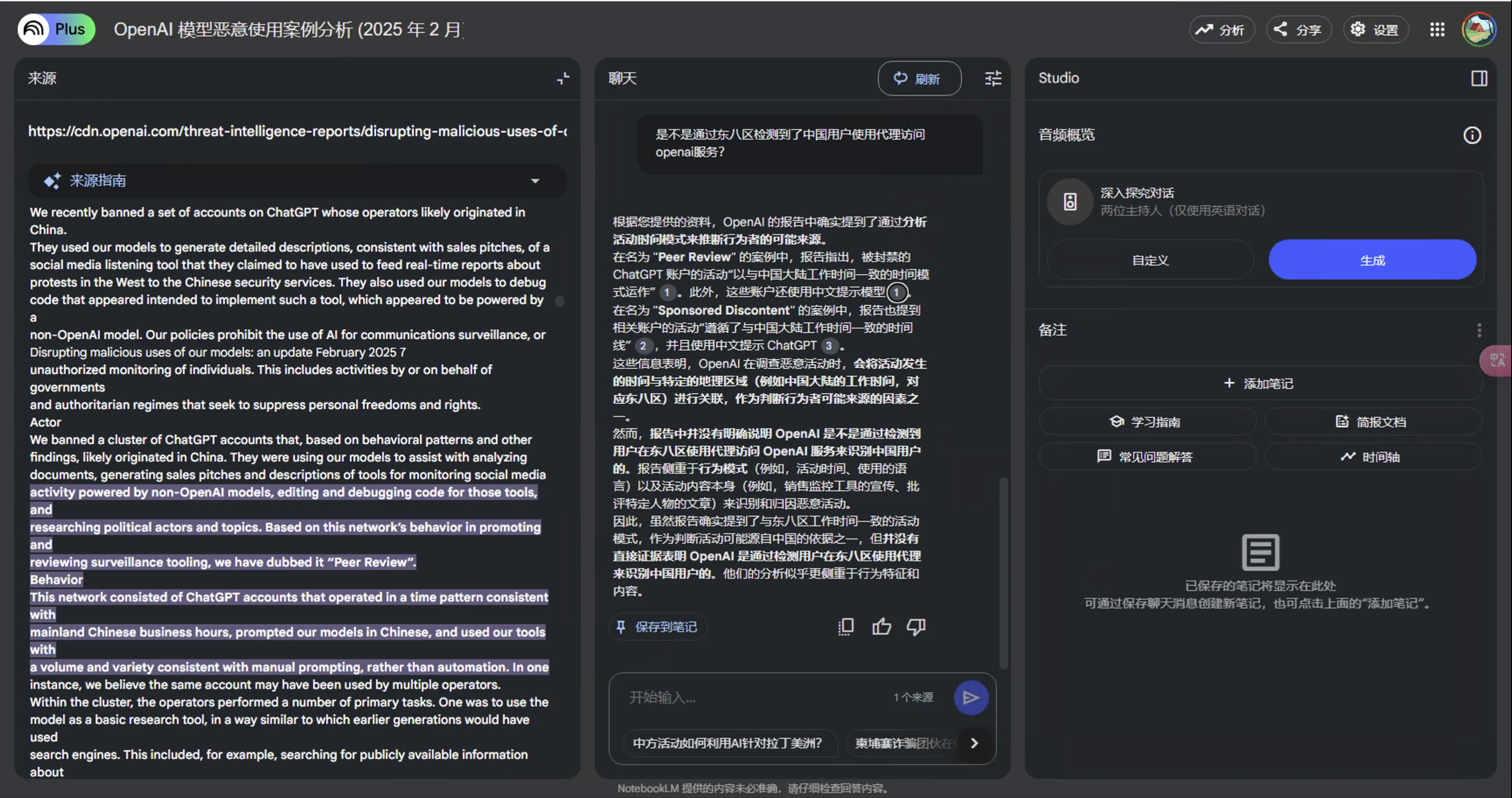
OpenAI is truly a villain—curse them, still use them.
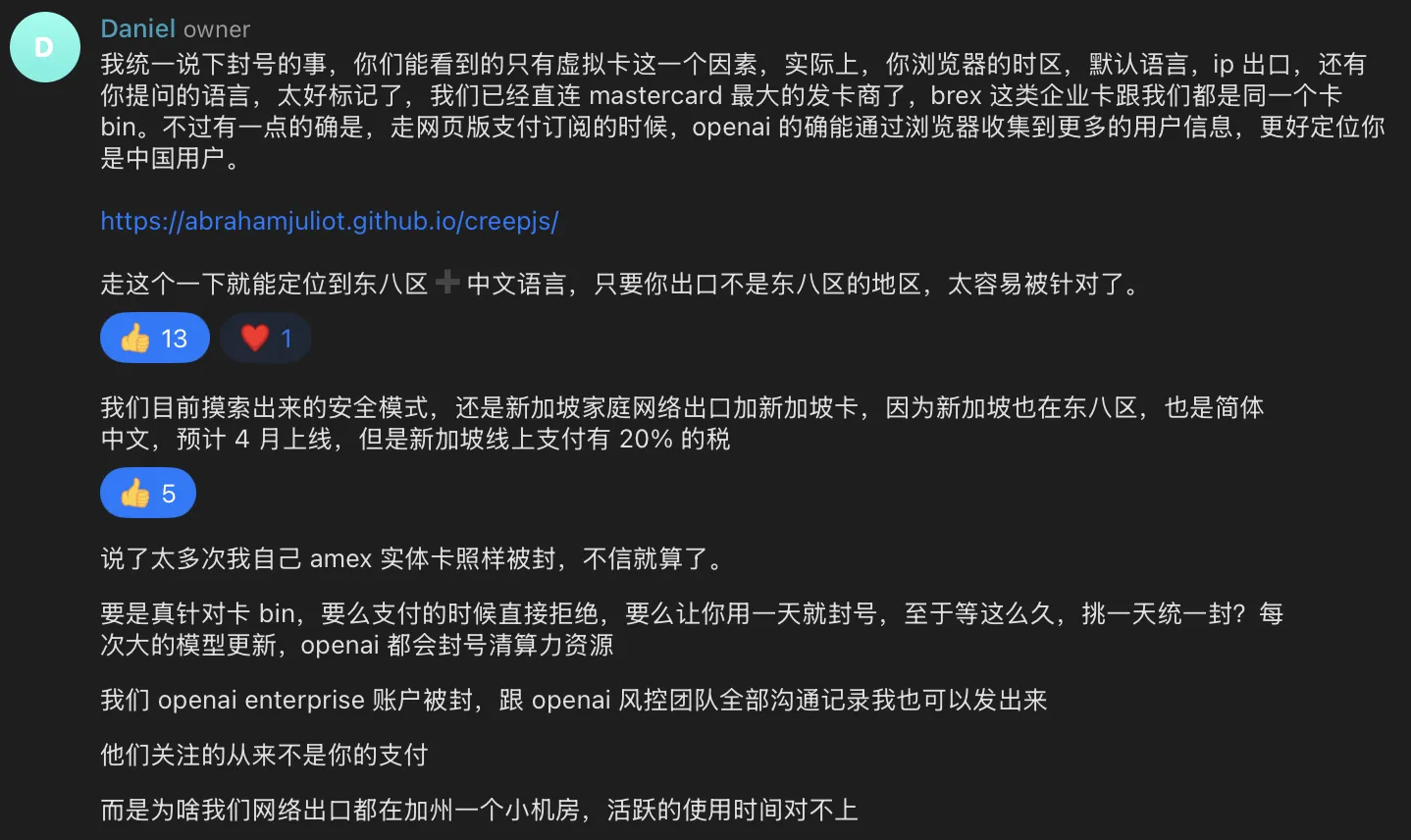
Eliminate obvious proxy characteristics via Kasm Workspaces, regularly clear chat history, destroy evidence—OpenAI definitely doesn’t prioritize these accounts.
Recommend friends with high-spec machines wanting stable ChatGPT, Claude access to set this up.
-
https://kasmweb.com/docs/latest/install/system_requirements.html#resource-requirements ↩︎
-
https://kasmweb.com/docs/latest/guide/persistent_data.html#persistent-data ↩︎
-
https://kasmweb.com/docs/latest/how_to/reverse_proxy.html#update-zones ↩︎
-
https://kasmweb.com/docs/latest/how_to/reverse_proxy.html#example-caddy-config ↩︎
-
https://kasmweb.com/cloud-personal/docs/latest/control_panel.html#clipboard ↩︎
-
https://cdn.openai.com/threat-intelligence-reports/disrupting-malicious-uses-of-our-models-february-2025-update.pdf ↩︎
Document Info
- License: Free to share - Non-commercial - No derivatives - Attribution required (CC BY-NC-ND 4.0)