Solutions for New Bing Network Error: Sorry, looks like your network settings are preventing access to this feature

2023-03-26
#bing
1012 Words
5 min

Update

The warp-go script GitHub repository was banned by GitHub, and the warp-go script has been migrated to a GitLab repository.


Recently when accessing New Bing, I got this error message: Sorry, looks like your network settings are preventing access to this feature
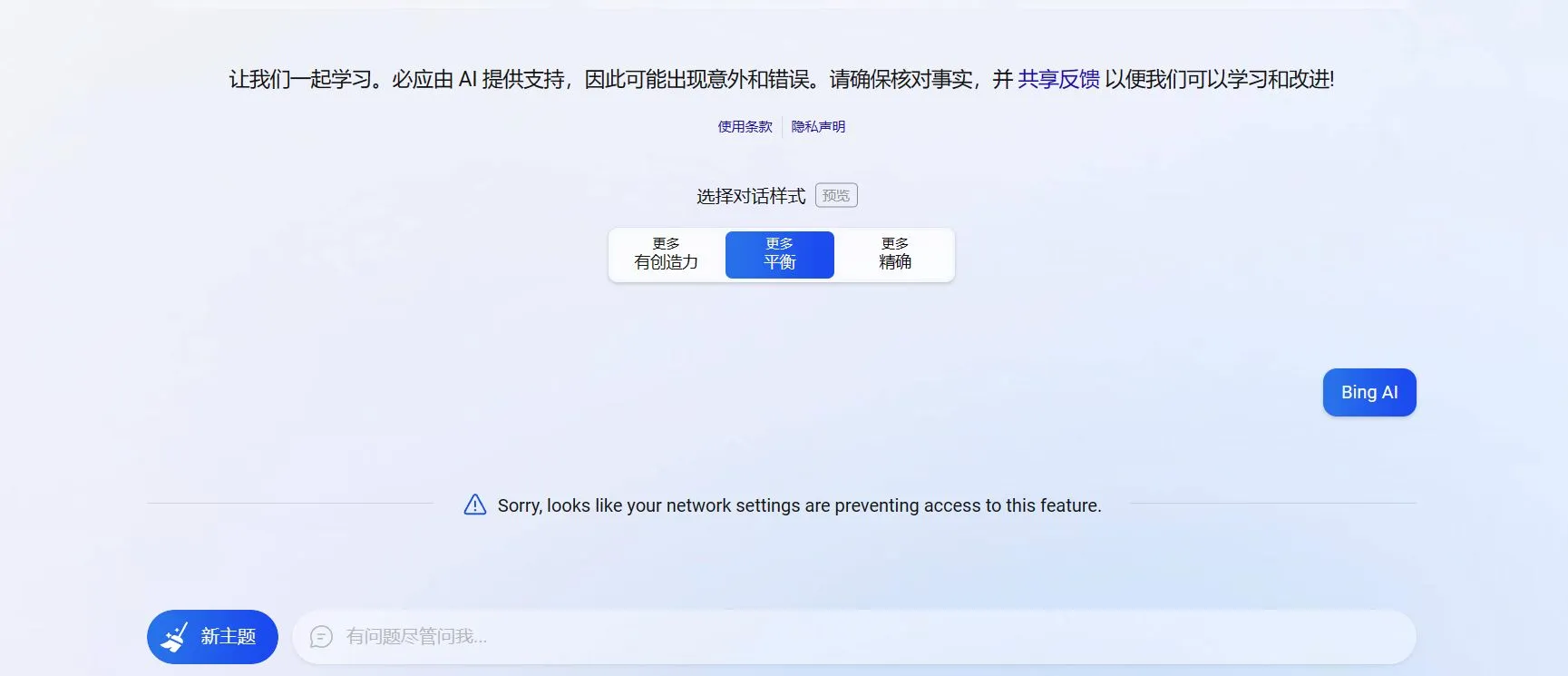
New Bing error

4 days ago, after encountering this problem, I found this post on Reddit’s Bing community. via

At that time, I found that the sidebar New Bing worked fine, but accessing the New Bing chat full-screen webpage showed a network error. So I replied to that person suggesting they could use the sidebar as a workaround.

Later, I saw people in Telegram groups with similar issues. The solution was to clear browser cache and re-login to the Bing interface with your account. That’s how I solved the New Bing network issue 4 days ago.

Early this morning, I opened New Bing and encountered the issue again. I recalled a post I saw on V2EX yesterday. The discussion yielded two solutions: one was the classic Header Editor extension, and the other was installing the WARP client on Linux with SOCKS5 proxy mode enabled. I chose the latter.

Update (2023.6.1): You can install the non-global WARP network interface from the start. There’s no need to install global WARP first and then convert it to non-global like I did - that’s redundant.

  1. Run the warp-go script
1
2
# Download script and install WARP dual-stack
wget -N https://raw.githubusercontent.com/fscarmen/warp/main/warp-go.sh && bash warp-go.sh d

Figure 1

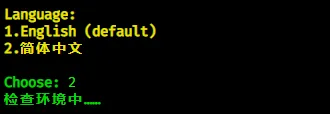
Select language.

Figure 2

Select account type. Teams account is recommended.

Figure 3

Now you need to enter the Teams Token. To get this value, you must register for a Cloudflare Zero Trust account. See YouTuber Yong Ge’s video for the Teams account registration section.

Enter Teams Token, select priority level 3-default.
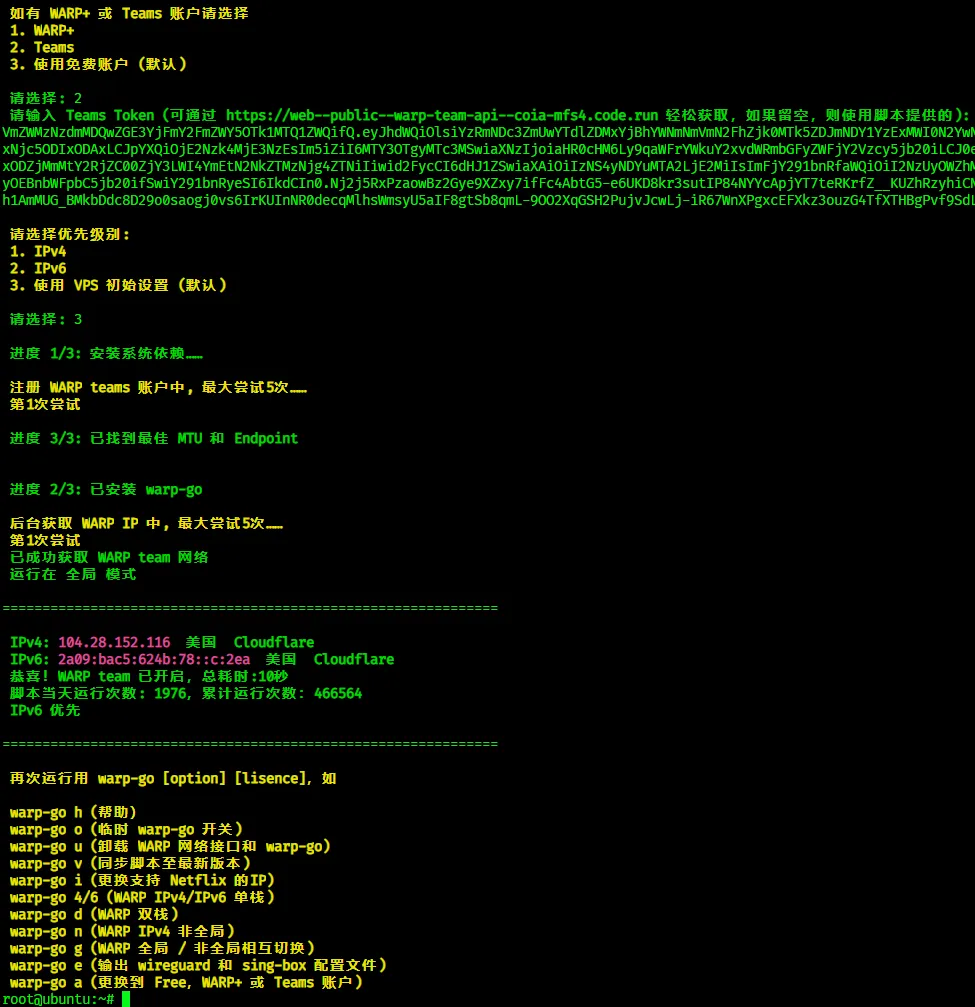
Figure 4

1
2
# Enter warp-go script configuration interface
warp-go

Select 3 to convert the VPS WARP network interface to non-global.

Then run warp-go again to see the following interface. Select 0 to exit the script.
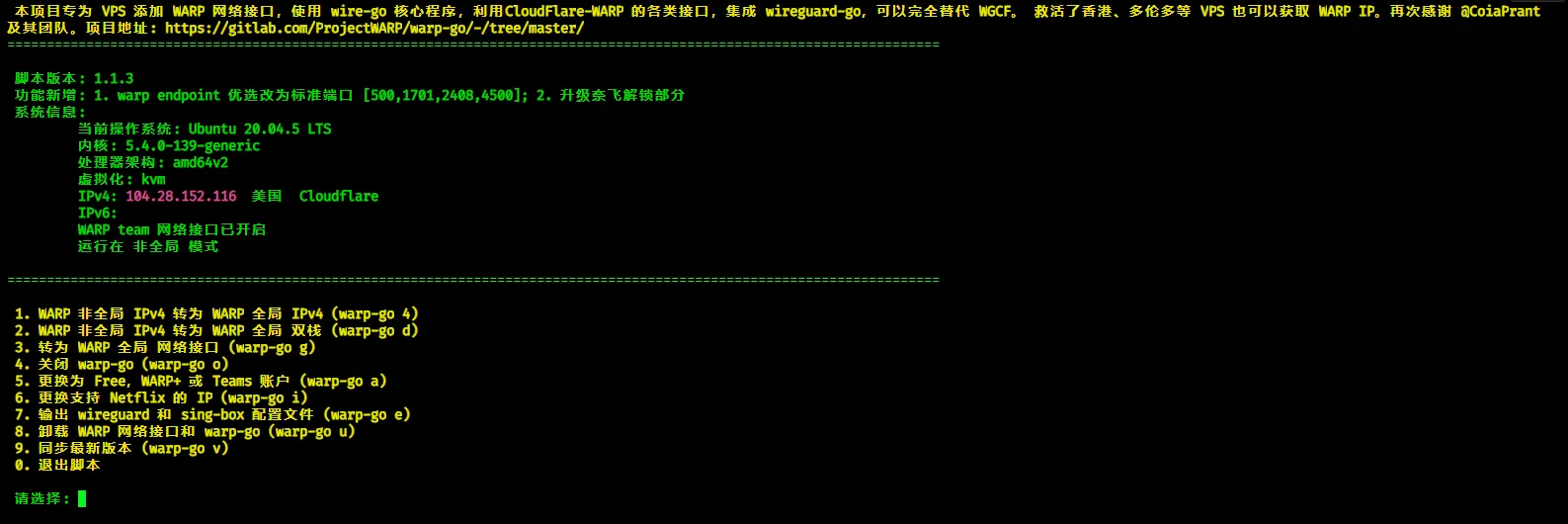
Figure 5

1
2
3
4
# Display information about all network interfaces on the system
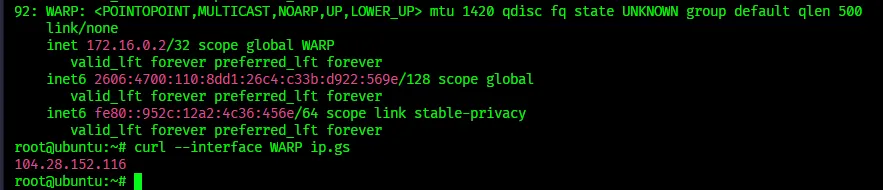
ip a
# Use WARP network interface to access ip.gs, returning the IP address obtained through WARP interface
curl --interface WARP ip.gs

Figure 6

You can see an additional WARP virtual network card. Specifying the WARP virtual network card to access the IP site returns a completely different IP address from the VPS’s own IP.

As for why specifying the WARP network interface returns a different IP than the local IP?

See ChatGPT-4’s answer:
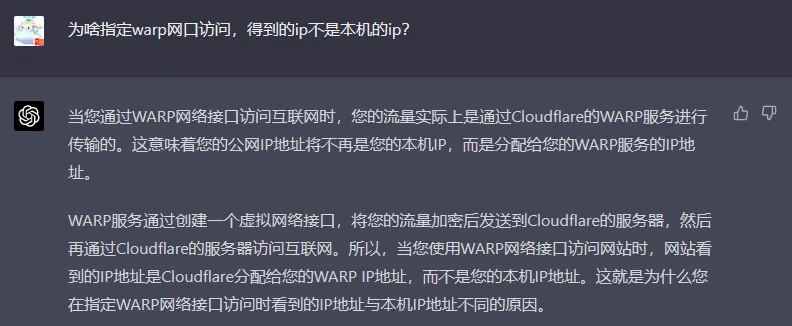
ChatGPT-4’s answer

Since I already had the X-UI panel installed on this VPS. For X-UI panel installation, refer to YouTuber Buliang Lin’s video.

Log into the X-UI admin panel and modify the default Xray configuration template.
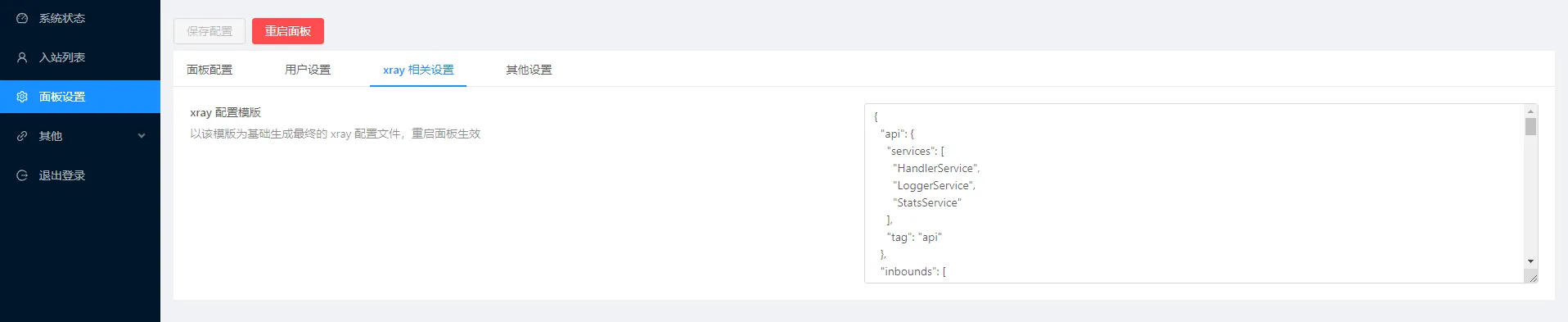
X-UI admin interface

Update (2023.6.1): You can directly update geo data, then specify geosite:openai and geosite:bing in the outbound rules. The following rules are incomplete. Just follow the last section of this article.

Replace the default configuration with the following content, save the configuration, and restart the panel. Route traffic for www.bing.com and chat.openai.com through the WARP virtual network interface.

Other traffic goes through the main network interface (like eth0).

 1
 2
 3
 4
 5
 6
 7
 8
 9
10
11
12
13
14
15
16
17
18
19
20
21
22
23
24
25
26
27
28
29
30
31
32
33
34
35
36
37
38
39
40
41
42
43
44
45
46
47
48
49
50
51
52
53
54
55
56
57
58
59
60
61
62
63
64
65
66
67
68
69
70
71
72
73
74
75
76
77
78
79
80
81
82
83
84
{
  "api": {
    "services": [
      "HandlerService",
      "LoggerService",
      "StatsService"
    ],
    "tag": "api"
  },
  "inbounds": [
    {
      "listen": "127.0.0.1",
      "port": 62789,
      "protocol": "dokodemo-door",
      "settings": {
        "address": "127.0.0.1"
      },
      "tag": "api"
    }
  ],
  "outbounds": [
    {
      "protocol": "freedom",
      "settings": {},
      "tag": "direct"
    },
    {
      "protocol": "freedom",
      "settings": {},
      "streamSettings": {
        "sockopt": {
          "tcpFastOpen": true,
          "interface": "WARP"
        }
      },
      "tag": "warp"
    },
    {
      "protocol": "blackhole",
      "settings": {},
      "tag": "blocked"
    }
  ],
  "policy": {
    "system": {
      "statsInboundDownlink": true,
      "statsInboundUplink": true
    }
  },
  "routing": {
    "rules": [
      {
        "inboundTag": [
          "api"
        ],
        "outboundTag": "api",
        "type": "field"
      },
      {
        "domain": [
          "chat.openai.com",
          "www.bing.com"
        ],
        "outboundTag": "warp",
        "type": "field"
      },
      {
        "ip": [
          "geoip:private"
        ],
        "outboundTag": "blocked",
        "type": "field"
      },
      {
        "outboundTag": "blocked",
        "protocol": [
          "bittorrent"
        ],
        "type": "field"
      }
    ]
  },
  "stats": {}
}

Note: Xray configuration template from ChatGPT-4.

After the above operations, using X-UI panel nodes allows access to chat.openai.com and www.bing.com.

References

Updated Version

1
2
# Update predefined domain rules
wget https://github.com/v2fly/domain-list-community/releases/latest/download/dlc.dat -O /usr/local/x-ui/bin/geosite.dat

Then replace the default Xray configuration template.

 1
 2
 3
 4
 5
 6
 7
 8
 9
10
11
12
13
14
15
16
17
18
19
20
21
22
23
24
25
26
27
28
29
30
31
32
33
34
35
36
37
38
39
40
41
42
43
44
45
46
47
48
49
50
51
52
53
54
55
56
57
58
59
60
61
62
63
64
65
66
67
68
69
70
71
72
73
74
75
76
77
78
79
80
81
82
83
84
{
  "api": {
    "services": [
      "HandlerService",
      "LoggerService",
      "StatsService"
    ],
    "tag": "api"
  },
  "inbounds": [
    {
      "listen": "127.0.0.1",
      "port": 62789,
      "protocol": "dokodemo-door",
      "settings": {
        "address": "127.0.0.1"
      },
      "tag": "api"
    }
  ],
  "outbounds": [
    {
      "protocol": "freedom",
      "settings": {},
      "tag": "direct"
    },
    {
      "protocol": "freedom",
      "settings": {},
      "streamSettings": {
        "sockopt": {
          "tcpFastOpen": true,
          "interface": "WARP"
        }
      },
      "tag": "warp"
    },
    {
      "protocol": "blackhole",
      "settings": {},
      "tag": "blocked"
    }
  ],
  "policy": {
    "system": {
      "statsInboundDownlink": true,
      "statsInboundUplink": true
    }
  },
  "routing": {
    "rules": [
      {
        "inboundTag": [
          "api"
        ],
        "outboundTag": "api",
        "type": "field"
      },
      {
        "domain": [
          "geosite:openai",
          "geosite:bing"
        ],
        "outboundTag": "warp",
        "type": "field"
      },
      {
        "ip": [
          "geoip:private"
        ],
        "outboundTag": "blocked",
        "type": "field"
      },
      {
        "outboundTag": "blocked",
        "protocol": [
          "bittorrent"
        ],
        "type": "field"
      }
    ]
  },
  "stats": {}
}

Save the configuration and restart the X-UI panel to route OpenAI and Bing traffic through the WARP virtual network interface.


Emoji Reaction


© 2022-2026 Made with ❤️ By Jiakai